

Form MV-45A at a glance
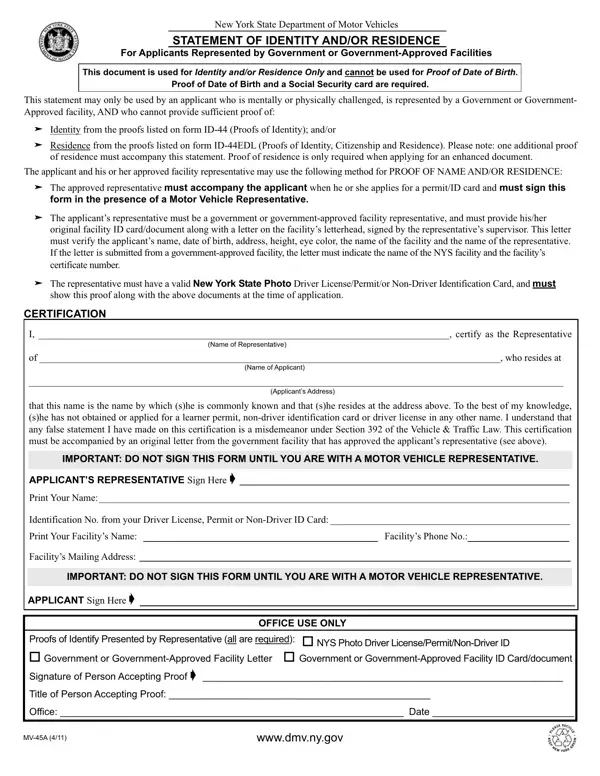
What it is: This is the Statement of Identity and/or Residence for Applicants Represented by Government or Government-Approved Facilities. This document is used for identity and/or residence only and cannot be used for proof of date of birth.
Who signs: The applicant's representative signs at APPLICANT'S REPRESENTATIVE Sign Here X and prints the name after Print Name. The APPLICANT signs at APPLICANT Sign Here X.
What to bring and attach to Form MV-45A
If the applicant's representative is a government or government-approved facility representative, the representative must provide the representative's original facility ID card/document along with a letter on the facility's letterhead, signed by the representative's supervisor.
This letter must verify the applicant's name, date of birth, address, height, eye color, the name of the facility and the name of the representative.
If the letter is submitted from a government-approved facility, the letter must indicate the name of the New York State facility and the facility's certificate number.
If the applicant's representative is a foster parent or guardian, the representative must provide a NYS driver license or non-driver ID.
A filled-in Form MV-45A example: a facility representative certifies for an applicant
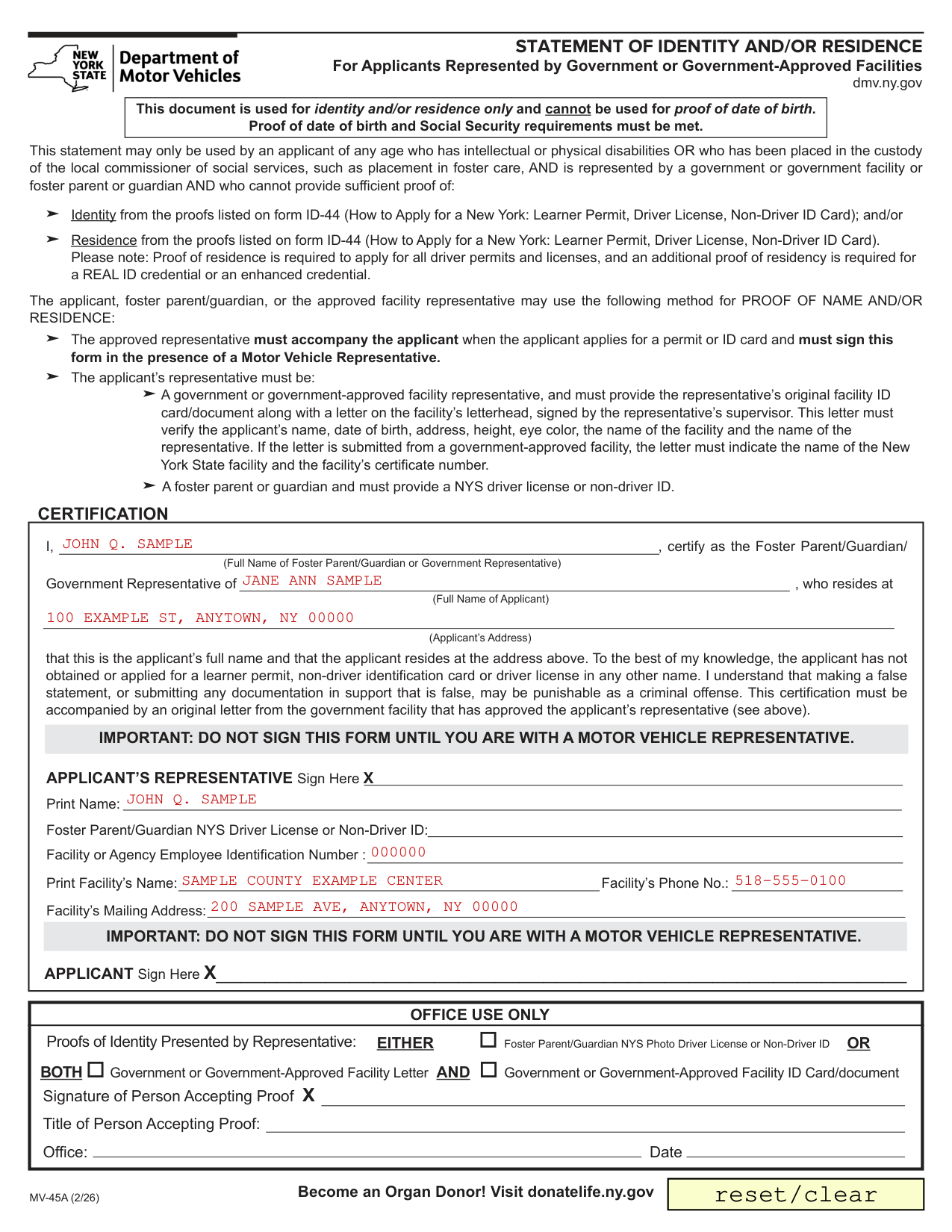
How to fill out Form MV-45A, box by box
Who may use this statement, and what it cannot be used for
This statement may only be used by an applicant of any age who has intellectual or physical disabilities OR who has been placed in the custody of the local commissioner of social services, such as placement in foster care, AND is represented by a government or government facility or foster parent or guardian AND who cannot provide sufficient proof of identity from the proofs listed on form ID-44 and/or residence from the proofs listed on form ID-44.
This document is used for identity and/or residence only and cannot be used for proof of date of birth.
The certification: the representative, the applicant and the applicant's address
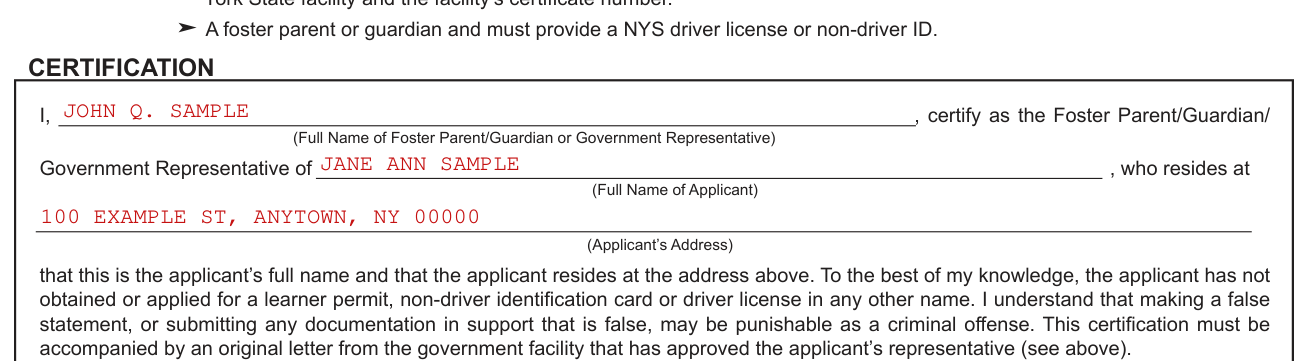
Write the Full Name of Foster Parent/Guardian or Government Representative after I, the Full Name of Applicant after Government Representative of, and the Applicant's Address after who resides at.
The Foster Parent/Guardian/Government Representative certifies that the name written in Full Name of Applicant is the applicant's full name and that the applicant resides at the address written in Applicant's Address.
The Foster Parent/Guardian/Government Representative certifies: to the best of my knowledge, the applicant has not obtained or applied for a learner permit, non-driver identification card or driver license in any other name.
The Foster Parent/Guardian/Government Representative also certifies: I understand that making a false statement, or submitting any documentation in support that is false, may be punishable as a criminal offense.
This certification must be accompanied by an original letter from the government facility that has approved the applicant's representative.
Signing, and the representative's name, ID number and facility
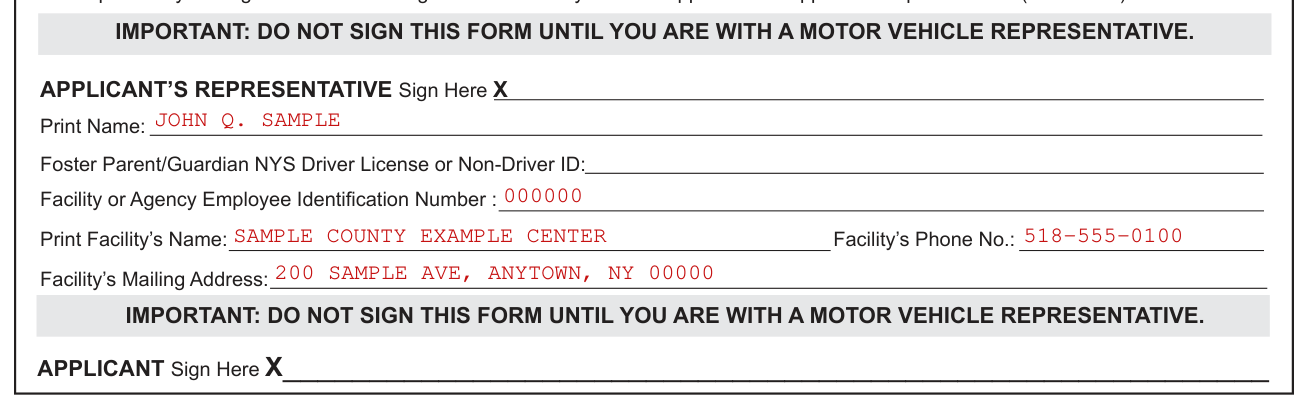
The applicant, foster parent/guardian, or the approved facility representative may use the following method for proof of name and/or residence: the approved representative must accompany the applicant when the applicant applies for a permit or ID card and must sign this form in the presence of a Motor Vehicle Representative.
Common mistake: Do not sign this form until you are with a Motor Vehicle Representative.
The applicant's representative signs at APPLICANT'S REPRESENTATIVE Sign Here X and prints the name after Print Name.
Write the Foster Parent/Guardian NYS Driver License or Non-Driver ID.
Write the Facility or Agency Employee Identification Number.
Write the Print Facility's Name and the Facility's Phone No.
Write the Facility's Mailing Address.
The APPLICANT signs at APPLICANT Sign Here X.
Office use only: the person accepting proof
Under Proofs of Identity Presented by Representative: EITHER Foster Parent/Guardian NYS Photo Driver License or Non-Driver ID OR BOTH Government or Government-Approved Facility Letter AND Government or Government-Approved Facility ID Card/document.
In OFFICE USE ONLY, the Person Accepting Proof signs at Signature of Person Accepting Proof X, with the Title of Person Accepting Proof, the Office and the Date.
More rules for Form MV-45A
Proof of date of birth and Social Security requirements must be met.
Proof of residence is required to apply for all driver permits and licenses, and an additional proof of residency is required for a REAL ID credential or an enhanced credential.
Sources
[1] Form MV-45A (2/26), Statement of Identity and/or Residence, New York State Department of Motor Vehicles (the Official source link on this page).