
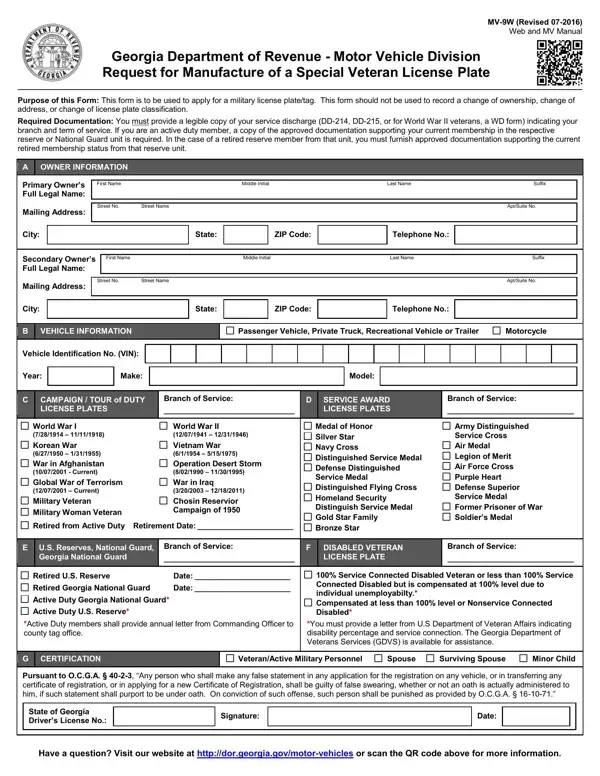
This form is to be used to apply for a military license plate/tag.
Not for: This form should not be used to record a change of ownership, change of address or change of license plate classification.
Required documentation: you must provide a legible copy of your service discharge (Form DD-214, DD-215, or for World War II veterans, aWD form).
Spouse: a person who is married to a veteran who does not have a registered vehicle.
Vehicles: military license plates are issued only to those vehicles titled in Georgia.
Gold Star Family plates: the applicant must have had an immediate family member die in the line of duty while serving in the United States Armed Forces.
| Question | Answer |
|---|---|
| Form Name | MV-9W |
| Form Length | 2 pages |
| Fillable? | Yes |
| Fillable fields | 79 |
| Avg. time to fill out | 14 min |
| Edition | 06-2021 |
| Issuing agency | Georgia Department of Revenue - Motor Vehicle Division |
| Matches the agency's file | Yes, checked October 9, 2026 |
| Other names | MV-9W, MV9W, MV 9W, Form MV-9W, MV-9W form, Request for Manufacture of a Special Veteran License Plate |
| Official source | MV-9W (Rev 06-2021), Georgia Department of Revenue - Motor Vehicle Division |
Form Mv 9W isn’t the one you’re looking for?