
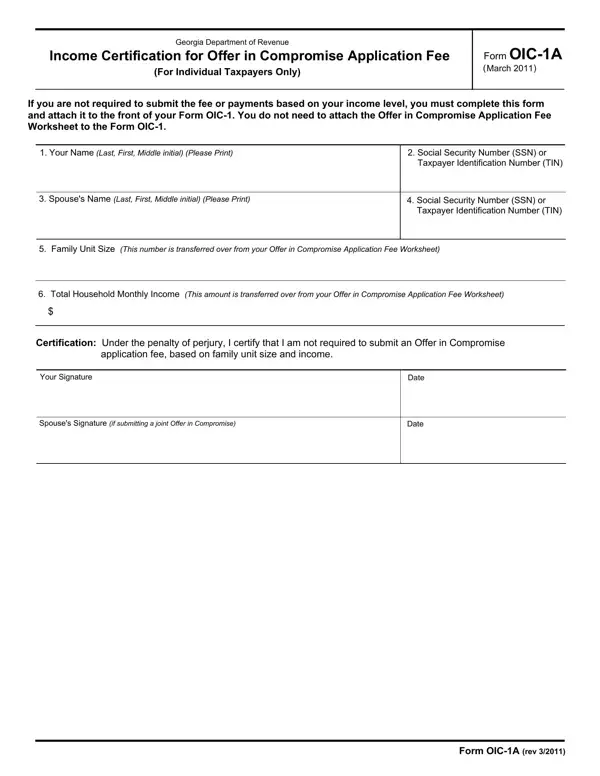
Facing financial difficulties can be overwhelming, especially when they involve tax liabilities. For individuals grappling with such challenges, the Georgia Department of Revenue provides a beacon of hope through its Offer in Compromise (OIC) program. This initiative allows taxpayers to settle their debts for less than the full amount owed, under certain conditions. Central to this process is the Form OIC-1A, a crucial document designed exclusively for individual taxpayers. This form operates as a certificate of income, verifying that the applicant's earnings fall below a specific threshold, thereby exempting them from the standard application fee. It streamlines the application process by negating the need for an additional Offer in Compromise Application Fee Worksheet when attached to the front of Form OIC-1. Applicants are asked to provide personal details, including their name, social security number or taxpayer identification number, as well as information about their spouse and household income. The form simplifies the path towards financial relief by setting clear parameters based on family unit size and total household income, measured against the Georgia Department of Revenue's Low Income Guidelines. This ensures that those who are truly in need can access the program with fewer barriers, providing a structured means to potentially lighten their financial burden without the added worry of an application fee.
| Question | Answer |
|---|---|
| Form Name | Form Oic 1A |
| Form Length | 2 pages |
| Fillable? | No |
| Fillable fields | 0 |
| Avg. time to fill out | 30 sec |
| Other names | OIC-1A, 2011, Contiguous, Hawaii |