
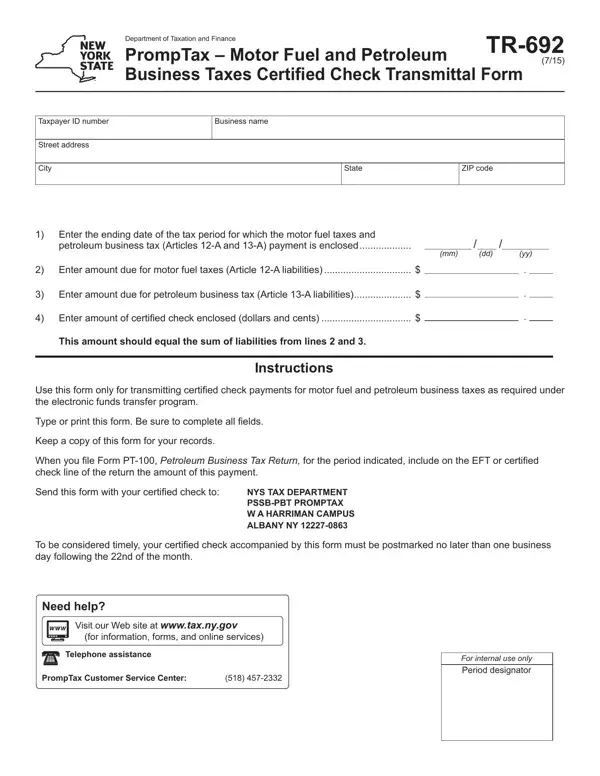
Navigating the intricacies of tax obligations for motor fuel and petroleum businesses in New York entails more than just keeping abreast of the fluctuating market prices; it also means staying compliant with specific tax submission protocols. The TR-692 form, a critical document issued by the Department of Taxation and Finance, serves as a vehicle for businesses to transmit certified check payments covering taxes on motor fuel and petroleum business activities as delineated in Articles 12-A and 13-A. This form requires detailed information including the taxpayer ID number, business name, address, and the amounts due for motor fuel and petroleum business taxes. It is specifically designed for use under the electronic funds transfer program, mandating accuracy in completion to avoid any processing delays. Instructions accompanying the form emphasize the importance of timely submissions, with payments needing to be postmarked no later than one business day after the 22nd of each month, to be considered timely. Furthermore, the TR-692 form outlines the necessity of attaching the certified check amount, equivalent to the sum of liabilities from the specified tax obligations, ensuring businesses remain in good standing with tax authorities. By providing a systematic approach for tax payment through certified checks, the form plays a crucial role in streamlining the tax compliance process for businesses in the motor fuel and petroleum sector.
| Question | Answer |
|---|---|
| Form Name | Form Tr 692 |
| Form Length | 1 pages |
| Fillable? | No |
| Fillable fields | 0 |
| Avg. time to fill out | 15 sec |
| Other names | tr692_fill_in nys article 12a and 13a petroleum form |
Form Tr 692 isn’t the one you’re looking for?