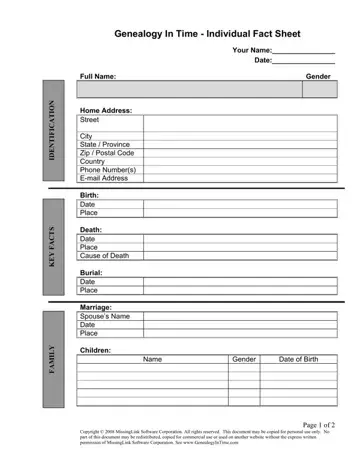
Genealogy Forms Form PDF Details

In the quest to trace family histories, genealogists often seek out resources that streamline their research, making the process not only more efficient but also more rewarding. The Genealogist’s Toolkit Live Roots serves as a comprehensive guide, furnishing researchers with a myriad of free tools designed to assist in uncovering ancestral stories. This toolkit includes verified links to resources like Family Tree Magazine free forms, downloadable genealogy charts from Misbach Enterprises, and fill-in-the-blank form letters for international research from Genealogy.com, among others. It doesn't stop at printable resources; software solutions like the Family Tree Builder, available in 18 languages, and Brother's Keeper, a shareware program for organizing family history information, are also highlighted. Additionally, the toolkit provides links to software for creating online genealogical databases, such as Arbor Vita, and utilities for managing research data like Census Tools' spreadsheets. Aimed at ensuring genealogists have access to a wide range of tools, from charts and forms to software and literature, the Genealogist’s Toolkit Live Roots offers an invaluable collection of resources designed to facilitate the exploration and documentation of family ancestry.

QuestionAnswer
Form NameGenealogy Forms Form
Form Length8 pages
Fillable?No
Fillable fields0
Avg. time to fill out2 min
Other namesprintable family tree sheet, genealogy forms, genealogist toolkit, fillable genealogy forms for word

How to Edit Genealogy Forms Form Online for Free

Using PDF files online can be simple with our PDF editor. You can fill out genealogy worksheet here and try out various other functions available. To retain our editor on the leading edge of practicality, we strive to put into operation user-oriented features and enhancements regularly. We are routinely looking for suggestions - join us in remolding PDF editing. With just a few simple steps, you are able to start your PDF journey:

Step 1: Hit the "Get Form" button in the top area of this page to get into our tool.

Step 2: The editor lets you work with PDF documents in a range of ways. Change it by writing your own text, correct what is already in the PDF, and add a signature - all at your fingertips!

This form will need some specific details; in order to ensure consistency, make sure you bear in mind the recommendations down below:

1. To get started, once filling out the genealogy worksheet, start in the section with the following blanks:

Completing section 1 of pdf fillable genealogy forms

2. Right after the first section is done, proceed to type in the suitable details in all these - Family Charts Forms Family Tree, Page of, and Prepared February.

Best ways to complete pdf fillable genealogy forms stage 2

3. This subsequent step is rather simple, Miscellaneous Genealogy Forms - all of these blanks has to be filled out here.

Writing part 3 in pdf fillable genealogy forms

Many people often get some things incorrect when completing Miscellaneous Genealogy Forms in this part. Make sure you reread whatever you enter here.

4. This next section requires some additional information. Ensure you complete all the necessary fields - Miscellaneous Genealogy Forms, Software Family Tree Builder, Page of, and Prepared February - to proceed further in your process!

pdf fillable genealogy forms completion process clarified (step 4)

5. The final stage to conclude this document is critical. Ensure you fill in the appropriate form fields, for instance Legacy Family Tree Genealogy, before finalizing. Failing to do it may generate an unfinished and probably invalid form!

The right way to prepare pdf fillable genealogy forms portion 5

Step 3: Check all the details you've typed into the blanks and click on the "Done" button. Sign up with FormsPal now and immediately gain access to genealogy worksheet, available for downloading. Every last edit made is handily saved , enabling you to change the pdf at a later time if necessary. Here at FormsPal.com, we strive to ensure that all of your information is kept secure.