Please rate Georgia Form Wc 3 7-2021

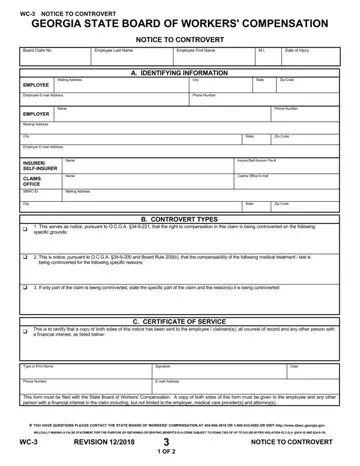
Page 2 holds the notice to the insurer/self-insurer and the notice to the employee.
Controvert types: the right to compensation, the compensability of a medical treatment or test, or, if only part of the claim is being controverted, that part.
Filing: this form must be filed with the State Board of Workers' Compensation.
Copies: a copy of both sides of this form must be given to the employee and any other person with a financial interest in the claim.
Length of disability: Form WC-3 shall not be used to suspend benefits if the only issue is length of disability; in these cases, suspend benefits by filing a Form WC-2.
| Question | Answer |
|---|---|
| Form Name | Form WC-3 |
| Form Length | 2 pages |
| Fillable? | Yes |
| Fillable fields | 39 |
| Avg. time to fill out | 7 min |
| Edition | Rev 7/2021 |
| Issuing agency | Georgia State Board of Workers' Compensation |
| Where to file | The State Board of Workers' Compensation |
| Matches the agency's file | Yes, checked October 3, 2026 |
| Other names | WC-3, WC3, Form WC-3, Form WC3, Notice to Controvert, Georgia WC-3 form |
| Official source | Form WC-3 (Rev 7/2021), Georgia State Board of Workers' Compensation |
Georgia Form Wc 3 isn’t the one you’re looking for?
Please rate Georgia Form Wc 3 7-2021
