
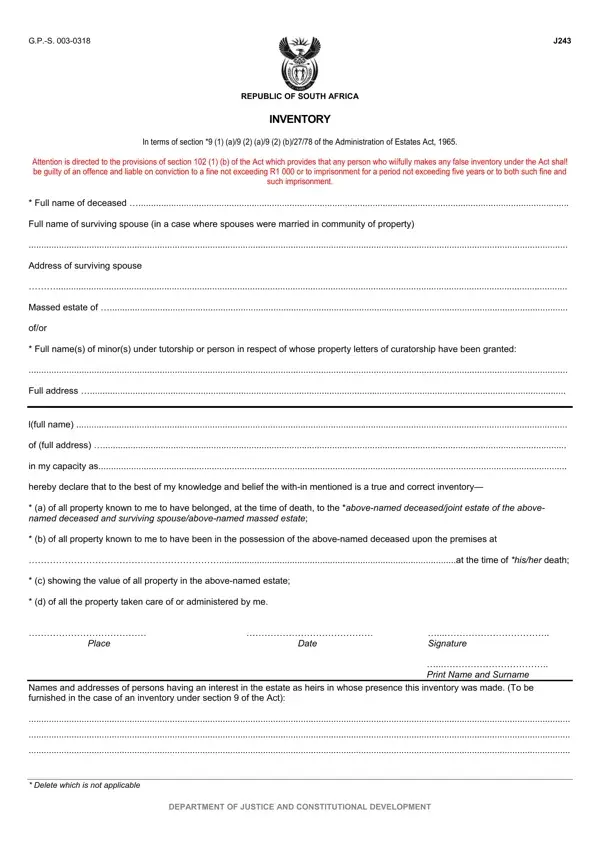
J243 Form PDF Details

Navigating the aftermath of a loved one's passing is inherently challenging, further complicated by the requisite legal and administrative steps involved. Among these, the J243 form plays a pivotal role in South Africa's estate procedure, serving as a comprehensive inventory required by the Administration of Estates Act of 1965. This form is designed to catalog the deceased's assets comprehensively, covering everything from real property to movable assets and claims favoring the estate. Individuals preparing the J243 must disclose all known property and its value belonging to the deceased at their time of death, under penalty of law for false declarations. Addressing sections for immovable and movable property, along with claims in favor of the estate, the form also outlines the importance of accurate and truthful completion to avoid substantial penalties. By providing a detailed account of a deceased individual's estate, the J243 form facilitates a smoother process in estate management, underscoring the significance of meticulous attention to detail and the legal obligation of honesty in reporting.

QuestionAnswer
Form NameJ243 Form
Form Length4 pages
Fillable?No
Fillable fields0
Avg. time to fill out1 min
Other namesj294 form, estate forms, j243 form, j243

How to Edit J243 Form Online for Free

Using PDF forms online is always a breeze with this PDF editor. You can fill in inventory form j243 here painlessly. The tool is constantly upgraded by us, receiving useful functions and turning out to be greater. In case you are seeking to get started, here is what it requires:

Step 1: Firstly, access the editor by clicking the "Get Form Button" above on this page.

Step 2: The tool helps you work with your PDF document in a range of ways. Transform it by writing personalized text, adjust what's already in the file, and put in a signature - all within a few mouse clicks!

This PDF doc will involve some specific information; in order to ensure accuracy and reliability, remember to pay attention to the tips listed below:

1. Start filling out your inventory form j243 with a group of necessary fields. Note all of the important information and make sure nothing is left out!

Stage no. 1 of completing master of the high court forms

2. Once this section is complete, you should insert the required particulars in lfull name of full address in my, Signature, Date, Print Name and Surname, Place, Names and addresses of persons, Delete which is not applicable, and DEPARTMENT OF JUSTICE AND so you're able to proceed to the 3rd stage.

Signature, Print Name and Surname, and Date in master of the high court forms

3. Completing R c, and Description of property according is essential for the next step, make sure to fill them out in their entirety. Don't miss any details!

Part no. 3 of submitting master of the high court forms

4. Now proceed to this next form section! Here you will get all these blank fields to do.

master of the high court forms writing process explained (step 4)

Be very mindful while filling out this field and next field, because this is the section where a lot of people make a few mistakes.

5. This final section to submit this PDF form is integral. Ensure you fill in the mandatory form fields, including DEPARTMENT OF JUSTICE AND, and Total R, prior to using the pdf. Neglecting to do this can generate a flawed and possibly invalid form!

master of the high court forms conclusion process shown (portion 5)

Step 3: Just after double-checking your filled in blanks, click "Done" and you're all set! Get hold of the inventory form j243 once you sign up for a free trial. Immediately gain access to the document from your FormsPal cabinet, along with any edits and adjustments all preserved! FormsPal is committed to the privacy of our users; we make sure that all information coming through our system continues to be protected.