Please rate Lift Eligibility

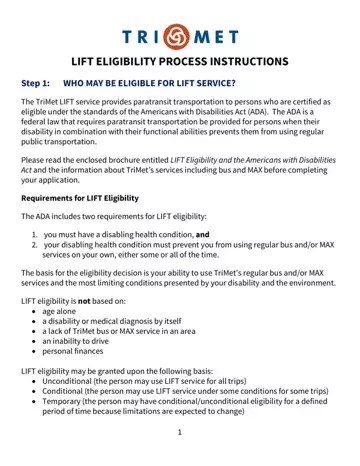
In the realm of accessible transit services, the Lift Eligibility form stands as a crucial gateway for individuals with disabilities seeking paratransit services under the Americans with Disabilities Act (ADA) regulations. This comprehensive process is designed to ensure that only those who truly cannot utilize standard public transportation due to their disabilities gain access to specialized transport options. To navigate this process, individuals must first understand who qualifies for Lift service, which primarily caters to those whose disabilities and functional abilities prevent them from using regular bus and MAX services independently. The eligibility criteria meticulously exclude factors such as age, financial situation, and geographical constraints, focusing solely on the applicant's functional abilities in relation to public transit use. Following an application submission, which includes a medical release form, applicants undergo a professional verification of their disability, an in-person interview, and possibly a functional or cognitive assessment to closely evaluate their transit capabilities. This thorough evaluation, possibly including a simulated mobility course or assessment for cognitive transit skills, ensures that Lift services are reserved for those who most need them. Additionally, personal care assistance, mobility equipment considerations, and facilitated transportation to evaluations underscore the thoroughness and accessibility of the process. After the evaluation, applicants are promptly informed of their eligibility status, and an appeals process is in place for those who wish to contest the decision. The Lift Eligibility form not only underscores a commitment to accessibility but also reflects a meticulous approach to assessing and fulfilling the mobility needs of individuals with disabilities, facilitating their independence and integration into the community.
| Question | Answer |
|---|---|
| Form Name | Lift Eligibility |
| Form Length | 9 pages |
| Fillable? | No |
| Fillable fields | 0 |
| Avg. time to fill out | 2 min 15 sec |
| Other names | trimet lift application, get a lift application, lift eligibility requirements, forms lift |
Lift Eligibility isn’t the one you’re looking for?
Please rate Lift Eligibility
