Please rate Medical Form Lift Chair

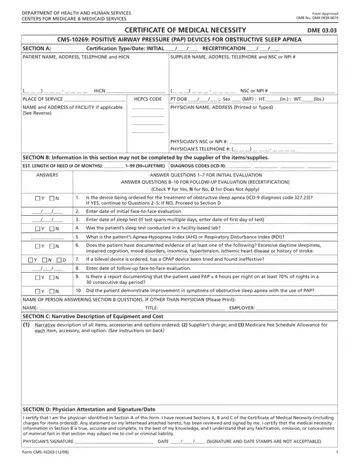
Navigating through the process of obtaining medical equipment that's covered by Medicare can seem daunting at first glance. The Medical Lift Chair, necessary for individuals facing mobility issues, is one such device that requires thorough documentation to ensure Medicare coverage. This process is encapsulated in the CMS-10269 form, a pivotal document standardized by the Centers for Medicare & Medicaid Services (CMS) under the Department of Health and Human Services. The form, functioning as a Certificate of Medical Necessity (DME 03.03), meticulously records necessary information ranging from patient identification, detailed physician certification, to the vital medical justification for the Positive Airway Pressure (PAP) devices used in treating Obstructive Sleep Apnea. Furthermore, it distinguishes between initial certification and recertification, streamlining the process for repeat requirements. Importantly, it outlines the critical role of the physician in certifying the need and the equipment’s estimated duration of use, alongside a structured section for narrative description of the equipment by the supplier. This ensures a comprehensive approach to documenting the medical necessity and the specific details of the prescribed equipment, reflecting a balance between regulatory requirements and personal medical needs. Physicians must provide their attestation, reinforcing the accountability and validity of the medical necessity claimed, making this form an integral part of the Medicare coverage process for medical lift chairs and related PAP devices.
| Question | Answer |
|---|---|
| Form Name | CMS-10269 Certificate of Medical Necessity, PAP Devices |
| Form Length | 2 pages |
| Fillable? | No |
| Fillable fields | 0 |
| Avg. time to fill out | 30 sec |
| Other names | cms 849 form, medicare lift chair reimbursement form, certificate of medical necessity for lift chair, lift chair medicare form |
Medical Form Lift Chair isn’t the one you’re looking for?
Please rate Medical Form Lift Chair
