
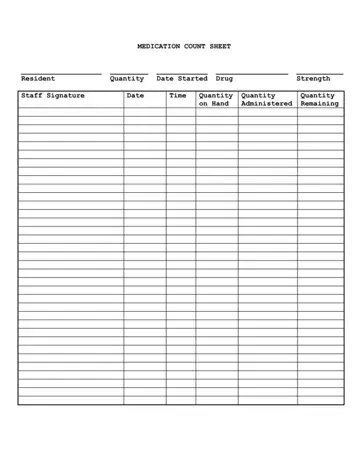
Keeping track of medication on a daily basis is a critical part of care, especially in care settings where you need it to be done properly and accurately all the time. The medication count sheet is a shared document that staff keep updated each time they administer a medication. And the best part is, because every entry is recorded right away, you don't have to rely on your memory to get it right at the end of your shift.
This form is also super handy for handovers. When one shift ends and another begins, staff can just see the latest entries and confirm that the remaining amounts match what they can see on site. Supervisors will often review these sheets as part of their routine checks.
Each entry links a specific resident and their medication to a named member of staff at a specific time.
Most medication count sheets will have the following sections:
• Resident name,
• What the medication is and how strong it is,
• The start date for taking the medication,
• How much medication is in stock,
• The total amount of medication administered,
• The amount remaining,
• The staff member's signature, date, and time.
Because it all appears in one place, the form creates a consistent record that is easy to follow day after day.
If there ever was a time when you had to deal with an inspection or audit, reviewers often check these sheets to make sure the recorded quantities add up to what you have and what you were supposed to administer.
| Question | Answer |
|---|---|
| Form Name | Medication Count Sheet |
| Form Length | 1 page |
| Fillable? | Yes |
| Fillable fields | 220 |
| Avg. time to fill out | 20 min |
| Other names | controlled count, controlled count sheet print, shift to shift narcotic count sheet template, controlled substance sheet |
