

Form 3830-3 at a glance
What it is: Form 3830-3 is the Notice of Intent to Locate a Lode or Placer Mining Claim(s) and/or a Tunnel Site(s) on lands patented under the Stock Raising Homestead Act.
Who signs: Sign on the Signature of line for the (Person) or the (Affiliate).
The undersigned intend(s) to enter the lands covered by this notice to explore for a valuable mineral deposit(s) and to locate a mining claim(s), and/or tunnel site(s), as provided under the mining laws of the United States (30 U.S.C. 22, et seq.).
A filled-in Form 3830-3 example: a claimant gives notice for one parcel
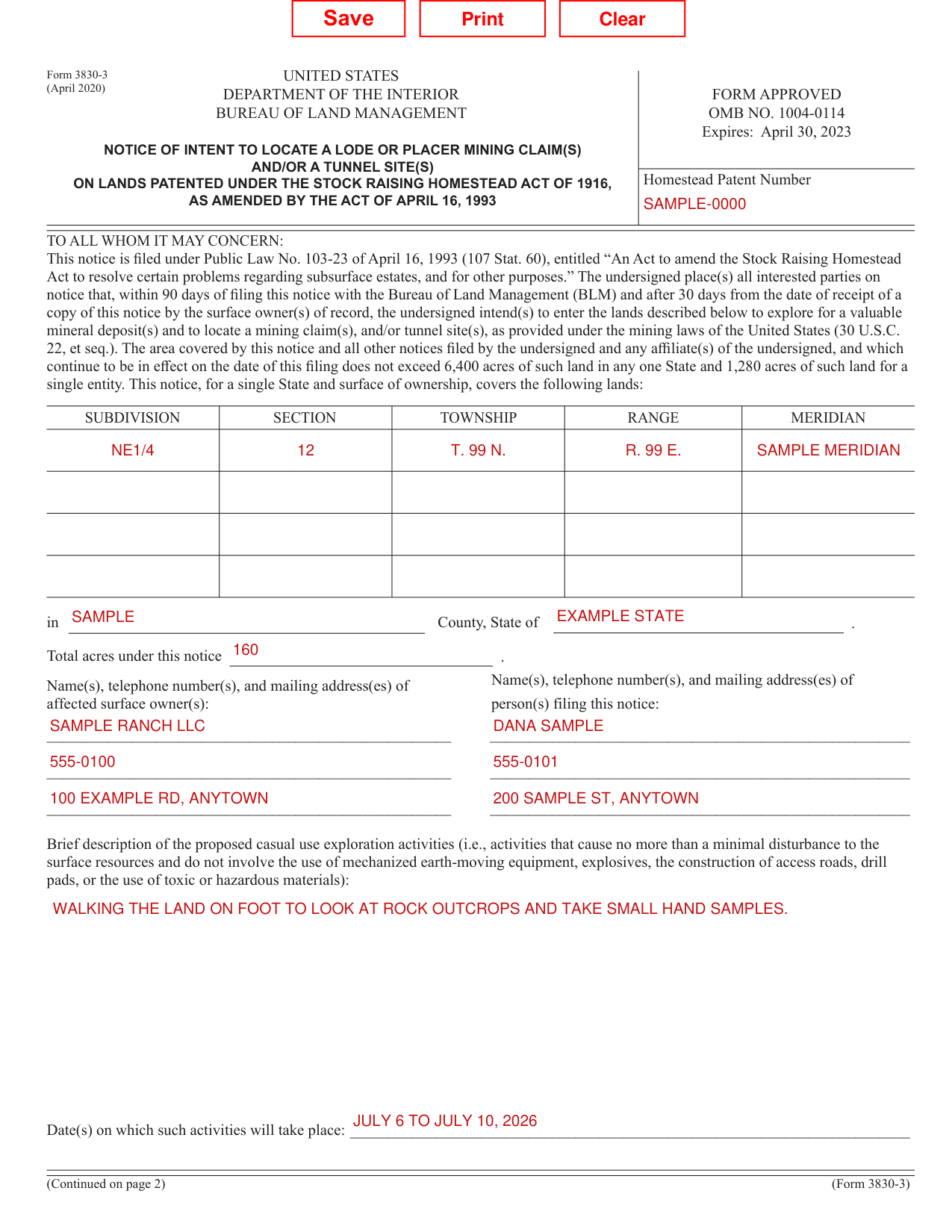
How to fill out Form 3830-3, box by box
Homestead patent number and the lands covered
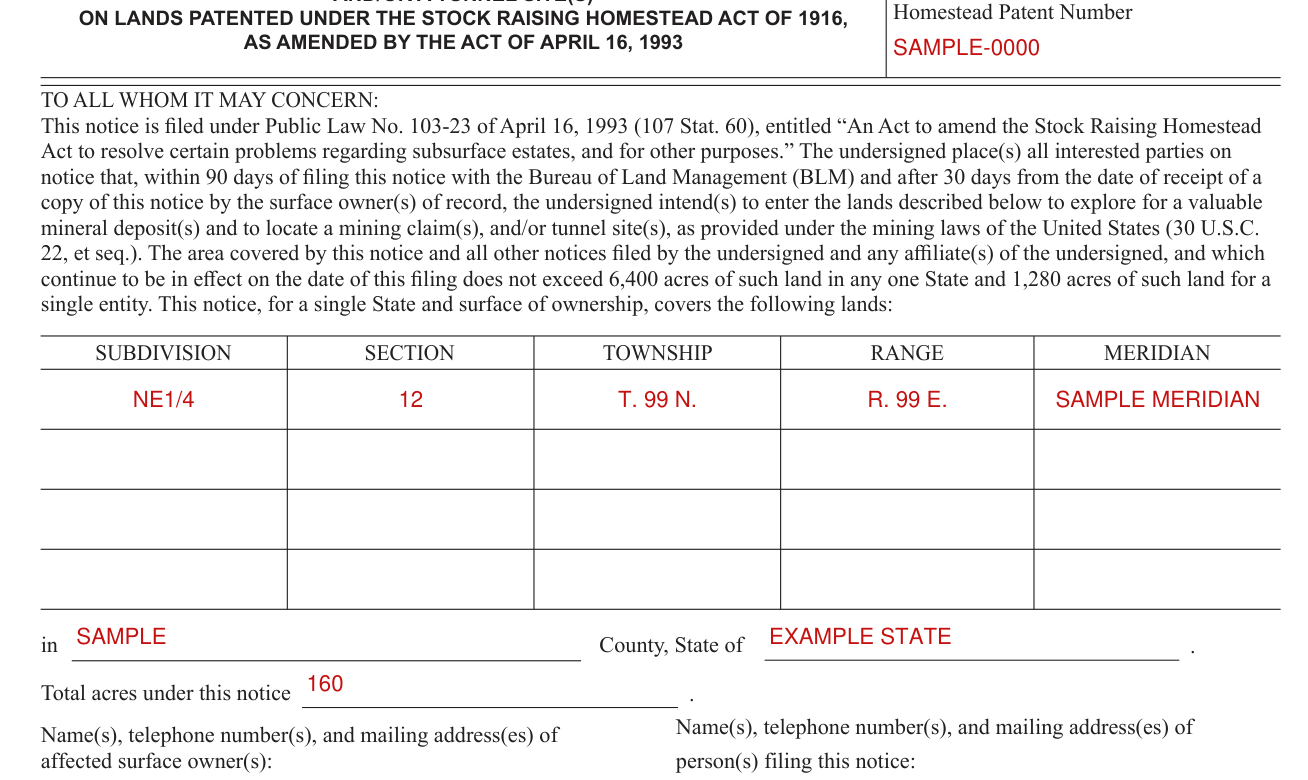
Enter the Homestead Patent Number.
This notice covers the following lands for a single State and surface of ownership: enter the SUBDIVISION, SECTION, TOWNSHIP, RANGE and MERIDIAN, then the County, State and Total acres under this notice.
The area covered by this notice and all other notices filed by the undersigned and any affiliate(s) of the undersigned, and which continue to be in effect on the date of this filing does not exceed 6,400 acres of such land in any one State and 1,280 acres of such land for a single entity.
Surface owners and the persons filing

Enter the Name(s), telephone number(s), and mailing address(es) of affected surface owner(s).
Enter the Name(s), telephone number(s), and mailing address(es) of person(s) filing this notice.
Exploration activities and dates
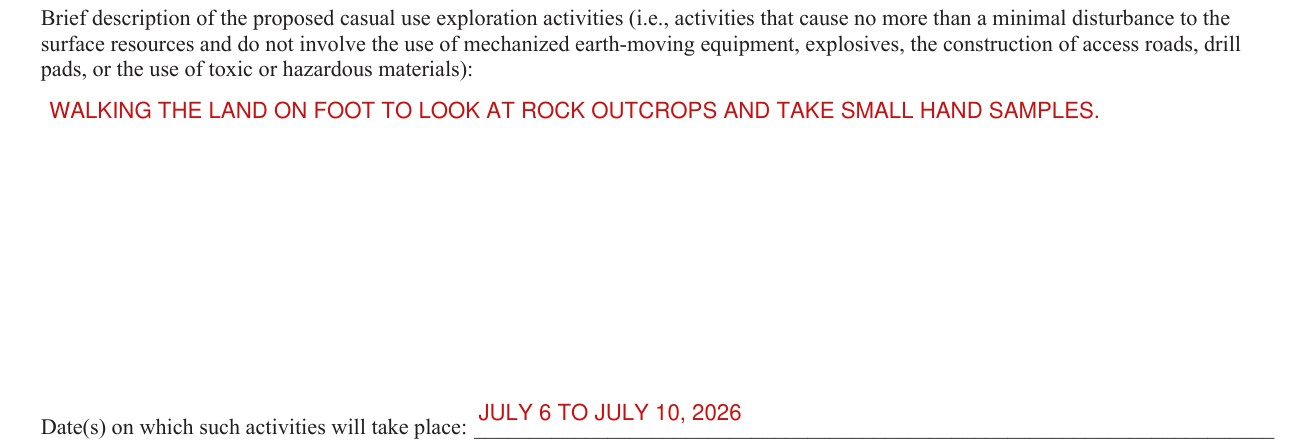
Enter a brief description of the proposed casual use exploration activities (i.e., activities that cause no more than a minimal disturbance to the surface resources and do not involve the use of mechanized earth-moving equipment, explosives, the construction of access roads, drill pads, or the use of toxic or hazardous materials).
Enter the Date(s) on which such activities will take place.
Map and who manages the activities
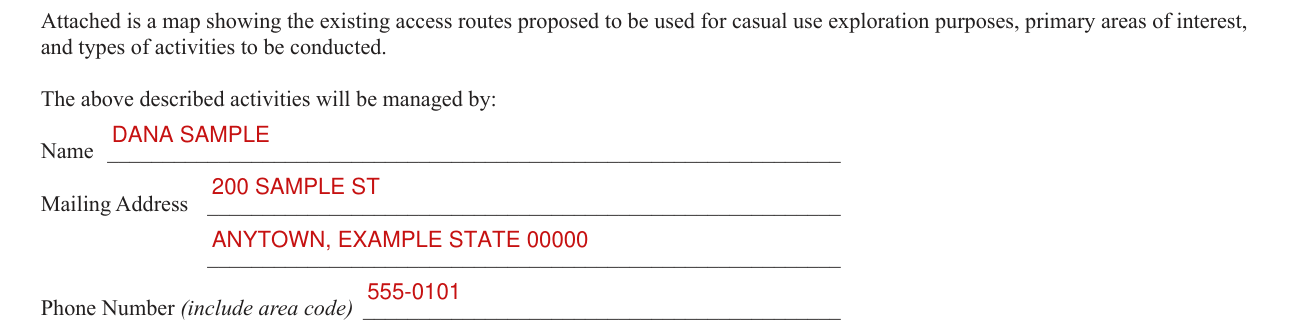
Attach a map showing the existing access routes proposed to be used for casual use exploration purposes, primary areas of interest, and types of activities to be conducted.
Enter the Name, Mailing Address and Phone Number (include area code) of who will manage the described activities.
Date and signature

Enter the Dated this day of date, then sign in the SIGN box.
More rules for Form 3830-3
Failure to comply and submit all the requested information or to complete this form will delay the BLM's processing of the form or may preclude the BLM's acceptance of your notice of intent to locate (NOITL) a mining claim or site on lands patented under the Stock Raising Homestead Act.
18 U.S.C. 1001 and 43 U.S.C. 1212 make it a crime for any person knowingly and willfully to make to any department or agency of the United States any false, fictitious or fraudulent statements or representations as to any matter within its jurisdiction.
Failure to comply with the requirements of 43 U.S.C. 299(b) and 43 CFR subpart 3814 and part 3838 will void your NOITL. Mining claims or sites located under a void NOITL are null and void from the beginning and will be cancelled by the BLM.
Common questions about Form 3830-3
Is there a deadline?
The undersigned intend(s) to enter the lands within 90 days of filing this notice with the Bureau of Land Management (BLM) and after 30 days from the date of receipt of a copy of this notice by the surface owner(s) of record.
Where do I file it?
File this notice with the Bureau of Land Management (BLM).
Sources
[1] Form 3830-3 (April 2020), Notice of Intent to Locate a Lode or Placer Mining Claim(s) and/or a Tunnel Site(s) on Lands Patented Under the Stock Raising Homestead Act, Bureau of Land Management (the Official source link on this page).