


Seating and Mobility Evaluation at a glance
What it is: Seating and Mobility Evaluation is a wheeled mobility assessment with equipment recommendations and justification.
Who signs: Completed by the seating therapist with the supplier, the client and the caregiver; signed by the physician.
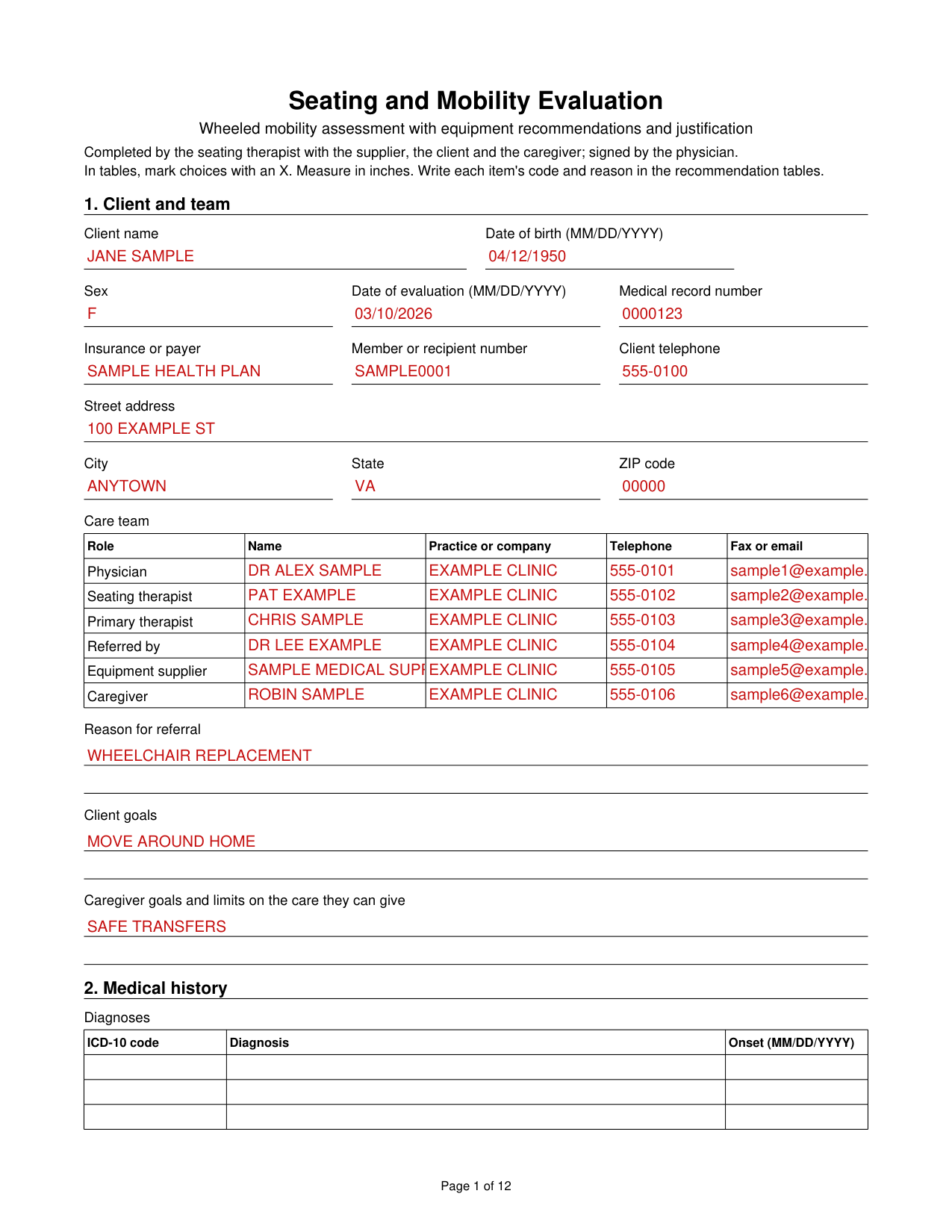
A filled-in Seating and Mobility Evaluation example: a therapist lists the client and care team
How to fill out Seating and Mobility Evaluation, box by box
Client and team
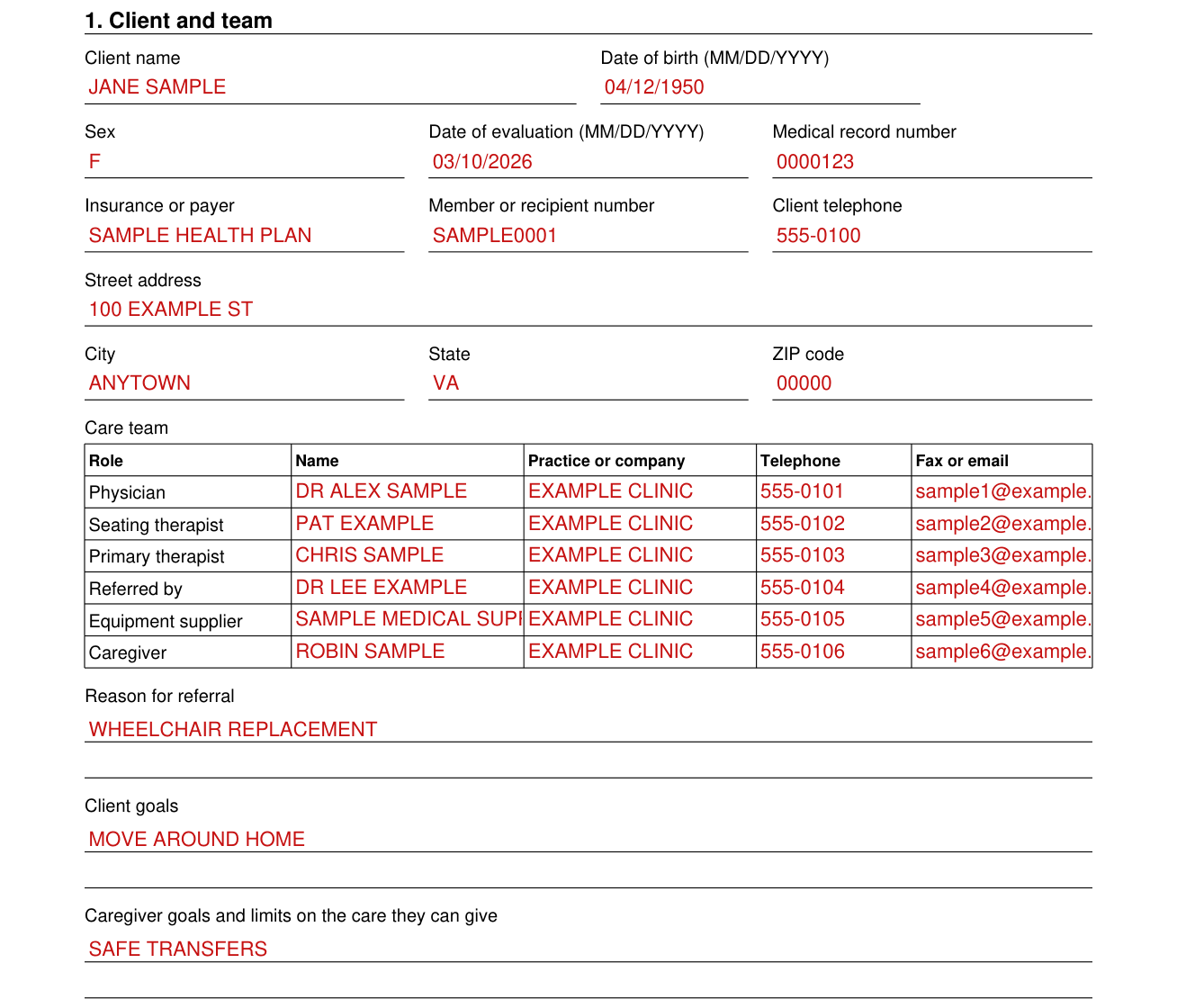
In box 1, enter the Client name, Date of birth (MM/DD/YYYY), Sex, Date of evaluation (MM/DD/YYYY), Medical record number, Insurance or payer, Member or recipient number, Client telephone, Street address, City, State and ZIP code.
In the Care team, enter the Name, Practice or company, Telephone and Fax or email for each Role: Physician, Seating therapist, Primary therapist, Referred by, Equipment supplier and Caregiver.
Enter the Reason for referral, Client goals, and Caregiver goals and limits on the care they can give.
Medical history
In box 2, list the Diagnoses with the ICD-10 code, Diagnosis and Onset (MM/DD/YYYY).
Under Conditions affecting seating, mark Progressive disease, Osteoporosis, Seizures, Spasticity, Chronic pain or Other. Enter Height, Weight and Recent weight change, then Recent or planned surgery and prognosis and Other history.
Mark Cardiac status as Intact or Impaired and enter Cardiac limits on function. Mark Respiratory status as Intact or Impaired and enter Respiratory limits on function. Enter Orthotics worn.
Home
In box 3, mark the Home as House, Condominium or townhome, Apartment, Assisted living, Long-term care or Other. Mark the Home as Owned or Rented and Lives as Alone or With others.
Enter the Hours a day without a caregiver, Number of floors and Entrance width. Mark the Entrance as Level, Stairs, Ramp or Lift, and the Accessible rooms as Bedroom, Bathroom or Kitchen. Enter the Narrowest doorway to get through, Rooms that are not accessible and Where the wheelchair is stored.
Community and transportation
In box 4, mark Transportation as Car, Van, Bus, Adapted van with lift, Ambulance or Other. Enter Where the wheelchair is stored in transit and Space available (W x D x H). Mark Client drives as No, Yes, from a vehicle seat or Yes, from the wheelchair.
Enter Tie downs, Van door height, Van inside height, Van door width and Ramp or lift (W x D). Enter Employment: hours a day and mobility needs, School: hours a day and mobility needs and Other community activities.
Function, sensory processing and communication
In box 6, mark Handedness as Right or Left, with Comments. Mark Yes or No for Processing skills adequate for safe wheelchair use.
For Areas of concern for safe wheelchair use, enter each Area's Concern and Problem and plan for safety, such as Judgment or Hearing.
Mark Verbal communication as Within normal limits, Understandable, Hard to understand or Does not communicate. Mark Yes or No for Uses an augmentative communication device, and enter Device make and model and Equipment and mounting needs.
Sensation, skin and pressure relief
In box 7, mark Sensation as Intact, Impaired or Absent, and enter the Level of sensation. Mark Tactile processing as Under-responsive, Over-responsive or Defensive. Enter Pain: where, when and how severe.
Mark Yes or No for Current skin problem, mark Skin as Intact, Red area, Open area, Scar tissue or At risk from long sitting, and enter Where and stage. Mark Yes or No for History of skin problems, and enter Where and when and Flap surgery: where and when.
For Pressure relief method, mark Push-up, Lean forward, Lean side to side, Tilt, Recline, Caregiver does it or Unable, and enter How often (minutes), How long (seconds), Done independently (yes or no) and Comments.
Current seating and mobility
In box 8, mark the Current mobility base as None, Dependent, Dependent with tilt, Manual, Scooter or Power. Enter the Manufacturer, Model, Serial number, Size, Age, Type of control and Condition of the mobility base, then the Current seating system and Age of seating system.
In the Current components, enter the Manufacturer and model and Condition of each Component, such as Seat base, Cushion or Back. Enter the Posture in the present seating system.
Wheelchair skills
In box 9, mark each of the Skills observed as Indep., Assist, Unable or N/A, and enter the Method, safety and distance, for skills such as Manual propulsion or Scooter driving.
Mark Manual propulsion with Both arms, Left arm, Right arm, Left foot, Right foot or Both feet. Mark Yes or No for Confined to bed without a wheelchair, enter Hours sitting in the wheelchair each day and Activity tolerance and endurance, and mark Yes or No for Current mobility meets functional needs, with Comments.
Balance, transfers and walking
In box 10, mark Sitting balance as Within functional limits, Uses arms for support, Minimal support, Moderate support or Unable. Mark Standing balance as Within functional limits, Minimal support, Moderate support or Unable.
Mark Transfers as Independent, Minimal assist, Maximal assist, Sliding board or Lift or sling. Mark Walking as Unable, With assistance, With a device, Independent without a device or Short distances only. Enter Distance walked, Device used, Falls in the past year and Comments.
Strength and range of motion
In box 11, enter the Strength (grade 0 to 5) and range of motion, with Strength left, Strength right, Range left, Range right and Notes, for each Movement, such as Shoulder flexion or Ankle dorsiflexion. Enter Reflexes and tone and their effect on the body.
Measurements in sitting
In box 12, enter the Mat measurements, with Left (in), Right (in) and Notes, for each Measurement, such as Shoulder width or Foot length. Enter Comments on the measurements.
Posture: head, neck and arms
In box 13, mark Head and neck posture as Functional, Flexed, Extended, Rotated left, Rotated right, Side flexed left, Side flexed right or Cervical hyperextension. Mark Head control as Good, Adequate, Limited or Absent, and enter Tone and movement of head and neck and Head support needed.
For Shoulders, elbows, wrists and hands, enter the Posture, Range of motion, Strength and Support needed of each Joint, such as Shoulder, left or Wrist and hand, right. Enter Tone and movement of the arms.
Posture: trunk and pelvis
In box 14, mark Trunk, front to back as Within functional limits, Thoracic kyphosis or Lumbar lordosis, and Trunk, side to side as Within functional limits, Convex left, Convex right, C-curve, S-curve or Multiple curves. Enter Degree of curvature. Enter Trunk support needed.
Mark Pelvic tilt as Neutral, Posterior or Anterior; Pelvic obliquity as Within functional limits, Right side higher or Left side higher; and Pelvic rotation as Within functional limits, Right forward or Left forward. Enter Pelvic support needed.
Posture: hips, knees and feet
In box 15, mark Hip position as Neutral, Abducted or Adducted, and Hip flexibility as Fixed, Partly flexible, Flexible, Subluxed or Dislocated. Enter Hip range, left, Hip range, right and Hip support needed, then the Knee range and Knee strength concerns.
For Foot position, mark Left and Right as Within functional limits, Dorsiflexed, Plantar flexed, Inverted or Everted, and enter Range of motion concerns and Foot positioning needs.
Goals and equipment trials
In box 16, enter Goals for the mobility base and Goals for the seating system. In Equipment tried, enter the Equipment, Date (MM/DD/YYYY), Result and Why it did not work, then Simulation and other notes.
Mobility base recommendation
In box 17, mark the Mobility base recommended as Dependent or stroller base, Standard manual, Lightweight manual, Ultralight manual, Heavy duty manual, Manual tilt in space, Manual recline, Scooter, Power wheelchair or Power with seat functions. Enter Manufacturer, Model, Color, Seat width, Seat depth and Back height.
For Frame options and accessories, enter the Make, model and size, Code and Justification of each Item, such as Push handles, Tires or Anti-tippers.
For Power seating and electronics, enter Yes or no, Code and Justification for each Item, such as Power tilt or Power recline. Enter Why this base is needed and why a simpler one will not do.
Seating components recommendation
In box 18, enter the Make and model, Size, Code and Justification of each Component, such as Seat cushion, Back or Headrest.
Signatures
In box 19, the Client or caregiver, the Seating therapist, the Equipment supplier and the Physician each enter a Printed name, sign the Signature and enter the Date. Enter the Therapist credentials and license number, Supplier certification number, Physician NPI, Physician telephone, Physician fax and Physician address. By signing, the Seating therapist and the Equipment supplier each certify that their entries are complete and correct.
More rules for Seating and Mobility Evaluation
In tables, mark choices with an X. Measure in inches. Write each item's code and reason in the recommendation tables.
Sources
[1] Seating and Mobility Evaluation, the file FormsPal serves (the Official source link on this page).