
Mv 70 Form PDF Details

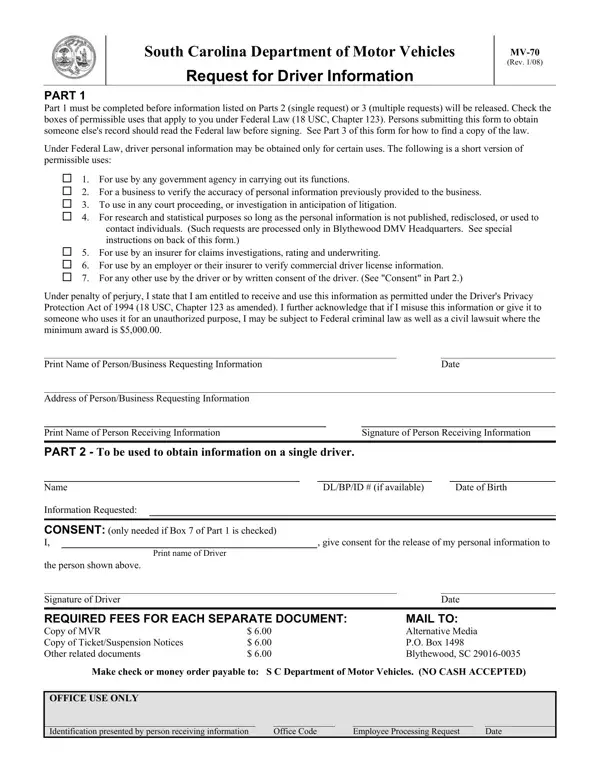
Navigating through the maze of legal documentation and privacy laws, the MV-70 form stands as a crucial tool for individuals and entities seeking driver information from the South Carolina Department of Motor Vehicles (DMV). Crafted under the firm guidelines stipulated by Federal Law, specifically the Driver's Privacy Protection Act of 1994, the form represents a gateway to obtaining sensitive personal data, while ensuring the protection of individuals' privacy rights. This document, which comes in a structured three-part format, outlines a clear path for requests, whether they're aimed at single or multiple records. At the onset, it firmly requires the assertion of a legitimate purpose, aligning with the designated permissible uses, ranging from governmental functions to employment verification, and ensuring the applicant’s acknowledgment of the legal responsibilities tied to this information access, including the hefty penalties for misuse. As the form further unfolds, it presents a meticulous framework for consent, necessary fees, and specific instructions for requests of a sensitive nature, like research and statistical analysis, signaling an intricate balance between information accessibility and privacy protection.

QuestionAnswer
Form NameMv 70 Form
Form Length3 pages
Fillable?No
Fillable fields0
Avg. time to fill out45 sec
Other namesscdmv mv 70, mv 70, sc dmv forms, sc mv70

How to Edit Mv 70 Form Online for Free

Working with PDF files online is very simple with our PDF tool. Anyone can fill out sc dmv forms here effortlessly. Our expert team is continuously working to improve the tool and enable it to be even easier for clients with its many features. Discover an endlessly revolutionary experience today - take a look at and uncover new possibilities along the way! To start your journey, go through these simple steps:

Step 1: Click the "Get Form" button at the top of this page to access our PDF editor.

Step 2: As soon as you open the online editor, you will notice the form ready to be filled out. Other than filling in various blank fields, you can also perform other actions with the Document, particularly adding custom text, modifying the original textual content, adding illustrations or photos, placing your signature to the PDF, and a lot more.

Completing this form requires care for details. Ensure that every blank field is done correctly.

1. Fill out the sc dmv forms with a selection of necessary fields. Collect all the information you need and be sure nothing is missed!

Part number 1 of submitting mv 70

2. After performing the last part, go on to the next step and complete the necessary details in these blanks - PART To be used to obtain, Name Information Requested, DLBPID if available, Date of Birth, CONSENT only needed if Box of, Print name of Driver, the person shown above Signature, REQUIRED FEES FOR EACH SEPARATE, give consent for the release of, Date, MAIL TO Alternative Media PO Box, Make check or money order payable, OFFICE USE ONLY Identification, Office Code, and Employee Processing Request.

Completing section 2 in mv 70

3. In this stage, have a look at Name, BPDLID Number, and Date of Birth. Every one of these have to be filled in with highest accuracy.

Step number 3 in completing mv 70

A lot of people often make some errors while filling in Date of Birth in this area. You should definitely reread whatever you type in right here.

4. Filling in OFFICE USE ONLY Identification, Office Code, Employee Processing Request, and Date is key in this form section - you should definitely take your time and fill in each empty field!

The way to fill in mv 70 part 4

Step 3: Spell-check the details you have typed into the blanks and then press the "Done" button. Get hold of your sc dmv forms as soon as you subscribe to a free trial. Readily use the pdf form within your FormsPal cabinet, along with any edits and changes being all kept! We do not share any details you type in whenever working with documents at our site.