
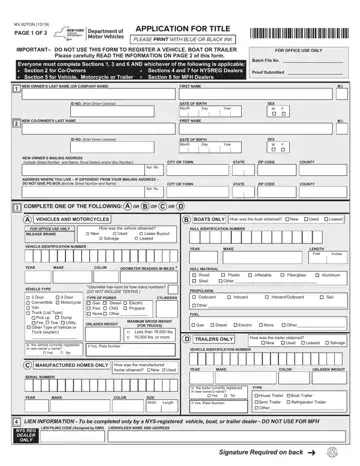
In the realm of vehicle ownership and transitions, the MV-82TON form stands as a crucial document, ensuring the accurate and legal transfer of titles across a variety of categories including vehicles, motorcycles, trailers, boats, and manufactured homes. This comprehensive application, last revised in December 2019, requires applicants to fill out sections pertinent to their specific needs—ranging from co-owner information to dealer certifications—using blue or black ink to ensure legibility. It is vital for individuals to not only provide personal identification and contact details but also to disclose any relevant vehicle information, such as the vehicle identification number, year, make, and odometer reading, alongside the manner in which the vehicle was acquired. Additionally, the form obligates sellers to divulge any significant damage history that exceeds 75% of the vehicle's retail value, ensuring that new owners are fully informed about their purchase's condition. Importantly, it highlights the necessity of proving ownership through various documents, depending on the vehicle's status as new or used, and underlines the requirement for a sales tax clearance as part of the application process. For dealers, specific sections dedicated to lien information and dealer certifications streamline the process of title transfer, reinforcing the form's role in safeguarding both buyer and seller interests. Moreover, adherence to the guidelines for completing and submitting the MV-82TON form is critical for a seamless transition of ownership, emphasizing its significance in the echo system of motor vehicle registration and management.
| Question | Answer |
|---|---|
| Form Name | Mv 82 Ton Form |
| Form Length | 2 pages |
| Fillable? | No |
| Fillable fields | 0 |
| Avg. time to fill out | 30 sec |
| Other names | mv 50 dmv, new york dealer reassignment form, retail certificate of sale mv 50, mv 50 |
