Please rate Ncci Erm 6 Form

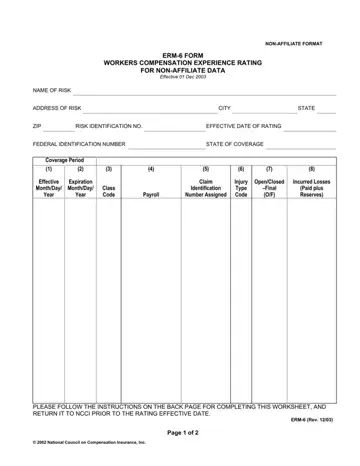
As businesses navigate the complexities of workers' compensation insurance, understanding the NCCI ERM-6 Form becomes imperative, especially for self-insured entities. This form, a critical piece of documentation officially titled "Workers Compensation Experience Rating for Non-Affiliate Data," serves as a foundational element in calculating an organization's experience modification factor, a pivotal metric that can significantly impact insurance premiums. With its detailed requirements for documenting payroll, classification codes, claim information, and incurred losses over a specified rating period, the ERM-6 Form demands careful attention. It is designed to encompass three years of an entity's operational history, excluding the year immediately before the form's effective date, to furnish a comprehensive view of its risk profile. Additionally, the form stipulates submission guidelines, from rounding off financial figures to specifying injury types and claim statuses, ensuring a standardized data reporting process. Accompanying instructions stress accuracy and clarity in completing the form, highlight the importance of providing complete and accurate payroll and claim data, and outline the procedural steps for submission to the National Council on Compensation Insurance (NCCI). As this form bridges the gap between self-insured entities and the NCCI's experience rating process, adherence to its specifications is not just recommended but essential for achieving an accurate reflection of a company's risk exposure and potential insurance cost savings.
| Question | Answer |
|---|---|
| Form Name | Ncci Erm 6 Form |
| Form Length | 7 pages |
| Fillable? | No |
| Fillable fields | 0 |
| Avg. time to fill out | 1 min 45 sec |
| Other names | who signs the erm 6 form, ncci nj erm 14 form, ncci work comp contractors credit form, ncci inclusion form virginia |
Ncci Erm 6 Form isn’t the one you’re looking for?
Please rate Ncci Erm 6 Form
