
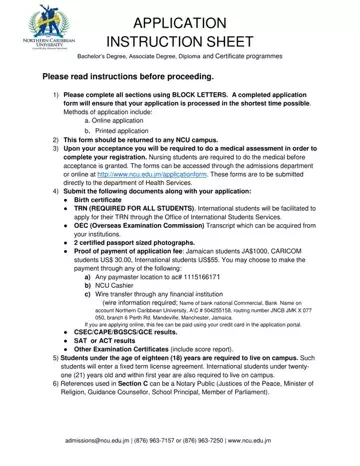
The process of applying to Northern Caribbean University (NCU) is uniquely designed to be both accessible and comprehensive, accommodating a wide range of applicants interested in pursuing their academic goals across Bachelor’s Degree, Associate Degree, Diploma, and Certificate programs. Prospective students are guided through a carefully structured application procedure, emphasizing the necessity of completing the application form with attention to detail—employing BLOCK LETTERS for clarity. Applicants have the flexibility to submit their applications online or through printed forms, ensuring inclusivity in the application process. A completed application form not only facilitates the smooth processing of an application but also sets the stage for the subsequent steps required for admission, including a medical assessment mandatory for all incoming students, with a prerequisite for nursing students to undergo this assessment before their acceptance is granted. The form mandates the submission of various documents such as birth certificates, academic transcripts, and proof of application fee payment, clearly outlining the financial obligations for students from different regions. Furthermore, the application form addresses the housing needs of minor and international students, ensuring their safety and compliance with university policies. This meticulous approach to the application process underscores NCU’s commitment to fostering a supportive and inclusive educational environment.
| Question | Answer |
|---|---|
| Form Name | Ncu Online Application |
| Form Length | 9 pages |
| Fillable? | No |
| Fillable fields | 0 |
| Avg. time to fill out | 2 min 15 sec |
| Other names | northern caribbean university application form, ncu application form 2021, ncu application form, northern caribbean university online application |
