
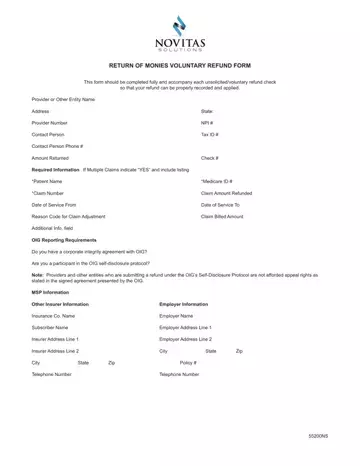
In an effort to maintain a transparent and responsible healthcare payment system, providers and entities may find themselves in situations where they need to return payments to Medicare. This is where the Novitas Return of Monies Voluntary Refund Form comes into play. Designed to streamline the process of returning unsolicited or voluntary refunds, this form is crucial for ensuring that refunds are accurately recorded and applied. Completing the form requires detailed information, including the provider or entity’s name, address, provider number, National Provider Identifier (NPI) number, tax ID, contact details, and the amount being returned. Additionally, it demands specifics about the claim, such as the patient’s name, Medicare ID, claim number, the amount refunded, dates of service, and the reason for the claim adjustment. Providers must indicate if the refund is associated with multiple claims and adhere to certain instructions regarding Medicare Secondary Payment (MSP) refunds, which include attaching a copy of the primary insurer’s explanation of benefits (EOB). The form also addresses Office of Inspector General (OIG) reporting requirements, asking providers to disclose any corporate integrity agreements or participation in the OIG self-disclosure protocol, which impacts appeal rights. Filling out the Novitas Return of Monies form ensures that the returned funds are correctly processed, aiding in the integrity and efficiency of Medicare payment systems.
| Question | Answer |
|---|---|
| Form Name | Novitas Return Of Monies Form |
| Form Length | 3 pages |
| Fillable? | No |
| Fillable fields | 0 |
| Avg. time to fill out | 45 sec |
| Other names | 8322 novitas refund form |
