
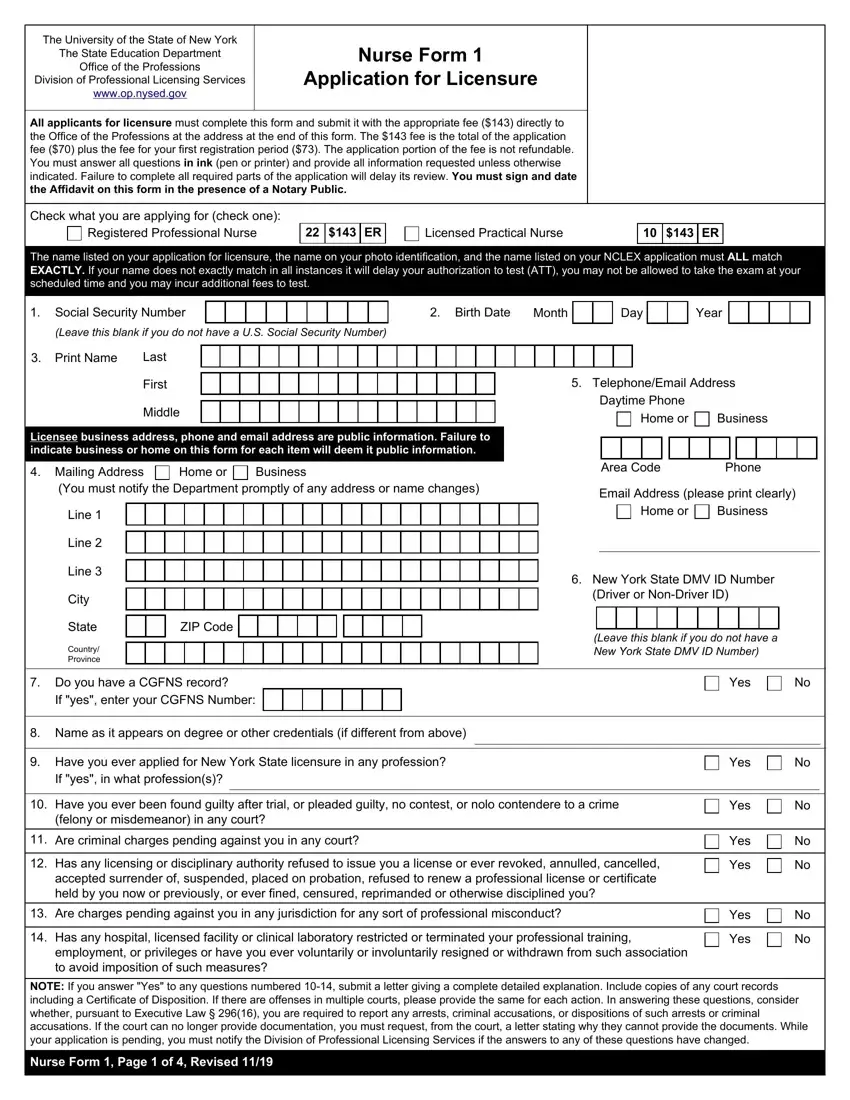
The University of the State of New York has put forth the Nurse Form 1 as a thoroughstep towards the process of applying for licensure in nursing professions. Managed by the Office of the Professions within the State Education Department, this form arms potential nurses with the opportunity to register and validate their credentials for either a Registered Professional Nurse or a Licensed Practical Nurse role. With a fee of $143, this form encompasses not just the application cost but also the expense for the first registration period, making clear the financial commitment involved. The detailed instructions stress the importance of consistency in applicant names across various documents to avoid delays, and additional fees, spotlighting the precision required in the application process. It also mandates applicants to fill out the form comprehensively and truthfully, while reminding them of the seriousness of disclosing any criminal history or disciplinary actions taken against their professional conduct. The requirements broaden to include validation of educational background, immigration status, and even specifics like child support obligations and citizenship. Notably, the form caters to individuals with disabilities, offering the possibility of reasonable testing accommodations, emphasizing inclusivity within the licensure process. As a vital document, Nurse Form 1 stands as a gateway for aspiring nurses in New York, encapsulating the rigorous standards and extensive background checks necessary to uphold the integrity and competence of the nursing profession.
| Question | Answer |
|---|---|
| Form Name | Nurse Form 1Nys |
| Form Length | 4 pages |
| Fillable? | No |
| Fillable fields | 0 |
| Avg. time to fill out | 1 min |
| Other names | nurse form 1 application for licensure, form 1 nysed, nurse form 1nys, nysed form 1 |
