
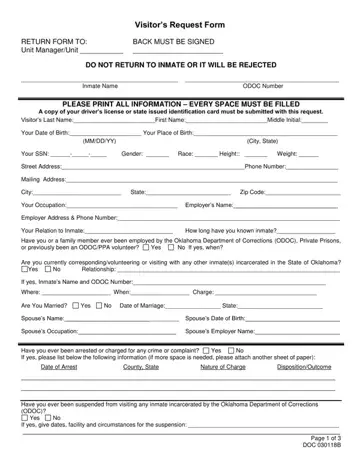
Visitor's Request Form (DOC 030118B) at a glance
What it is: The Visitor's Request Form, DOC 030118B, is a request to visit an inmate.
Who signs: By your signature, you authorize the Oklahoma Department of Corrections (ODOC) to conduct a criminal background check, and your entry onto prison grounds is presumed consent to a pat down search and the search of your vehicle.
What to bring and attach to Visitor's Request Form (DOC 030118B)
All visitors 18 years of age and older will have identification which includes their photograph when visiting any facility. State driver's licenses, state, federal, military or school I.D. is acceptable.
Correctional staff will not permit anyone to enter without identification as indicated.
A filled-in Visitor's Request Form (DOC 030118B) example: a sister asks to visit her brother
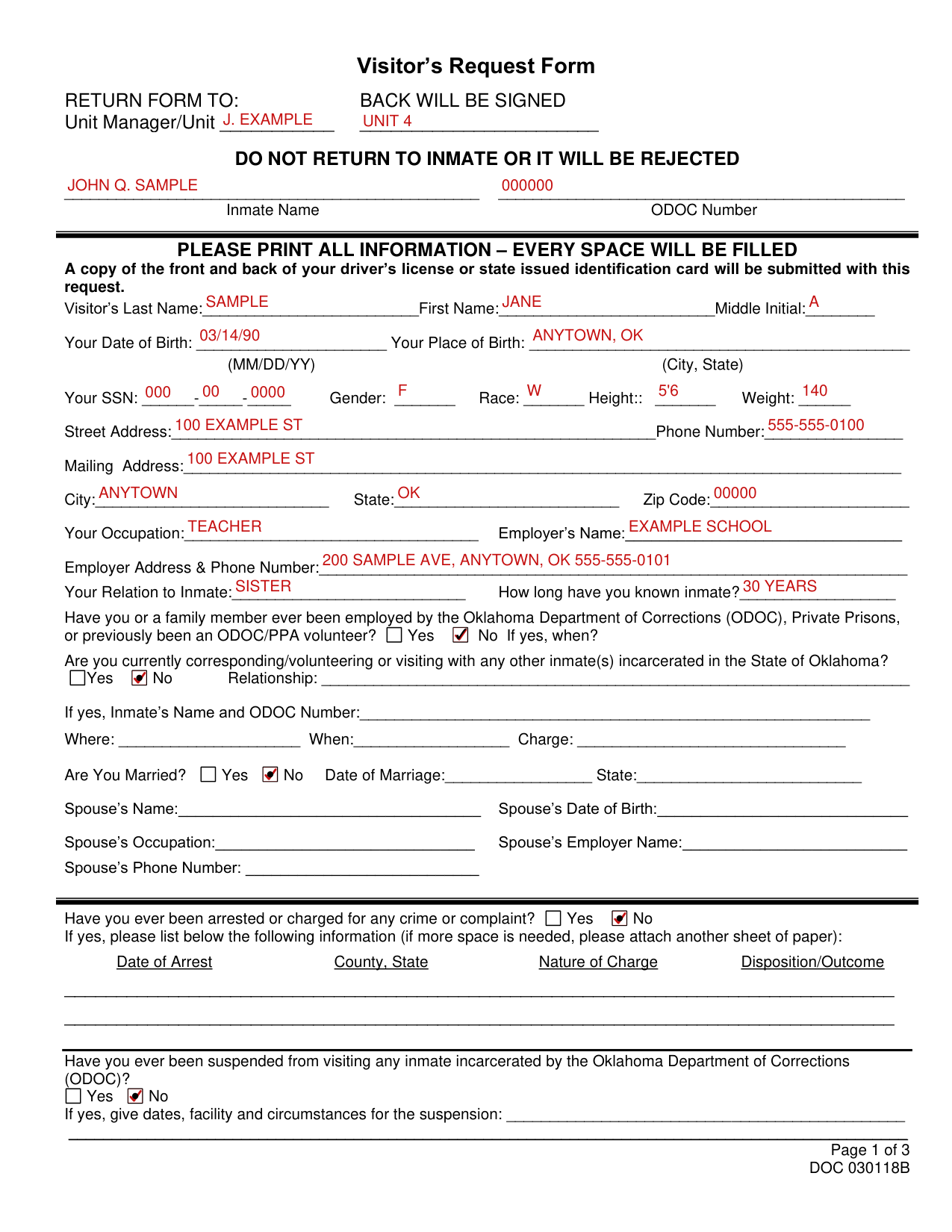
How to fill out Visitor's Request Form (DOC 030118B), box by box
Unit Manager/Unit, Inmate Name and ODOC Number
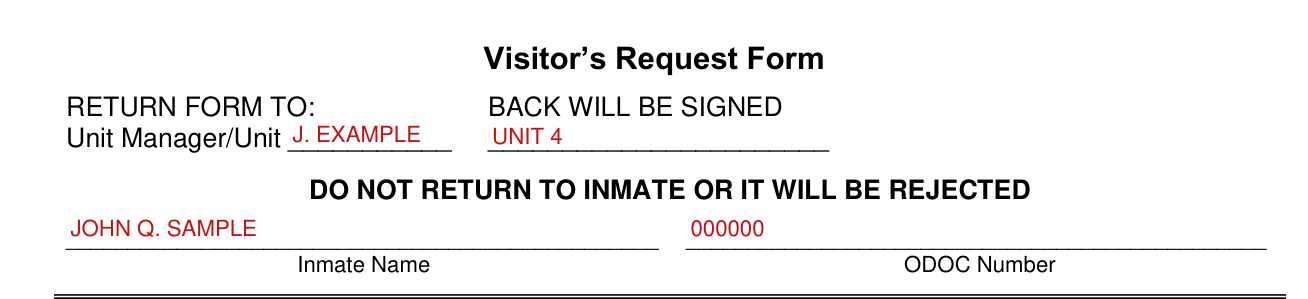
Enter the Inmate Name and ODOC Number. Return the form to the Unit Manager/Unit; do not return it to the inmate or it will be rejected.
Your Last Name, First Name, Date of Birth, SSN, Gender, Race, Height and Weight
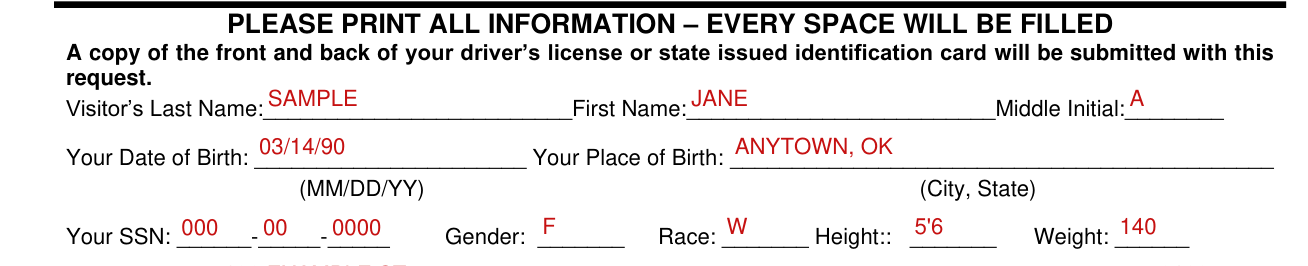
Please print all information; every space will be filled. A copy of the front and back of your driver's license or state issued identification card will be submitted with this request. Enter your Visitor's Last Name, First Name and Middle Initial.
Enter Your Date of Birth (MM/DD/YY) and Your Place of Birth (City, State).
Enter Your SSN, Gender, Race, Height and Weight.
Street Address, Phone Number, Mailing Address, City, State and Zip Code

Enter the Street Address, Phone Number, Mailing Address, City, State and Zip Code.
Your Occupation, Employer's Name and Your Relation to Inmate

Enter Your Occupation, Employer's Name, and Employer Address & Phone Number.
Enter Your Relation to Inmate and how long you have known inmate.
Employed by the Oklahoma Department of Corrections (ODOC) or previously an ODOC/PPA volunteer

Mark Yes or No: have you or a family member ever been employed by the Oklahoma Department of Corrections (ODOC), Private Prisons, or previously been an ODOC/PPA volunteer? If yes, when?
Corresponding/volunteering or visiting with any other inmate(s)
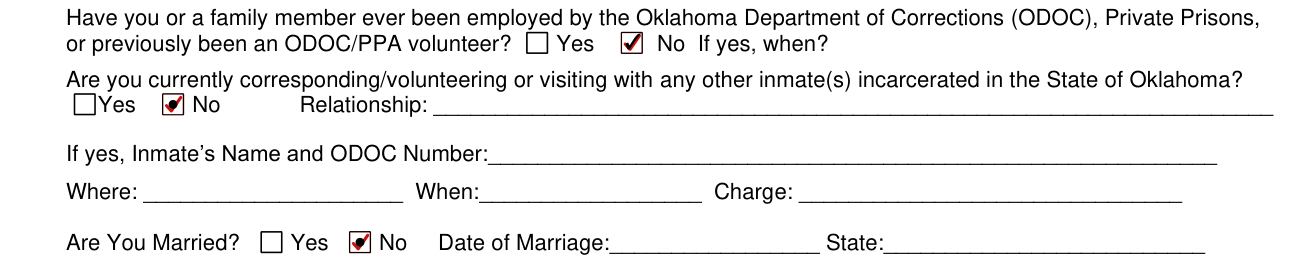
Mark Yes or No: are you currently corresponding/volunteering or visiting with any other inmate(s) incarcerated in the State of Oklahoma? If yes, enter the Relationship, the Inmate's Name and ODOC Number, Where, When and Charge.
Are You Married? and the spouse
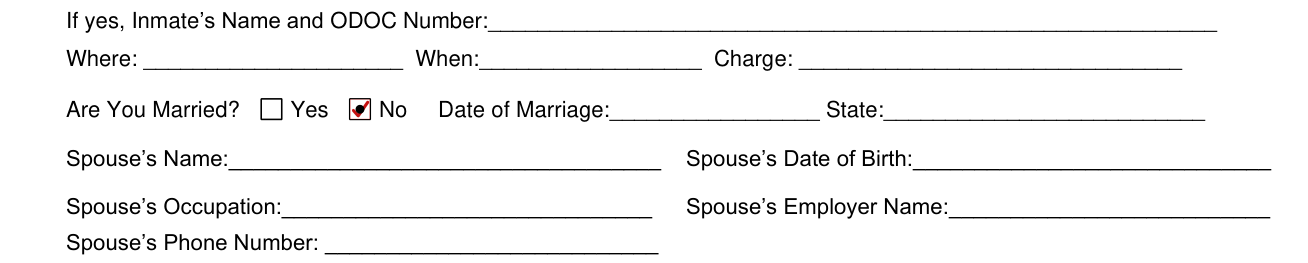
Mark Yes or No for Are You Married? If you are married, enter the Date of Marriage and State, the Spouse's Name and Date of Birth, the Spouse's Occupation and Employer Name, and the Spouse's Phone Number.
Arrested or charged for any crime or complaint

Mark Yes or No: have you ever been arrested or charged for any crime or complaint? If yes, please list the following information (if more space is needed, please attach another sheet of paper): Date of Arrest, County, State, Nature of Charge and Disposition/Outcome.
Suspended from visiting any inmate incarcerated by the Oklahoma Department of Corrections (ODOC)

Mark Yes or No: have you ever been suspended from visiting any inmate incarcerated by the Oklahoma Department of Corrections (ODOC)? If yes, give dates, facility and circumstances for the suspension.
Family member (other than inmate above) ever incarcerated at a penal institution

Mark Yes or No: has any member of your family (other than the inmate) ever been incarcerated at a penal institution? If yes, enter Name and Relation, Where, When and Charge.
Make/Model of Your Automobile, Tag Number and Your Driver's License Number

Enter Make/Model of Your Automobile, Tag Number, Your Driver's License Number, State and Expiration Date.
Your signature: Name (Print or Type) and the Date

Your signature indicates you have read, or have had read to you and understand, the rules outlined in the "Visitor's Request Form" and the "Visitor's Rules of Conduct/Violations/Sanctions" form. Enter your Name (Print or Type), Your Signature and the Date.
Under eighteen (18): Parent/Guardian Printed Name, Phone Number, Signature and Date

If you are under eighteen (18) years of age, you will have your parent's or legal guardian's signature or this request will be denied. Enter the Parent/Guardian Printed Name, Parent/Guardian Phone Number, Parent/Guardian Signature and the Date.
More rules for Visitor's Request Form (DOC 030118B)
Any individual who falsifies information or purposefully omits information on this visiting form will be denied visitation privileges and will wait 90 days to reapply.
If your situation is different
You are on Probation or Parole
If you are on Probation or Parole, you will seek approval from your Probation/Parole Officer to visit with inmate. The warden of this facility will approve or deny visiting privileges.
Common questions about Visitor's Request Form (DOC 030118B)
Are there fees?
For those who do not drive, acceptable identification cards can be obtained from the local offices of the Oklahoma Department of Motor Vehicles for a nominal fee.
Is there a penalty?
Any person who, without authority, brings into or has in his or her possession in any jail or state penal institution or other place where prisoners are located, cigarettes, cigars, snuff, chewing tobacco, or other form of tobacco product shall, upon conviction, be guilty of a misdemeanor punishable by imprisonment in the county jail not to exceed one (1) year or by fine not exceeding Five Hundred Dollars ($500.00), or both by such fine and imprisonment (checked October 20, 2026). Any person knowingly, willfully and without authority brings into or has in his or possession in any secure area of a jail or state penal institution or other secure place where prisoners are located any cellular phone or electronic device capable of sending or receiving any electronic communication shall, upon conviction, be guilty of a felony punishable by imprisonment in the custody of the Oklahoma Department of Corrections (ODOC) for a term not exceeding two (2) years, or by fine not exceeding Two Thousand Five Hundred Dollars ($2,500.00), or both such fine and imprisonment (checked October 20, 2026).
Sources
[1] Visitor's Request Form (DOC 030118B, R 02/24), Oklahoma Department of Corrections (the Official source link on this page).
