
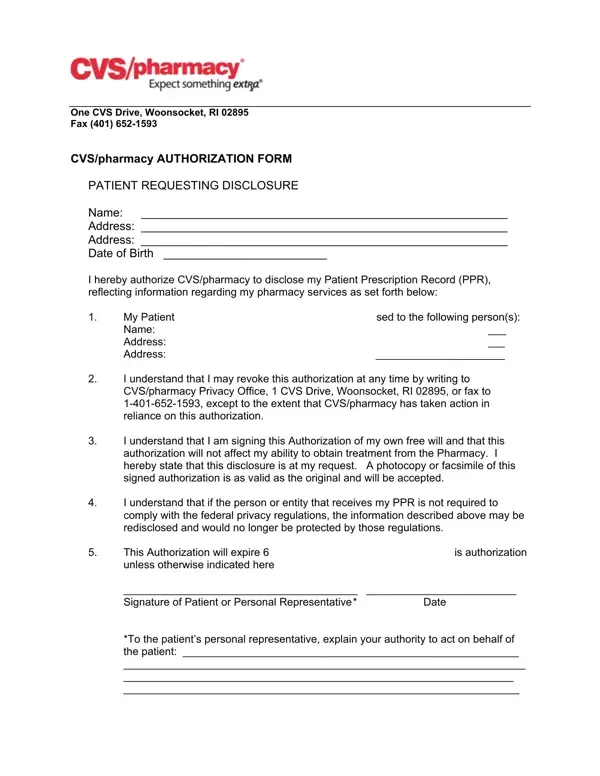
At the heart of safeguarding personal health information, especially when it involves pharmacy records, stands a meticulously structured document - the Prescription Records Form. This particular form, an essential facet in the healthcare communication sphere, is used to permit the sharing of an individual's prescription details with designated parties. Originating from the desks of CVS/pharmacy, situated at One CVS Drive, Woonsocket, RI 02895, this authorization form facilitates a transparent, consensual transfer of medical data, crucial for various purposes that may range from personal record-keeping to facilitating medical care. It notably empowers the patient, or their duly authorized representative, to command the disclosure of their Patient Prescription Record (PPR), delineating the specifics of pharmacy services rendered. Through this provision, the individual not only authorizes the sharing of sensitive information but also grasps the latitude to revoke this consent at any given time, subject to conditions ensuring the preserver's accountability. The form further underscores the value of voluntary consent, guaranteeing that the act of authorization does not impinge upon the individual's access to pharmacy services. A highlight of this document is the emphasis on the security of shared data; however, it cautiously flags the risk associated with the recipient's obligation (or lack thereof) to uphold federal privacy standards. With a set expiry term, unless otherwise specified, and a provision for acknowledging the authority of a personal representative, the Prescription Records Form embodies a critical intersection of patient rights, privacy, and healthcare facilitation.
| Question | Answer |
|---|---|
| Form Name | Prescription Records Form |
| Form Length | 1 pages |
| Fillable? | No |
| Fillable fields | 0 |
| Avg. time to fill out | 15 sec |
| Other names | cvs records request, cvs pharmacy disclosure authorization form, cvs pharmacy records, cvs prescription history |
Prescription Records Form isn’t the one you’re looking for?