
Reprint Form 403 PDF Details

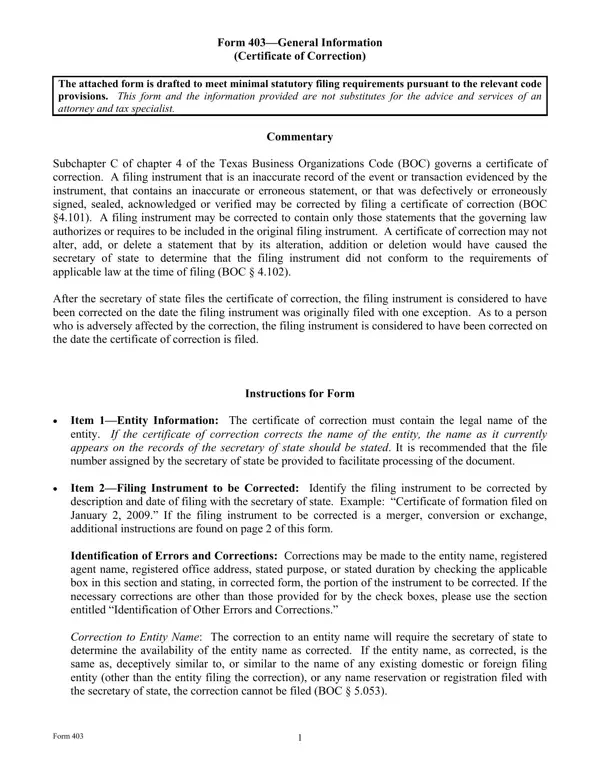
The Reprint 403 form, or Certificate of Correction, plays a crucial role in amending inaccuracies or errors within previously filed documents with the Texas Secretary of State, as outlined under Subchapter C of Chapter 4 of the Texas Business Organizations Code (BOC). Its primary function is to correct records that do not accurately represent the events or transactions they were meant to, contain incorrect statements, or were signed or verified in error. Importantly, the form allows corrections only within the scope of statements that could have been included in the original filing under governing laws, ensuring that no modifications made would invalidate the document's legality at the time of its initial filing. Following the filing of a certificate of correction, the original document is considered corrected as of its original filing date, except where it adversely affects a person, in which case the correction takes effect on the filing date of the certificate of correction. Designed with specific sections for detailed corrections, including entity name changes, registered agent, address modifications, and correction of stated purposes or durations, the form mandates an explicit identification of the errors alongside their accurate rendition. It’s imperative to note that any change, particularly to the entity's name, is subject to the Secretary of State's review for name availability, ensuring no conflicts with existing entities. Furthermore, the execution of the form requires a signature from an individual authorized by the BOC, emphasizing the importance of accuracy, as false filings can result in penalties. Accompanied by a nominal filing fee and specific submission instructions, the Reprint 403 form is an essential instrument for entities needing to rectify their official records with the state.

QuestionAnswer
Form NameReprint Form 403
Form Length6 pages
Fillable?No
Fillable fields0
Avg. time to fill out1 min 30 sec
Other namesentitys, boc, form 403, false

How to Edit Reprint Form 403 Online for Free

When you wish to fill out 403general, you don't need to download and install any programs - simply try our online PDF editor. To make our editor better and easier to utilize, we continuously work on new features, with our users' feedback in mind. It just takes several basic steps:

Step 1: Click on the "Get Form" button above on this webpage to open our tool.

Step 2: This tool allows you to work with PDF documents in a range of ways. Transform it with any text, adjust what is originally in the file, and include a signature - all when you need it!

It is simple to complete the document using out helpful guide! Here's what you want to do:

1. Begin completing the 403general with a group of major blank fields. Consider all the necessary information and be sure there is nothing neglected!

Filling in section 1 of tx

2. Once the first section is filled out, proceed to enter the suitable details in these - A The registered agent is an, B The registered agent is an, First, Middle, Last Name, Suffix, The person executing this, and Form.

tx completion process explained (step 2)

3. This next part is mostly about The registered office address is, address is, Corrected Registered Office Address, Street Address No PO Box, City, TX State, Zip Code, The purpose of the entity is, follows, The period of duration of the, The period of duration is, Indicate the other errors and, Identification of Other Errors and, Other errors and corrections The, and corrected as follows - fill out all these fields.

Zip Code, The purpose of the entity is, and follows inside tx

4. This next section requires some additional information. Ensure you complete all the necessary fields - corrected as follows, Add Each of the following, Alter The following identified, to be corrected The full text of, and Delete Each of the provisions - to proceed further in your process!

How one can complete tx stage 4

Regarding Add Each of the following and corrected as follows, be sure that you don't make any mistakes here. These are thought to be the key ones in this page.

5. Because you come near to the end of the file, there are actually a few more requirements that must be satisfied. In particular, Defective Execution The filing, Statement Regarding Correction, The filing instrument identified, Correction to Merger Conversion or, The filing instrument identified, Entity name, and SOS file number should be filled in.

Writing section 5 of tx

Step 3: Revise the details you have typed into the blanks and hit the "Done" button. After creating afree trial account with us, you'll be able to download 403general or email it right off. The PDF file will also be readily available through your personal account page with your each and every modification. FormsPal guarantees your information privacy by using a secure system that in no way saves or shares any personal information typed in. Be assured knowing your files are kept safe whenever you work with our tools!