
Roommate agreements are a legal document between two or more people who live in the same home, whether that home is an apartment, condo, or house. Having an agreement is a good way to help avoid and mediate disagreements between roommates. Written roommate contracts are also significantly more enforceable than verbal agreements. Even if you’re living with friends or people you’ve lived with for years, it’s critical to have a written rental agreement to protect everyone and your home.
Last Updated: October 2026. This guide is reviewed and updated regularly to reflect current law. If you notice an error or outdated information, please contact us.
There are a lot of reasons to have a roommate agreement template. The most important of those reasons is that a written and signed agreement is much more legally binding than a verbal agreement.
That way if one of your roommates fails to pay the rent, you have at least one document proving that they agreed to pay and are liable for the late payment and any additional fees.
But legal considerations are only part of why you should plan on making a roommate contract anytime you move to a new home or get new roommates. Roommate agreements are also a chance to define common behaviors and what is and isn’t allowed.
For instance, you can include how a security deposit should be split between the roommates. You can also go over how the living room and other common areas can be used, when overnight guests are welcome, and more.
Having those rules in place from the start can help avoid conflicts and gives you a framework to solve problems when they arise.
Here are a few more reasons to have a roommate agreement:
A roommate agreement is also a way to make sure all of your roommates are operating in good faith. A roommate who doesn’t want to respect the other people living in your home is likely to be less willing to sign a written agreement. Even a written agreement that’s reasonable and doesn’t have a lot of house rules.
It’s also important to remember that your roommate agreement is separate from your lease agreement with your landlord, even if your landlord lives in the same home as you. Your lease will typically only talk about what is and is not allowed on the property, and the obligations between tenant and landlord.
A roommate agreement is between you and your other roommates and can go into details about how you agree to behave, how you will share your obligations, and how you will resolve disputes.
Room rentals and roommate agreements are two very different kinds of contracts, though there are times when you’ll need both. The two documents answer different questions, so check which one fits your living situation before you sign anything.
It’s possible to rent out a room without being roommates with the person you’re renting to. A room rental agreement often indicates which parts of the property the tenant is allowed to occupy. It may cover a lot of the same things as a roommate agreement like monthly rent payment and due dates, the security deposit, and quiet hours. It may also look more like a traditional lease than a roommate agreement.
The biggest difference is that a room rental is an agreement between the tenant and their landlord or the person subleasing the property.
Roommate agreements are strictly between the people living on the property. They can involve the landlord if the landlord lives on the property, but that is less common. A roommate agreement can go into more details about behavior than a typical room rental. It usually is created by all the roommates together, while a room rental is created by the landlord.
Finding reliable roommates is an art all it’s own, but it’s important to find the right person before you sign any agreements with them. Here are some tips for finding the right person for your home without spending months searching.
You may not want to ask friends of yours if they want to move in. After all, living together can put a strain on your relationship, especially if your living habits are different.
However, you should ask your friends if they know anyone who might be interested in moving in. Your friends will be one of the best judges of who will be a compatible roommate, especially if they’ve been over to your place and know your lifestyle.
Coworkers are another good resource for finding possible roommates. While they might not know you as well as your friends, they do have a good sense of your schedule and your coworkers may know you better than you think.
Remember that a recommendation isn’t enough on its own. You’ll still need to meet the person, and talk with them about your expectations and theirs to make sure it’s a good match for everyone.
Asking around can help you find roommates who might not come up in other searches. Since friends and family often look for housing in their inner circles before looking on housing sites and forums, you’ll likely have a better selection than you would if you looked online.
No matter how good a roommate looks on paper, you should meet them in person at least a couple of times before you sign any agreements or add them to your lease.
It also allows you to go over some of the details of your roommate contract and see if there is anything they disagree with or want to be added to the agreement before you sign.
Meeting also gives you a chance to talk details about your monthly rent and utility bills, and for your potential roommate to see the living space and decide if they want to live there.
One of the things many people don’t do when they first meet a roommate is to ask good questions. Often you’re too worried about pushing the other person’s buttons to actually ask questions that help you determine if they are a good fit as a roommate.
Things like making sure they can afford the rent and talking about how you would handle things if you disagree while living together. Make sure they are familiar with the terms of the lease agreement and ask how they would like to handle obligations. Ask about overnight guests.
It might seem rude at first to ask if your roommate is in a relationship, but you should ask anyway. Knowing will help you figure out what living together will be like.
You should also ask about their cleaning habits and preferences. Having people who like similar levels of cleanliness can make any living situation less stressful.
Having a good roommate can make or break your living situation, and it’s important to be willing to say no if someone isn’t a good fit.
There’s a difference between a roommate that seems like a good option with a few compromises and a roommate that doesn’t want to keep the house the same way you do and has a highly incompatible lifestyle.
Saying no may be the best thing you can do if you get a roommate candidate that isn’t a good match.
A good roommate agreement covers money, shared space, and daily habits, so every person in the home knows what to expect. Use the list below as a starting point, then adjust it to fit your household.
One of the most important things to include in your roommate agreement is how things like your monthly rent and other lease obligations will be handled. You might decide to split the utility bill evenly, split unevenly, alternate who will pay rent and other bills, or a combination of different arrangements.
Make sure you cover everything covered in your lease, including things like mowing the lawn or shoveling the sidewalks.
If you have a security deposit, you should also discuss how that will be paid, and who will receive the returned deposit if you move.
It’s also important to have a list of house rules and how you should use common areas. Discuss rules around overnight guests, public displays of affection, laundry, and dishes.
These are just examples, but if you can agree on these chores, food sharing, and other rules you’re much less likely to need to resolve a disagreement later.
Including all of your rules and household duties in your roommate agreement can help set clear expectations and make living together much easier, but only if all your roommates agree with the terms of the agreement.
| Document Name | Roommate Agreement Form |
| Other Names | Roommate Contract, Rental Agreement for Roommates |
| Avg. Time to Fill Out | 10 minutes |
| # of Fillable Fields | 48 |
| Available Formats | Adobe PDF |
| Roommate Guide | |
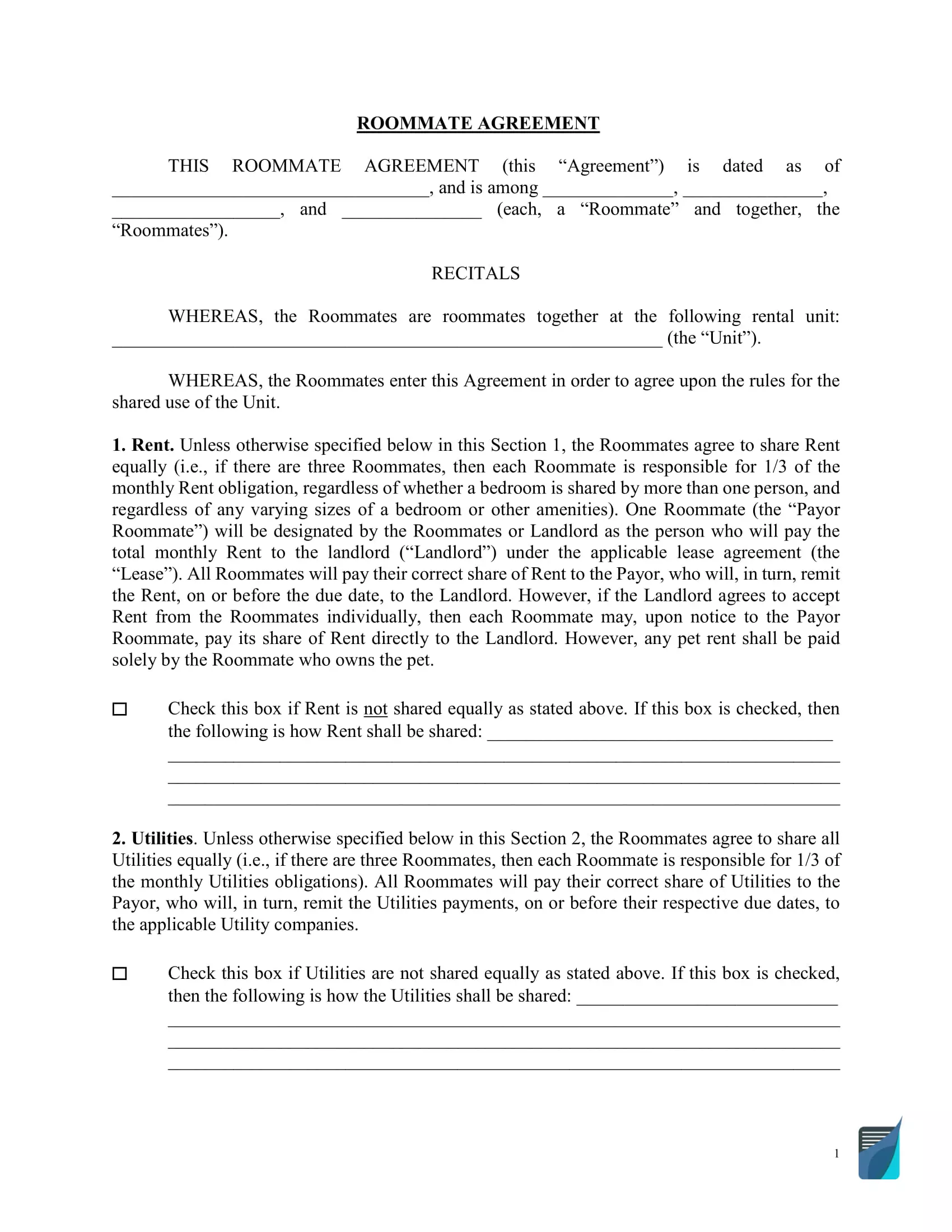
These steps follow the FormsPal Roommate Agreement template you can download above. Open the PDF in the PDF editor or any PDF reader, then fill in each part in order. Talk through the answers with your roommates first so everyone agrees on what goes in each blank.
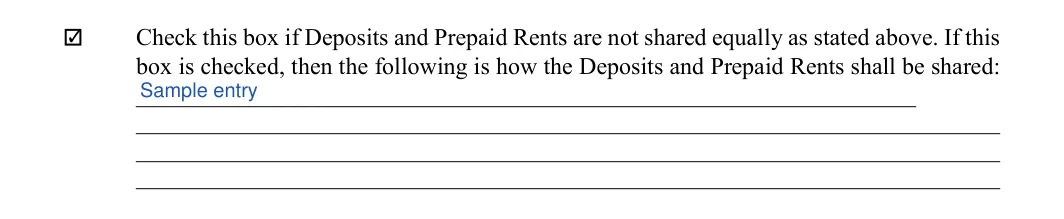
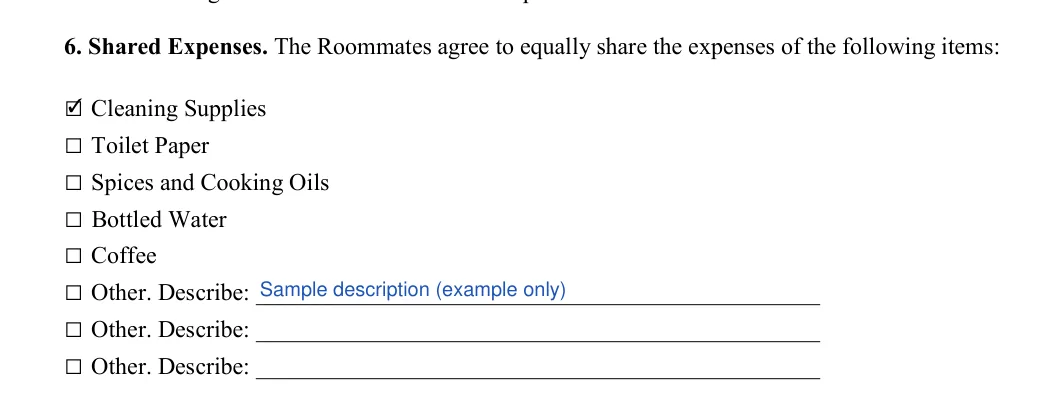
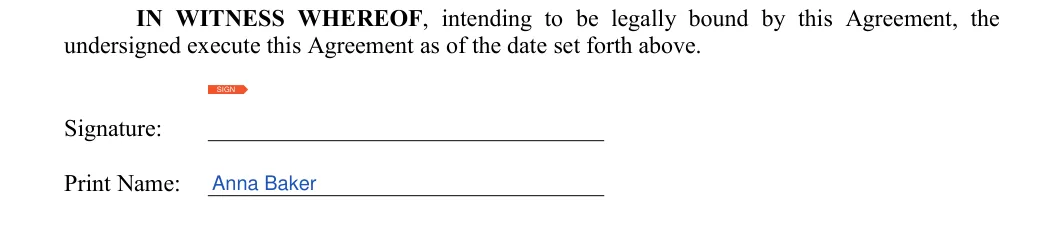
The screenshots under each step show the FormsPal Roommate Agreement template filled with sample entries in blue, so you can see where each answer goes. The names, addresses, dates and amounts are examples only.
Date and roommate names
The first step to filling out a legally binding roommate contract is to write down the effective date and the names of everyone included in the agreement. Type the date on the dated line, then write each roommate’s name in the blanks. Leave unused blanks empty if fewer than four people are signing.


Rental unit address
Write the address of the rental unit on the line under the first WHEREAS. The form calls it the Unit from here on.

Section 1: Rent
This section of your roommate agreement is probably the most legally important. All roommates must agree on this section. The form splits rent equally unless you say otherwise. Leave the box empty to keep an equal split, or check it and write the split on the line below.


Section 2: Utilities
Utilities work the same way. Leave the box empty for an equal split, or check it and write how utilities will be shared on the line below.

Section 3: Deposits and prepaid rent
On page 2, leave the box empty to share deposits and prepaid rent equally, or check it and write how they will be shared. Section 4 (Term) just below has nothing to fill in.
Section 5: Quiet hours
Write the quiet hours for weekdays and for weekends on the two lines. Agree on the times with your roommates first.

Section 6: Shared expenses
Check each item your household will share, such as cleaning supplies, toilet paper, spices and cooking oils, bottled water or coffee. Use the Other lines to describe anything else.

Section 9: Pets
On page 3, check permitted or not permitted in the Pets sentence. Sections 7 (Food) and 8 (Overnight Guests) above it are printed text with nothing to fill in.

Section 11: Subleasing
Check the option that matches how your household will choose a new subtenant: all roommates meet and give feedback, or the roommate who is subletting decides.

Section 13: Smoking policy
Check one box: smoking permitted inside the Unit or not permitted inside the Unit. Talk it over first, since some roommates prefer smoke-free rooms or limit smoking to certain areas.


Signature page: first roommate
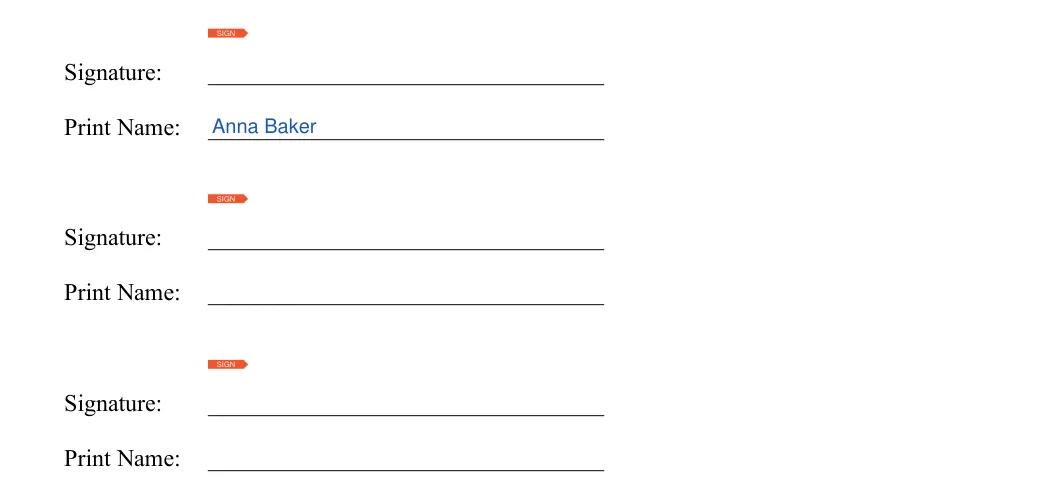
On page 4, the first roommate signs on the Signature line and prints their name on the line below.

Signature page: remaining roommates
Each other roommate signs and prints their name on the next pair of lines. The form has no date line on this page, so the date is the one you wrote in step 1.
Once every blank is filled in, the last steps happen outside the form. Go through them together so each roommate ends up with the same finished agreement and knows where to find it.
A roommate agreement is a written document between the people who share a home. It records how rent and bills are split and which house rules the household follows. Every roommate keeps a signed copy, so the whole household can check what was agreed.
A lease is between you and your landlord. A roommate agreement is between you and the other people who live in the home, and it covers how you share costs, space and daily routines.
The FormsPal template has room for four roommates. Each person signs and prints a name on the signature page.
You complete these parts of the form before everyone signs:
Each step above shows the exact spot on the form.
Some house rules come printed in the template. Talk through each one with all of your roommates, and write down your own choices for quiet hours, shared expenses, pets, subleasing and smoking.
General information, not legal or tax advice.

