Saco River Education PDF Details

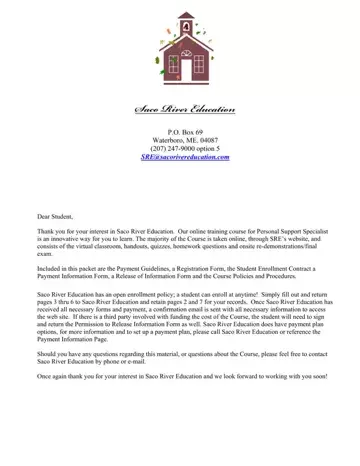
Welcome to the world of Saco River Education, where the pursuit of knowledge meets flexibility and innovation. At Saco River Education, we are committed to providing a comprehensive online training course for those aspiring to become Personal Support Specialists. Our unique approach to education allows students to engage in learning through an online platform, consisting of virtual classrooms, various handouts, quizzes, and homework questions, capped off with onsite re-demonstrations and a final exam. Recognizing the importance of accessibility and convenience, we offer an open enrollment policy and a variety of payment options to accommodate every student's needs. Whether you're looking to enroll immediately or require a payment plan, Saco River Education is prepared to support you every step of the way. Upon registration and payment, students are swiftly sent a confirmation email with all necessary information to get started. Furthermore, our course not only facilitates your learning experience but also provides clear guidance on payment policies, including options for refunds, ensuring transparency and trust from the outset. With a dedicated team ready to assist with any inquiries, Saco River Education looks forward to welcoming you to our community and aiding in your journey towards becoming a certified Personal Support Specialist.

QuestionAnswer
Form NameSaco River Education
Form Length7 pages
Fillable?No
Fillable fields0
Avg. time to fill out1 min 45 sec
Other namescom sacorivereducation, education river saco, education sacorivereducation com, saco river education login

How to Edit Saco River Education Online for Free

We were creating the PDF editor having the prospect of making it as quick to use as it can be. Therefore the entire process of filling out the river education enrollment will likely to be effortless perform the next actions:

Step 1: Press the "Get Form Now" button to begin the process.

Step 2: Now you may edit your river education enrollment. You should use our multifunctional toolbar to insert, eliminate, and modify the content of the document.

You should provide the next details so that you prepare the document:

filling out saco river education login part 1

Provide the requested particulars in the section Do you have experience working, Microsoft Word, Internet Access Type Dial up not, Cable DSL, In planning for the, Presque Isle Waterville Saco, What date does the Agency require, and Control Expiration Date Pay.

Filling out saco river education login part 2

Indicate the essential information in The Personal Support Specialist, Refund Policy All refund requests, cid cid, cid cid, refund available for requests, and Please allow weeks for your segment.

Filling out saco river education login step 3

Within the box Please allow weeks for your, Student Signature Date, and Rev, specify the rights and responsibilities of the sides.

Completing saco river education login step 4

Look at the areas Payment Plan Options down then, I am paying by CHECK or MONEY, Please make payable to Saco River, I am paying by CREDIT CARD, I authorize Saco River Education, account number, exp date, card security code, signature, and date and then complete them.

saco river education login Payment Plan Options  down then, I am paying by CHECK or MONEY, Please make payable to Saco River, I am paying by CREDIT CARD, I authorize Saco River Education, account number, exp date, card security code, signature, and date fields to fill out

Step 3: Click the "Done" button. It's now possible to export your PDF file to your electronic device. Aside from that, you'll be able to forward it via electronic mail.

Step 4: To protect yourself from any sort of complications as time goes on, try to generate as a minimum two or three duplicates of the file.

Please rate Saco River Education

1 Votes
If you believe this page is infringing on your copyright, please familiarize yourself with and follow our DMCA notice and takedown process - click here to proceed .
