
Sc Ins5140 PDF Details

Navigating the landscape of Employment Insurance (EI) benefits during times of sickness or pregnancy requires understanding the SC INS5140 form, a vital document issued by Service Canada. This form serves as a medical certificate crucial for obtaining EI sickness benefits, embodying the bridge between personal health conditions and financial support. Within this form, two major sections unfold: the first necessitates personal information and consent from the claimant for the release of medical details about their illness or pregnancy, ensuring that the confidentiality of the personal data is anchored in their consent. The claimant's responsibility also includes covering any charges that arise from gathering this information. The second section is where a medical doctor or an approved health practitioner records key medical details, such as the expected or actual date of confinement for pregnancies and the onset and expected duration of incapacity due to a medical condition. This section solidifies the medical basis for the claim. Designed under the authority of the EI Act, the information collected through this form not only determines eligibility for income benefits but also finds its way into a protected personal information bank, subject to regulations for access under the Privacy Act. Thus, the SC INS5140 form acts as a crucial node in the network of EI sickness benefits, bridging the gap between personal health conditions and the financial support system provided by the Government of Canada through Service Canada.

QuestionAnswer
Form NameSc Ins5140
Form Length1 page
Fillable?Yes
Fillable fields19
Avg. time to fill out15 sec
Other namesins5140 form, medical certificate, sc ins5140, medical certificate sc ins5140

How to Fill Out Form SC INS5140

Form SC INS5140 at a glance

What it is: Service Canada: Medical Certificate for Employment Insurance Sickness Benefits.

Who signs: An individual must get a medical certificate signed by a medical practitioner when they apply for Employment Insurance (EI) sickness benefits. The medical practitioner completes and signs Section 2 to attest that the patient is unable to work for medical reasons. For more information about EI sickness benefits, including medical practitioners who can complete and sign this form, visit Employment Insurance benefits (canada.ca/ei).

A filled-in Form SC INS5140 example: a certificate for a patient's EI sickness claim
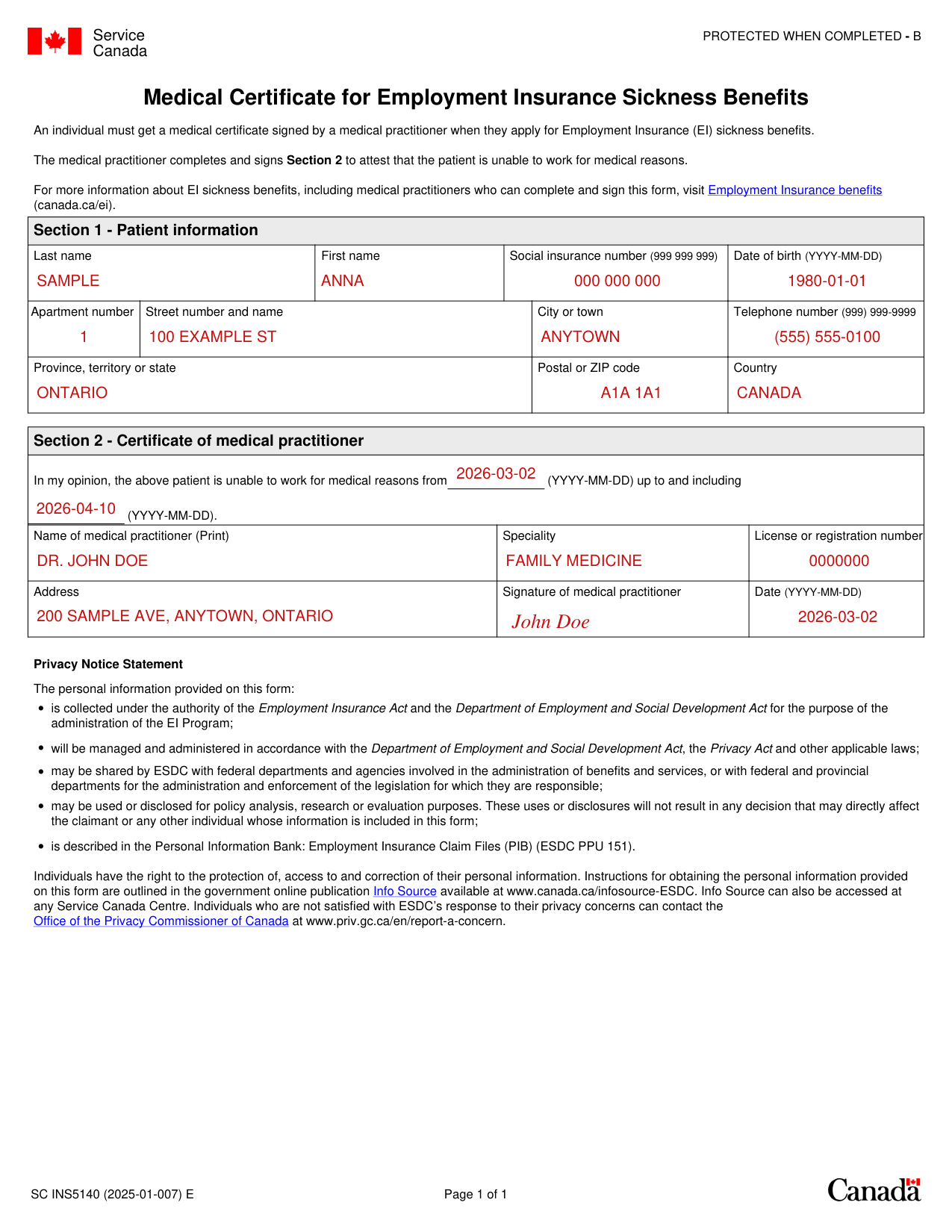
Form SC INS5140 example filled out, example: a certificate for a patient's EI sickness claim
A medical practitioner completes the certificate for patient Anna Sample. She applies for EI sickness benefits, and the certificate covers 2026-03-02 up to and including 2026-04-10. The picture shows both sections filled, and none of its entries is real.

How to fill out Form SC INS5140, box by box

Section 1 - Patient information
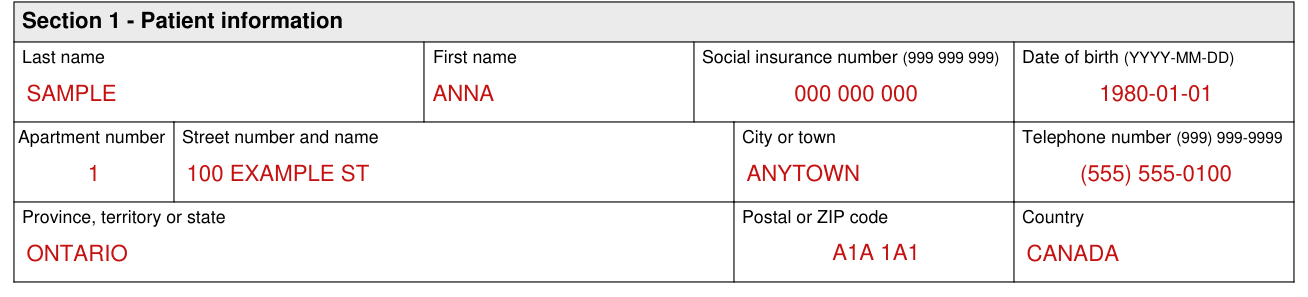
Form SC INS5140 example filled out, section 1 - Patient information

In Section 1 - Patient information, enter the Last name, First name, Social insurance number (999 999 999) and Date of birth (YYYY-MM-DD).

Also enter the Apartment number, Street number and name, City or town, Telephone number (999) 999-9999, Province, territory or state, Postal or ZIP code and Country.

Section 2 - Certificate of medical practitioner
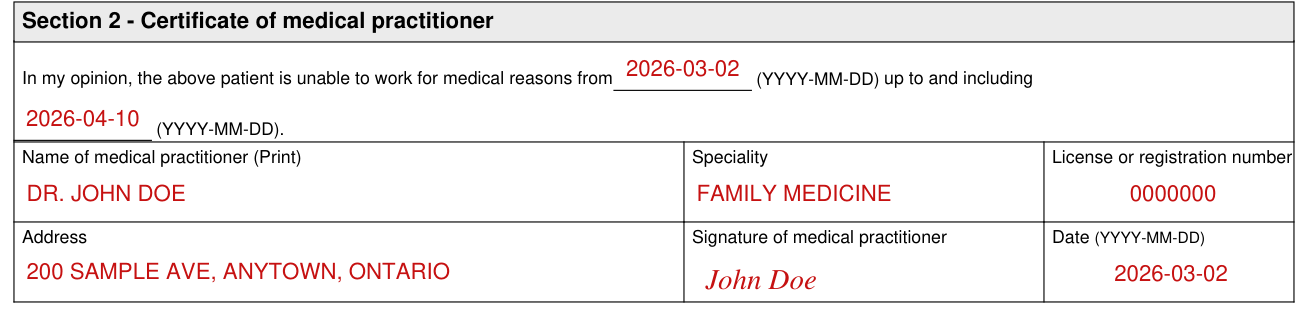
Form SC INS5140 example filled out, section 2 - Certificate of medical practitioner

In Section 2 - Certificate of medical practitioner: In my opinion, the above patient is unable to work for medical reasons from (YYYY-MM-DD) up to and including (YYYY-MM-DD).

The medical practitioner prints the Name of medical practitioner and enters Speciality, License or registration number, Address, Signature of medical practitioner and Date (YYYY-MM-DD).

Sources

[1] Form SC INS5140 (2025-01-007), Medical Certificate for Employment Insurance Sickness Benefits, Service Canada (the Official source link on this page).

Please rate Sc Ins5140 2025-01-007

1 Votes
If you believe this page is infringing on your copyright, please familiarize yourself with and follow our DMCA notice and takedown process - click here to proceed .