
Sf 330 Form PDF Details

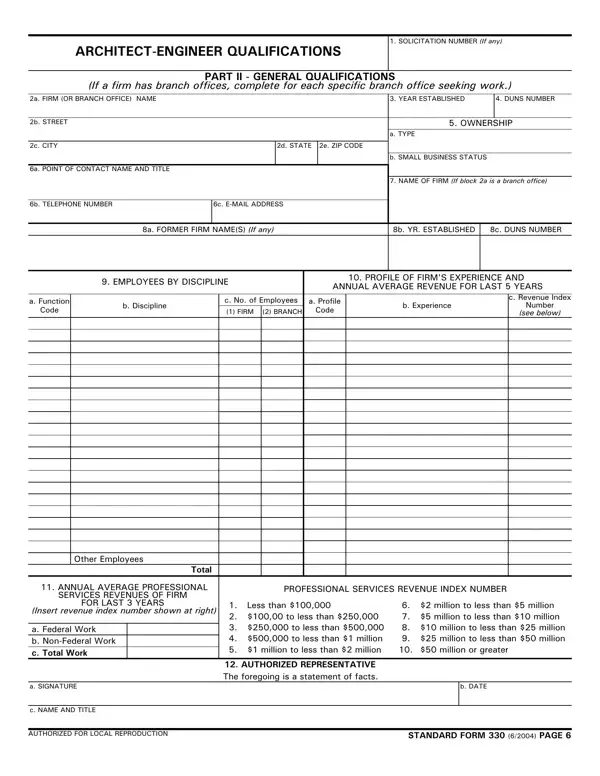
Navigating the complexities of obtaining architectural or engineering contracts with federal agencies necessitates a deeper understanding of the Standard Form 330 (SF 330). This critical document plays a pivotal role in illustrating a firm's qualifications and competencies in the pursuit of federal projects. Governed by the Paperwork Reduction Act and under the scrutiny of the Office of Management and Budget (OMB), the SF 330 is structured to streamline the submission of qualifications succinctly. Its design aligns with the Federal Acquisition Regulation (FAR) criteria, ensuring that firms articulate their capabilities effectively across two parts: Part I emphasizes contract-specific qualifications while Part II delves into the general qualifications, allowing for a comprehensive showcase of a firm's depth in architectural-engineering realms. Both sections are integral in the selection process, where agencies prioritize demonstrated competence and professional qualifications among competing entities. Additionally, its nuanced requirements, including the necessity for a fair and reasonable negotiation base and a public announcement prerequisite for A-E services procurement, underscore the form's role in fostering transparency and equity in federal contracting. Agencies further benefit from the SF 330 by leveraging submitted information alongside other evaluative resources such as performance evaluations and interviews, ensuring a selection grounded in thorough vetting processes. Thus, mastering the intricacies of the SF 330 is essential for firms aiming to secure and excel in federal architectural and engineering projects.

QuestionAnswer
Form NameSf 330 Form
Form Length14 pages
Fillable?No
Fillable fields0
Avg. time to fill out3 min 30 sec
Other names330 sf form, sf330 part ii, 330 ii, sf330 form

How to Edit Sf 330 Form Online for Free

It is possible to fill out sf330 easily by using our PDFinity® editor. We at FormsPal are focused on providing you with the best possible experience with our editor by continuously introducing new features and enhancements. With all of these improvements, working with our tool gets easier than ever before! All it requires is just a few basic steps:

Step 1: Access the PDF file inside our editor by clicking the "Get Form Button" at the top of this webpage.

Step 2: When you launch the file editor, you will get the document made ready to be filled in. Apart from filling in various blank fields, you might also perform several other things with the file, including adding custom textual content, changing the original text, adding graphics, placing your signature to the form, and more.

This document will need you to provide some specific details; to guarantee accuracy and reliability, please make sure to consider the tips hereunder:

1. While completing the sf330, be certain to complete all of the necessary blanks in their associated part. It will help to expedite the work, allowing for your information to be processed swiftly and appropriately.

Part number 1 of filling in sf330 sf form

2. The third part would be to fill out these particular fields: CHECK IF BRANCH OFFICE, CHECK IF BRANCH OFFICE, CHECK IF BRANCH OFFICE, CHECK IF BRANCH OFFICE, and CHECK IF BRANCH OFFICE.

sf330 sf form writing process described (portion 2)

3. The next section is generally quite uncomplicated, D ORGANIZATIONAL CHART OF PROPOSED, Attached, AUTHORIZED FOR LOCAL REPRODUCTION, and STANDARD FORM REV - every one of these fields is required to be completed here.

sf330 sf form writing process described (step 3)

4. Filling in NAME, ROLE IN THIS CONTRACT, YEARS EXPERIENCE, a TOTAL, b WITH CURRENT FIRM, FIRM NAME AND LOCATION City and, EDUCATION Degree and, CURRENT PROFESSIONAL REGISTRATION, OTHER PROFESSIONAL QUALIFICATIONS, TITLE AND LOCATION City and State, RELEVANT PROJECTS, YEAR COMPLETED, PROFESSIONAL SERVICES CONSTRUCTION, BRIEF DESCRIPTION Brief scope, and Check if project performed with is essential in this section - make sure you take the time and fill in every empty field!

Learn how to fill out sf330 sf form step 4

As for YEAR COMPLETED and TITLE AND LOCATION City and State, be certain you do everything right in this current part. Those two are certainly the most significant ones in this document.

5. To finish your form, the last subsection features a couple of extra blank fields. Filling in TITLE AND LOCATION City and State, YEAR COMPLETED, PROFESSIONAL SERVICES CONSTRUCTION, BRIEF DESCRIPTION Brief scope, Check if project performed with, TITLE AND LOCATION City and State, YEAR COMPLETED, PROFESSIONAL SERVICES CONSTRUCTION, BRIEF DESCRIPTION Brief scope, Check if project performed with, TITLE AND LOCATION City and State, YEAR COMPLETED, PROFESSIONAL SERVICES CONSTRUCTION, BRIEF DESCRIPTION Brief scope, and Check if project performed with is going to wrap up the process and you're going to be done quickly!

BRIEF DESCRIPTION Brief scope, YEAR COMPLETED, and BRIEF DESCRIPTION Brief scope of sf330 sf form

Step 3: Reread what you have typed into the blank fields and press the "Done" button. After setting up afree trial account at FormsPal, you will be able to download sf330 or send it via email right off. The PDF document will also be available via your personal account with your every single edit. FormsPal ensures your information confidentiality via a secure method that in no way saves or shares any sort of private data involved. Be assured knowing your files are kept confidential whenever you use our tools!