Please rate Standard Disclosure Form

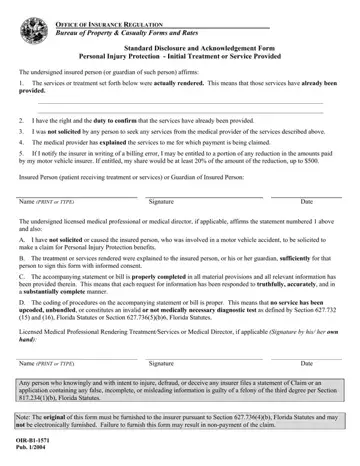
In the realm of insurance regulation, particularly concerning personal injury protection and the initial treatment or service provided after a motor vehicle accident, the Standard Disclosure and Acknowledgement Form plays a critical role. This document, which is an important component in the process of claiming benefits, serves to affirm several key points. First, it verifies that the claimed services or treatments were indeed rendered to the insured person. Additionally, it emphasizes the responsibility of the insured person (or their guardian) to ensure these services have been provided and not solicited improperly. The form also outlines the process and potential entitlements related to the correction of billing errors, including the possibility of the insured person receiving a portion of the reduction in billed amounts. Furthermore, licensed medical professionals or directors affirm their non-involvement in solicitation and the propriety of the billing process through this form. Its significance is underscored by the inclusion of a provision that highlights the legality of the information provided and the consequences of fraudulent claims. Completion and submission of this form, required under specific Florida Statutes, are critical steps in the insurance claim process, reinforcing the emphasis on transparency, accountability, and proper procedural conduct.
| Question | Answer |
|---|---|
| Form Name | Standard Disclosure Form |
| Form Length | 1 pages |
| Fillable? | No |
| Fillable fields | 0 |
| Avg. time to fill out | 15 sec |
| Other names | state of florida disclosure form, florida standard disclosure form, b1 1571, oir b1 1571 form |
Standard Disclosure Form isn’t the one you’re looking for?
Please rate Standard Disclosure Form
