

Standard Form 1449 at a glance
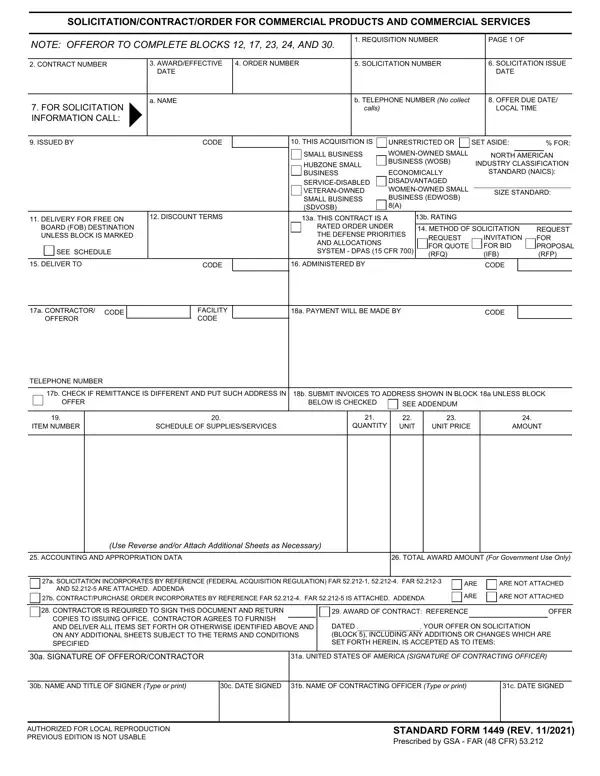
What it is: Standard Form 1449 is the Solicitation/Contract/Order for Commercial Products and Commercial Services. The previous edition is not usable.
Who signs: Box 30a is the Signature of Offeror/Contractor, and Box 31a is the United States of America (Signature of Contracting Officer).
The offeror completes Blocks 12, 17, 23, 24, and 30.
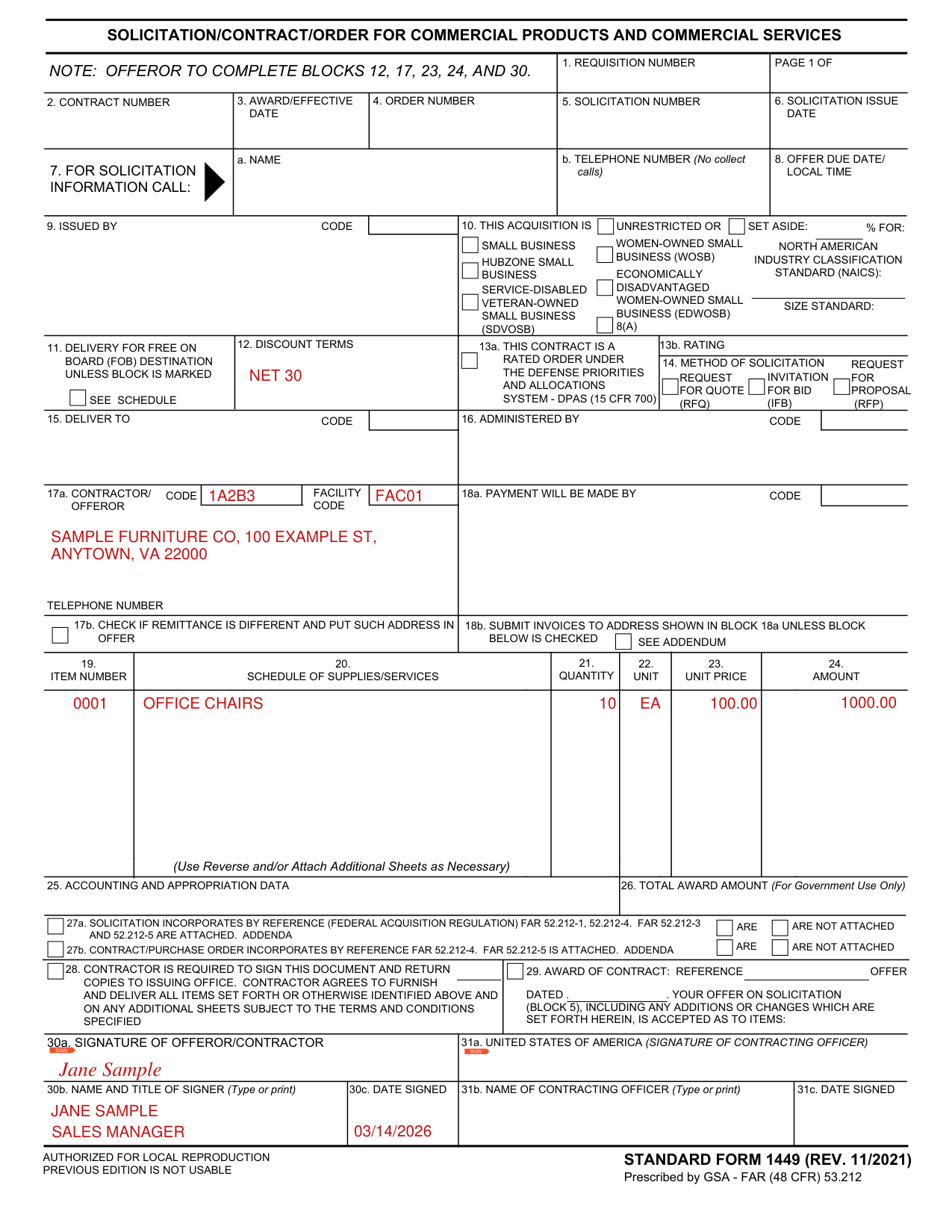
A filled-in Standard Form 1449 example: an offeror completes its blocks
How to fill out Standard Form 1449, box by box
Discount terms (Box 12)

Enter the Discount Terms in Box 12.
Contractor/ Offeror (Box 17a)

In Box 17a, enter the Contractor/ Offeror, with its Code and Facility Code. Box 18a is Payment Will Be Made By, with its Code.
Schedule of supplies/services (Boxes 19 to 24)

Box 19 is the Item Number, Box 20 the Schedule of Supplies/Services, Box 21 the Quantity and Box 22 the Unit.
Enter the Unit Price in Box 23 and the Amount in Box 24.
Use Reverse and/or Attach Additional Sheets as Necessary.
Signature of offeror/contractor (Box 30)
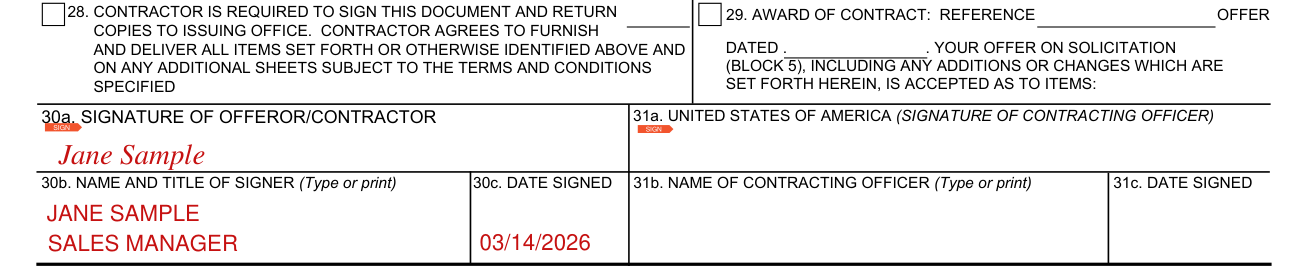
Sign Box 30a, the Signature of Offeror/Contractor.
Type or print the Name and Title of Signer in Box 30b and the Date Signed in Box 30c.
More rules for Standard Form 1449
In Box 28, the contractor is required to sign this document and return copies to the issuing office.
Box 7, For Solicitation Information Call: Box 7a is the Name and Box 7b is the Telephone Number (No collect calls). Box 8 is the Offer Due Date/ Local Time.
Check Box 17b if remittance is different and put such address in offer. Box 18b: submit invoices to the address shown in Box 18a unless Block below is checked.
Box 14, Method of Solicitation, is Request for Quote (RFQ), Invitation for Bid (IFB) or Request for Proposal (RFP).
Box 11: Delivery is for Free on Board (FOB) Destination unless the block is marked See Schedule.
Box 13a: this contract is a rated order under the Defense Priorities and Allocations System - DPAS (15 CFR 700). Box 13b is the Rating.
Common questions about Standard Form 1449
What is a 1449 form?
Standard Form 1449 is the Solicitation/Contract/Order for Commercial Products and Commercial Services. The previous edition is not usable. Box 27a: the solicitation incorporates by reference (Federal Acquisition Regulation) FAR 52.212-1, 52.212-4. FAR 52.212-3 and 52.212-5 are attached. Box 27b: the contract/purchase order incorporates by reference FAR 52.212-4. FAR 52.212-5 is attached.
Who signs it?
Box 30a is the Signature of Offeror/Contractor, and Box 31a is the United States of America (Signature of Contracting Officer).
Sources
[1] Standard Form 1449 (REV. 11/2021), Solicitation/Contract/Order for Commercial Products and Commercial Services, U.S. General Services Administration (the Official source link on this page).