
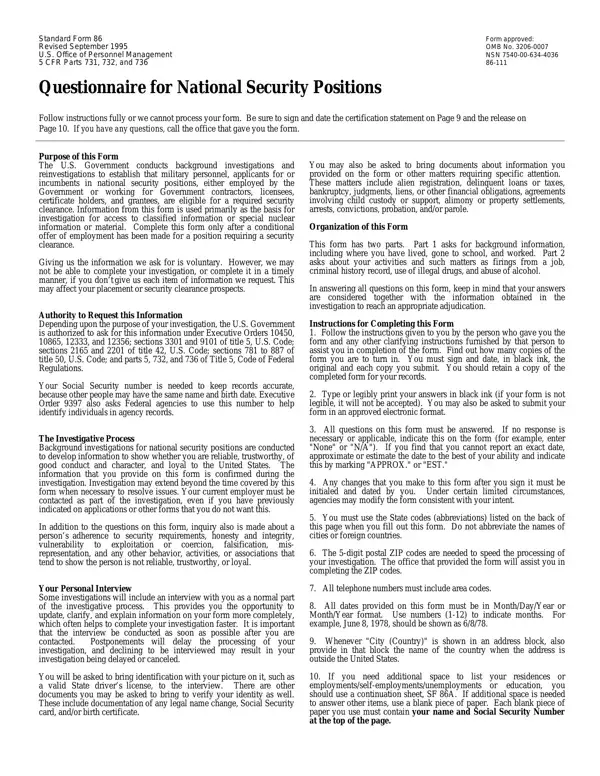
Standard Form 86 PDF Details

The Standard Form 86, revised in September 1995 and approved under OMB No. 3206-0007, serves a critical role in the United States Government's process of conducting background investigations and reinvestigations for military personnel, applicants for, and incumbents of national security positions, including those employed by the government or working with government contractors, licensees, certificate holders, and grantees. Its primary purpose is to establish eligibility for required security clearances, using the information provided as a foundation for investigative measures into an individual's access to classified or special nuclear information or materials. Submission of this form, following a conditional offer of employment for roles necessitating a security clearance, is a voluntary step that, if neglected, may impede or delay the investigation process, consequently affecting employment or clearance outcomes. The form is backed by various executive orders, U.S. Code sections, and Title 5, Code of Federal Regulations, Parts 731, 732, and 736, legitimizing the government's request for personal information. This detailed form encompasses a comprehensive range of questions aimed at ascertaining the reliability, trustworthiness, character, and loyalty to the United States of the individual in question. The process often includes a personal interview to allow clarification and updates to the provided information, which is crucial for the swift progression of the investigation. Organized into two main parts, the form requests detailed background information alongside inquiries into specific activities and characteristics relevant to national security concerns. Applicants are guided through the completion process with specific instructions to ensure accuracy and completeness, which, coupled with subsequent investigative efforts, informs the final determination regarding their security clearance eligibility.

QuestionAnswer
Form NameStandard Form 86
Form Length13 pages
Fillable?No
Fillable fields0
Avg. time to fill out3 min 15 sec
Other namessf86 form, sf 86 form, standard form 86, CFR

How to Edit Standard Form 86 Online for Free

Any time you desire to fill out sf86, it's not necessary to download any sort of software - simply make use of our PDF editor. In order to make our editor better and less complicated to use, we consistently come up with new features, considering suggestions coming from our users. To get the process started, go through these easy steps:

Step 1: Press the "Get Form" button above. It is going to open up our tool so that you could begin filling in your form.

Step 2: This editor will give you the opportunity to modify PDF forms in a range of ways. Improve it by writing customized text, correct what is originally in the PDF, and put in a signature - all manageable in minutes!

When it comes to blanks of this specific form, this is what you should do:

1. Firstly, when completing the sf86, start with the area that contains the next blank fields:

Filling in section 1 in OMB

2. The third stage is to complete the following blank fields: State Department Form Report of, This may be either a current or, Passport Number, MonthDayYear Issued, d DUAL CITIZENSHIP, If you are or were a dual citizen, Country, e ALIEN, If you are an alien provide the, City, Place You Entered the United States, State Date You Entered US, Month, Day, and Year.

Simple tips to complete OMB stage 2

3. Completing MonthYear, MonthYear, Street Address, Apt City Country, State, ZIP Code, Present Name of Person Who Knows, Street Address, Apt City Country, State ZIP Code, MonthYear, MonthYear, Street Address, Apt City Country, and Name of Person Who Knew You is essential for the next step, make sure to fill them out in their entirety. Don't miss any details!

Tips to fill in OMB stage 3

4. To move forward, the following stage involves completing a couple of blank fields. Examples of these are For correspondence schools and, MonthYear, MonthYear, Code, Name of School, DegreeDiplomaOther, MonthYear Awarded, Street Address and City Country, State, ZIP Code, Name of Person Who Knew You, Street Address, Apt City Country, State ZIP Code, and MonthYear, which are crucial to continuing with this particular document.

OMB conclusion process shown (stage 4)

Concerning MonthYear Awarded and ZIP Code, make sure that you take another look in this current part. Those two are the key fields in the PDF.

5. The form must be completed by going through this segment. Further you can see an extensive list of form fields that need to be completed with accurate details to allow your form usage to be faultless: MonthYear, MonthYear, Code, EmployerVerifier NameMilitary Duty, Your Position TitleMilitary Rank, Present EmployersVerifiers Street, City Country, State, ZIP Code, Street Address of Job Location if, City Country, State, ZIP Code, Supervisors Name Street Address, and City Country.

A way to fill in OMB portion 5

Step 3: Prior to finishing your document, make sure that form fields are filled in as intended. The moment you confirm that it's correct, click on “Done." Try a free trial account with us and get instant access to sf86 - downloadable, emailable, and editable from your personal account. When you use FormsPal, you're able to complete forms without worrying about data incidents or entries getting distributed. Our secure software helps to ensure that your private data is stored safe.