
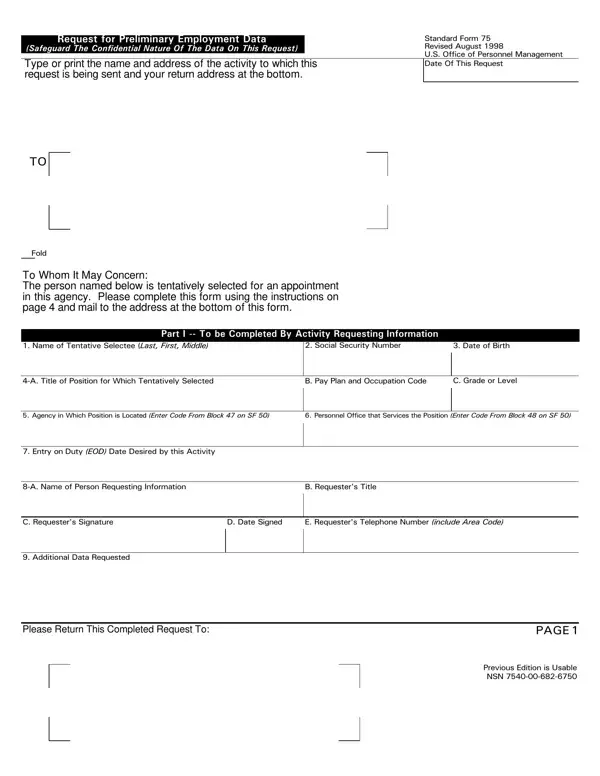
SF 75 OPM Form PDF Details

In today's multifaceted work environment, transitioning between federal agencies or positions within the government can often involve a complex series of steps, one of which may include the completion of the SF 75 OPM Form. This form, titled "Request for Preliminary Employment Data," plays a critical role in ensuring the seamless transition of employees by facilitating the sharing of vital employment-related information. Primarily, it serves as a vehicle for requesting data when an applicant's Official Personnel Folder (OPF) or Merged Records Personnel Folder (MRPF) is not readily accessible for review. This scenario might occur if the applicant is moving across different agencies, is part of the same agency but serviced by a different office, or their OPF/MRPF is stored at the National Personnel Records Center but contains necessary information for the hiring process at their new agency. The SF 75 aims to verify application details, determine eligibility for appointment, and resolve pay and benefits decisions effectively. However, its use is strictly confined to these purposes to protect the confidentiality and integrity of the employment transfer process. Agencies and applicants alike are encouraged to approach the completion and submission of this form with due diligence, ensuring all requested information is provided accurately to facilitate timely employment transitions.

QuestionAnswer
Form Name SF 75 OPM Form
Form Length 4 pages
Fillable? No
Fillable fields 0
Avg. time to fill out 1 min
Other names sf 75 request, sf 75, sf form 75, what is an sf 75

How to Edit SF 75 OPM Form Online for Free

You could prepare sf75 blank effortlessly using our PDFinity® online tool. To make our tool better and simpler to work with, we constantly come up with new features, with our users' suggestions in mind. This is what you will need to do to begin:

Step 1: Firstly, access the pdf editor by clicking the "Get Form Button" above on this webpage.

Step 2: As soon as you open the file editor, you will find the form prepared to be completed. Aside from filling in various fields, it's also possible to do other sorts of things with the form, namely putting on your own textual content, editing the initial textual content, inserting illustrations or photos, placing your signature to the form, and more.

This form will require you to type in specific details; to ensure accuracy, make sure you bear in mind the next suggestions:

1. Complete your sf75 blank with a number of major blank fields. Consider all of the information you need and ensure not a single thing overlooked!

Writing part 1 of sf75 form

2. The third stage is to complete all of the following fields: Please Return This Completed.

sf75 form completion process clarified (part 2)

3. In this step, look at Complete the following and provide. Every one of these need to be filled in with highest precision.

sf75 form writing process outlined (part 3)

4. Your next section requires your attention in the subsequent parts: . Make certain you fill out all of the required information to move forward.

Filling out segment 4 in sf75 form

5. To finish your document, this final section includes some additional fields. Filling out should finalize the process and you'll definitely be done in a tick!

Filling in segment 5 in sf75 form

Regarding this field and next field, make sure that you do everything right in this section. The two of these are certainly the most significant ones in the page.

Step 3: Prior to moving on, ensure that blank fields have been filled out the proper way. The moment you are satisfied with it, click “Done." Acquire the sf75 blank once you join for a 7-day free trial. Immediately view the document inside your FormsPal account page, together with any modifications and changes automatically preserved! If you use FormsPal, it is simple to fill out documents without the need to worry about database leaks or data entries being distributed. Our secure software helps to ensure that your personal data is maintained safely.