
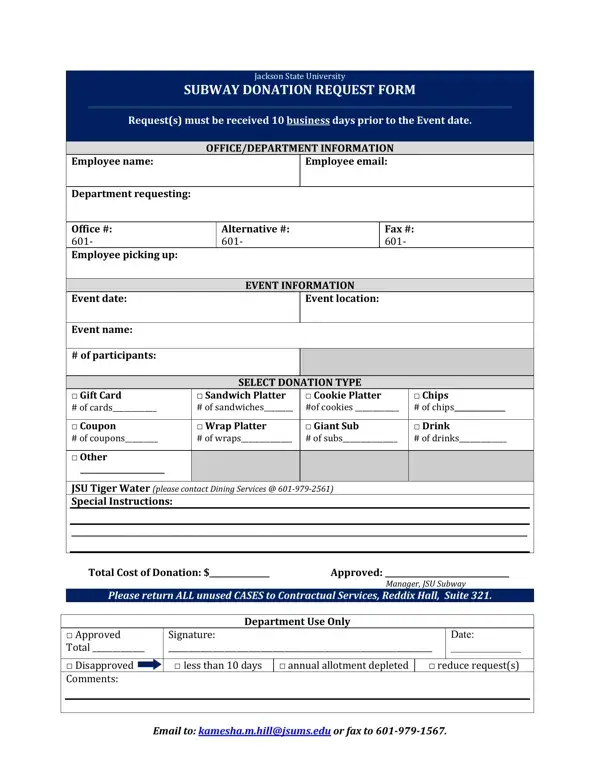
The Subway Donation Request Canada form is an essential document for organizations looking to request donations for their events from Subway. This form highlights the importance of submitting requests at least 10 business days before the scheduled event to ensure consideration. It gathers detailed information about the requesting office or department, including the employee's name, email, department details, and contact information. This meticulous collection of data ensures that communication between Subway and the requesting party is seamless and efficient. The form also requires details about the event itself, such as the date, location, name, and the expected number of participants, which aids in determining the quantity and type of donation suitable for the event. There are several donation options available, including gift cards, sandwich platters, cookie platters, chips, coupons, wrap platters, giant subs, drinks, and other items detailed in a special instructions section. This variety ensures that donations can be tailored to meet the specific needs of each event. The form stipulates that any unused items should be returned, underscoring Subway's commitment to responsible resource management. Furthermore, the approving process is clearly outlined, including conditions for approval or disapproval, such as requests made less than 10 business days in advance, depletion of the annual donation allotment, or the necessity to reduce the size of requests, ensuring transparency and fairness in Subway's support of community events.
| Question | Answer |
|---|---|
| Form Name | Subway Donation Request Canada Form |
| Form Length | 1 pages |
| Fillable? | Yes |
| Fillable fields | 51 |
| Avg. time to fill out | 10 min 31 sec |
| Other names | subway sponsorship canada, subway sponsorship, subway donation request canada, subway donations |
Subway Donation Request Canada Form isn’t the one you’re looking for?