Please rate Test Drive Form

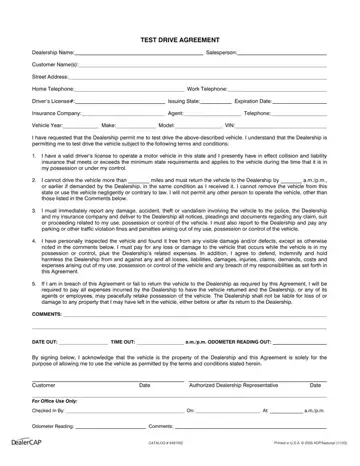
In today's automobile market, taking a vehicle for a test drive is an essential part of the purchasing journey, offering potential buyers an invaluable opportunity to gauge their compatibility with the car. Central to this process is the Test Drive Agreement, a document that outlines the terms under which a dealership allows a customer to operate a vehicle temporarily. This document captures crucial information including details of the dealership, the salesperson in charge, the customer's contact information, and pertinent specifics about the vehicle such as its year, make, model, and VIN. Furthermore, the agreement sets forth explicit conditions related to the possession and use of the vehicle—these include verification of the driver's license and insurance coverage, restrictions on mileage and geographic limitations, responsibilities for reporting and covering damages, and legal repercussions for breach of agreement. By signing this document, a customer agrees to adhere to these stipulations, acknowledging the responsibilities involved in handling the vehicle and the potential consequences of failing to comply. Clearly, the Test Drive Agreement is a pivotal document that safeguards the interests of both the dealership and the customer, ensuring that the test-drive process is conducted smoothly and professionally.
| Question | Answer |
|---|---|
| Form Name | Test Drive Agreement Form |
| Form Length | 1 pages |
| Fillable? | Yes |
| Fillable fields | 33 |
| Avg. time to fill out | 6 min 51 sec |
| Other names | test waiver drive, vehicle test drive form, test drive template, test drive agreement forms |
Test Drive Agreement Form isn’t the one you’re looking for?
Please rate Test Drive Form
