
Texas Form 509 PDF Details

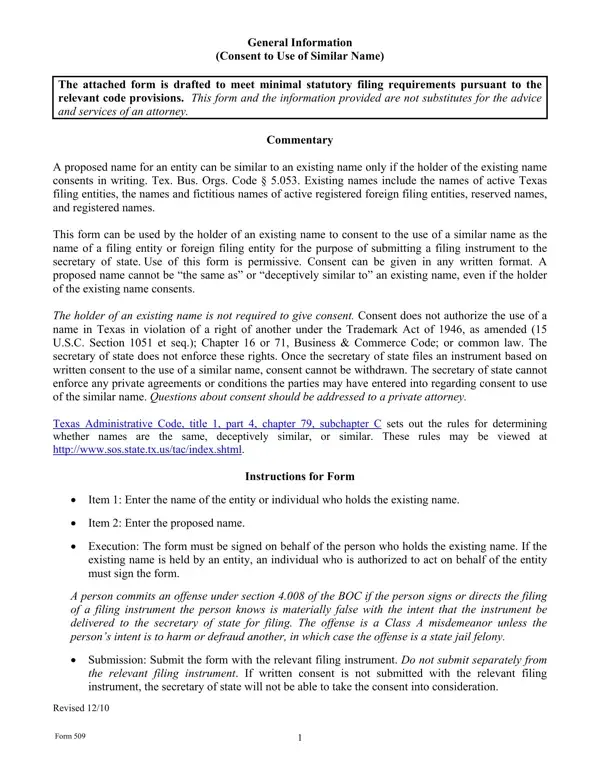
In the landscape of business operations and legal documentation within Texas, the Form 509 holds a crucial role, particularly when it comes to the naming conventions of entities and businesses. This form serves as a formal consent for the use of a name that is similar to an existing one, provided that the current holder of the name agrees in writing, as stipulated by the Texas Business Organizations Code § 5.053. It encompasses a broad array of existing names, including those of active Texas entities, foreign entities operating in Texas, and even reserved or registered names. Its primary function is to facilitate the filing of new entities or foreign entities wanting to operate in Texas under a name that is already in use, albeit with the original holder's consent. Notably, the form stipulates that consent for a similar name does not override trademark laws or common law rights, emphasizing the need for due diligence and legal consultation. Furthermore, the form is explicit in its warning that once consent is filed with the secretary of state, it cannot be retracted, highlighting the importance of careful consideration before submitting this document. Additionally, the instructions within the form caution about the legal repercussions of submitting false information. This narrative underscores not just the procedural aspects of Form 509 but also hints at the broader implications of name selection and consent in the business environment of Texas.

QuestionAnswer
Form NameTexas Form 509
Form Length2 pages
Fillable?No
Fillable fields0
Avg. time to fill out30 sec
Other namesdeceptively, Texas, materially, tac

How to Edit Texas Form 509 Online for Free

Through the online PDF tool by FormsPal, you'll be able to complete or alter materially right here. FormsPal expert team is continuously endeavoring to enhance the editor and ensure it is even easier for clients with its extensive features. Bring your experience one step further with constantly improving and unique options we provide! All it takes is several simple steps:

Step 1: First of all, access the editor by clicking the "Get Form Button" in the top section of this webpage.

Step 2: As soon as you access the online editor, you will notice the document made ready to be filled out. Other than filling out different fields, you might also perform other sorts of things with the Document, particularly writing your own textual content, modifying the original textual content, adding images, signing the PDF, and much more.

This form will require particular information to be filled out, hence you must take the time to type in what's requested:

1. It is very important fill out the materially accurately, so pay close attention while filling in the sections including these blank fields:

tx conclusion process detailed (step 1)

2. Soon after filling in the last part, go on to the subsequent step and enter the essential details in these fields - Name of the entity or individual, consents to the use of, Proposed name, as the name of a filing entity or, The undersigned certifies to, and consent The undersigned signs this.

Learn how to fill out tx portion 2

A lot of people often get some points incorrect while filling out consents to the use of in this area. Ensure that you revise everything you type in right here.

3. Within this step, take a look at Date, Name of existing entity if any, File number of existing entity if, Signature of Authorized Person, Name of Authorized Person type or, Title of Authorized Person if any, and Form. All of these will have to be completed with greatest focus on detail.

Filling out section 3 in tx

Step 3: Reread the details you have typed into the form fields and press the "Done" button. Create a free trial subscription with us and acquire direct access to materially - download, email, or edit in your FormsPal account page. Here at FormsPal.com, we aim to make sure your information is stored secure.