Please rate Texas Form Notice Dwc005 Rev. 01-25

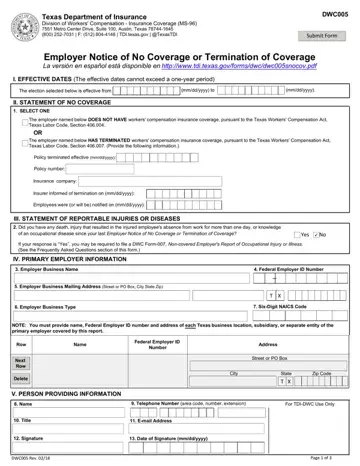
A non-subscriber is a Texas employer who does not have workers' compensation insurance coverage or has terminated their workers' compensation coverage and has one or more employees.
Annual filing: between February 1 and April 30 each year (required for all non-subscribers).
Exempt employees: if your employees are exempt from coverage (for example, certain domestic workers, and certain farm and ranch workers) you don't have to file.
Fields: you must complete all fields.
Locations: to add, delete, or update one or more business locations, complete a new DWC Form-005.
Insurance carrier: the carrier must also send a report to DWC when you terminate coverage with them; an insurance carrier must file a notice with DWC within 10 days.
| Question | Answer |
|---|---|
| Form Name | Form DWC005 |
| Form Length | 4 pages |
| Fillable? | Yes |
| Fillable fields | 80 |
| Avg. time to fill out | 14 min |
| Edition | Rev 01/25 |
| Where to send | Online at tdi.texas.gov/wc/nonsubscribers.html; email coverage.verification@tdi.texas.gov; fax 512-804-4146; or create a profile in TXCOMP and upload documents |
| Filing deadline | Within 30 days of hiring your first employee; within 10 days of terminating your workers' compensation coverage; within 10 days of DWC asking you to file it; between February 1 and April 30 of each calendar year |
| Matches the agency's file | Yes, checked October 3, 2026 |
| Other names | DWC005, DWC 005, DWC Form-005, Form DWC005, Non-subscriber notice to Division of Workers' Compensation |
| Official source | Form DWC005 (Rev 01/25), Texas Department of Insurance, Division of Workers' Compensation |
Texas Form Notice isn’t the one you’re looking for?
Please rate Texas Form Notice Dwc005 Rev. 01-25
