
Form DWC022 at a glance
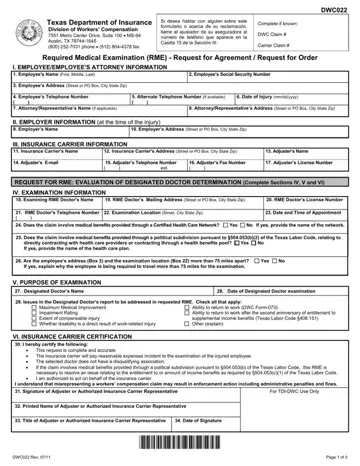
What it is: DWC022 is the Request for a required medical examination (RME).
Where and when to file: The insurance carrier sends this form by fax to 512-804-4378. The insurance carrier sends this form by mail to Texas Department of Insurance, Division of Workers' Compensation Claims and Customer Services, Mail Code CCS PO Box 12050 Austin, TX 78711-2050.
Who signs: The doctor listed does not have a disqualifying association, and I am authorized to act on behalf of the insurance carrier. The employee only needs to sign the form when the purpose of the RME is for appropriateness of health care.
The insurance carrier may request this examination for issues ordered to be addressed in a designated doctor report: to have a doctor of their choice check the same issues as the designated doctor and provide their opinion for each examination.
The insurance carrier may request this examination for appropriateness of health care: to have a doctor of their choice examine whether the health care the injured employee received is appropriate and provide an opinion.
A filled-in Form DWC022 example: a carrier requests an exam on appropriateness of health care
How to fill out Form DWC022, box by box
Part 1: Employee information
Complete if known: DWC claim # and Insurance carrier claim #.
In Part 1: Employee information, enter 1. Name (first, middle, last), 2. Social Security number (last four digits) XXX-XX- XXXXX, 3. Phone number, 4. Address (street or PO box, city, state, ZIP code) and 5. Date of injury (mm/dd/yyyy).
Enter 6. Representative's name (if any), 7. Representative's phone number and 8. Representative's address (street or PO box, city, state, ZIP code).
Part 2: Insurance carrier information
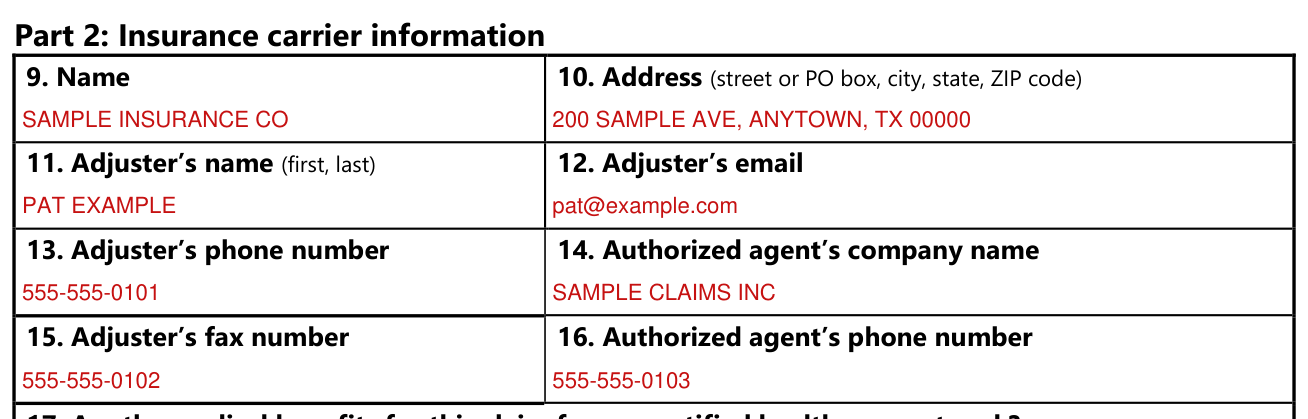
In Part 2: Insurance carrier information, enter 9. Name, 10. Address (street or PO box, city, state, ZIP code), 11. Adjuster's name (first, last), 12. Adjuster's email, 13. Adjuster's phone number, 14. Authorized agent's company name, 15. Adjuster's fax number and 16. Authorized agent's phone number.
Certified health care network and political subdivision

17. Are the medical benefits for this claim from a certified health care network? Yes or No. If yes, provide the name of the network. 18. Are the medical benefits for this claim from a political subdivision under Labor Code Section 504.053? Yes or No. If yes, provide the name of the health care plan.
The carrier can't request an exam for appropriateness of health care if the claim is in a health care network or political subdivision.
Section 2: Examination information
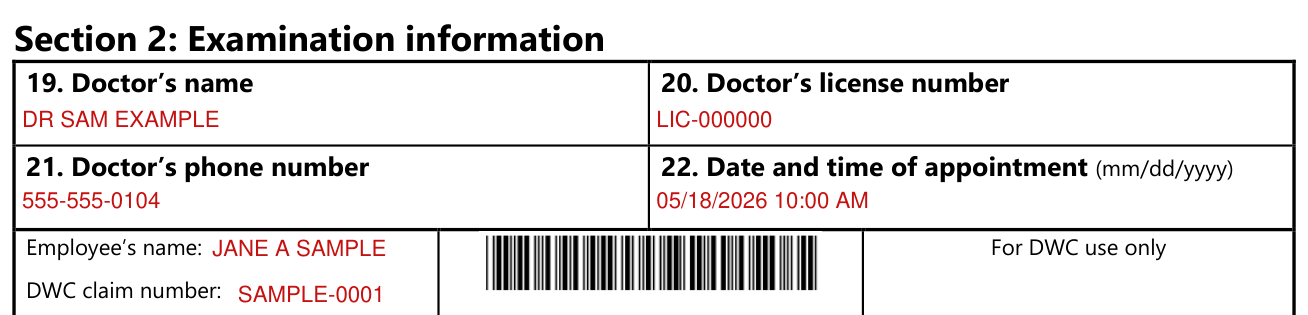
In Section 2: Examination information, enter 19. Doctor's name, 20. Doctor's license number, 21. Doctor's phone number and 22. Date and time of appointment (mm/dd/yyyy).
Examination location

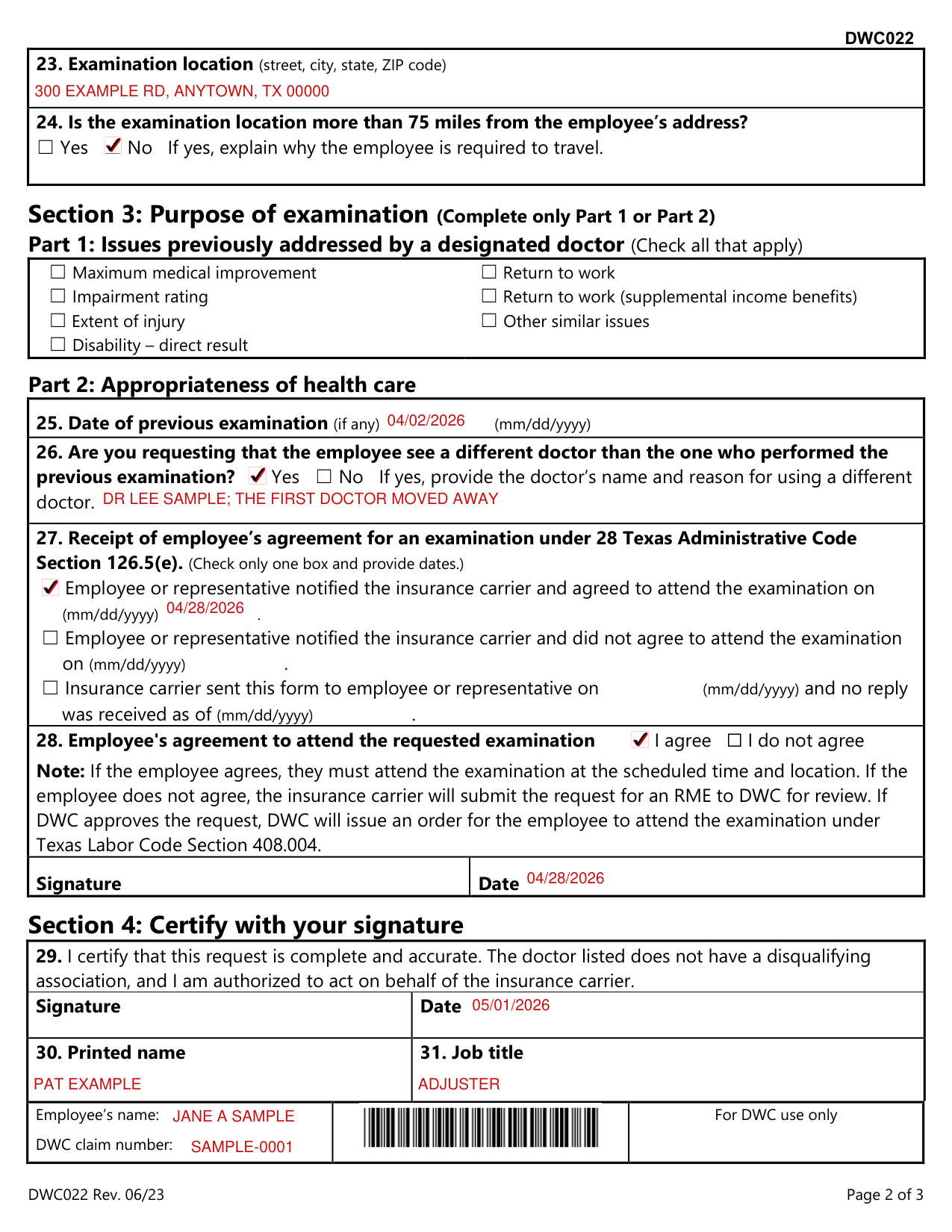
23. Examination location (street, city, state, ZIP code).
24. Is the examination location more than 75 miles from the employee's address? Yes or No. If yes, explain why the employee is required to travel.
Part 1: Issues previously addressed by a designated doctor
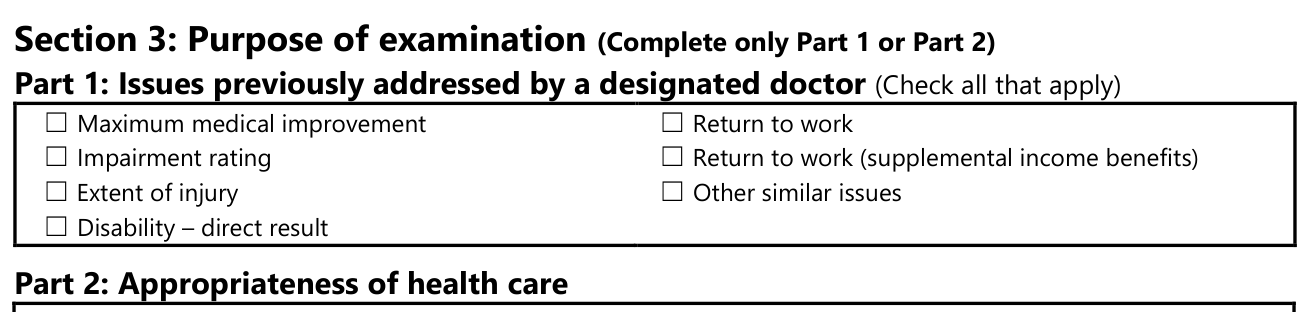
Section 3: Purpose of examination (Complete only Part 1 or Part 2). Part 1: Issues previously addressed by a designated doctor (Check all that apply): Maximum medical improvement, Impairment rating, Extent of injury, Disability - direct result, Return to work, Return to work (supplemental income benefits) and Other similar issues.
Part 2: Appropriateness of health care

In Part 2: Appropriateness of health care, enter 25. Date of previous examination (if any) (mm/dd/yyyy).
26. Are you requesting that the employee see a different doctor than the one who performed the previous examination? Yes or No. If yes, provide the doctor's name and reason for using a different doctor.
Receipt of employee's agreement for an examination
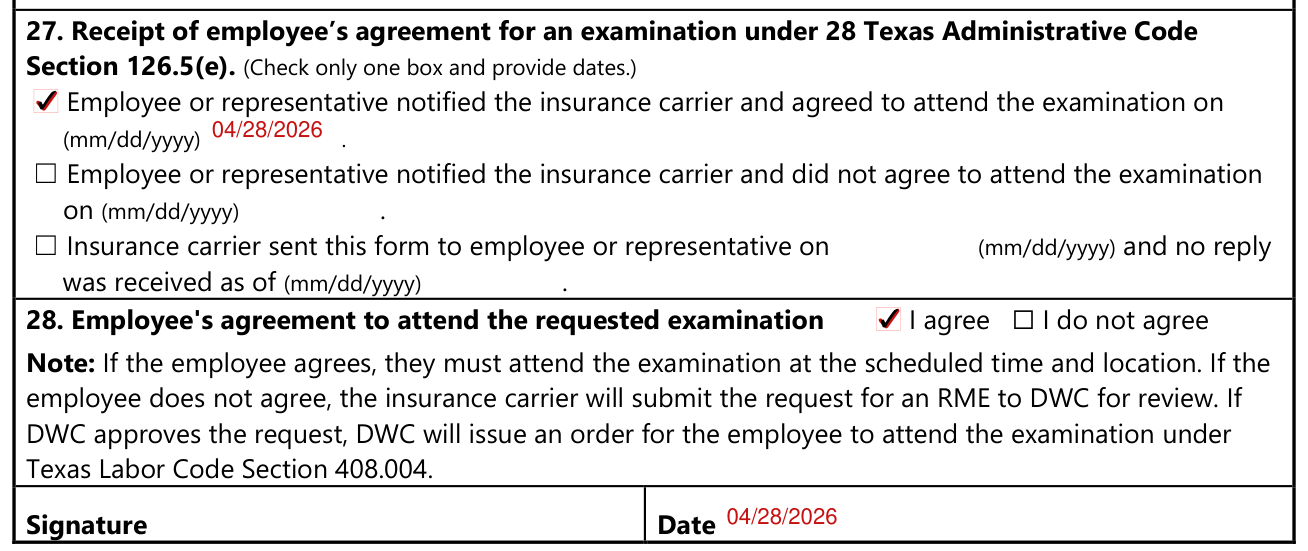
27. Receipt of employee's agreement for an examination under 28 Texas Administrative Code Section 126.5(e). Check only one box and provide dates: Employee or representative notified the insurance carrier and agreed to attend the examination on (mm/dd/yyyy); Employee or representative notified the insurance carrier and did not agree to attend the examination on (mm/dd/yyyy); or Insurance carrier sent this form to employee or representative on (mm/dd/yyyy) and no reply was received as of (mm/dd/yyyy).
28. Employee's agreement to attend the requested examination: I agree or I do not agree. Signature Date.
If the employee agrees, they must attend the examination at the scheduled time and location.
If the employee does not agree, the insurance carrier will submit the request for an RME to DWC for review.
If DWC approves the request, DWC will issue an order for the employee to attend the examination under Texas Labor Code Section 408.004.
Section 4: Certify with your signature
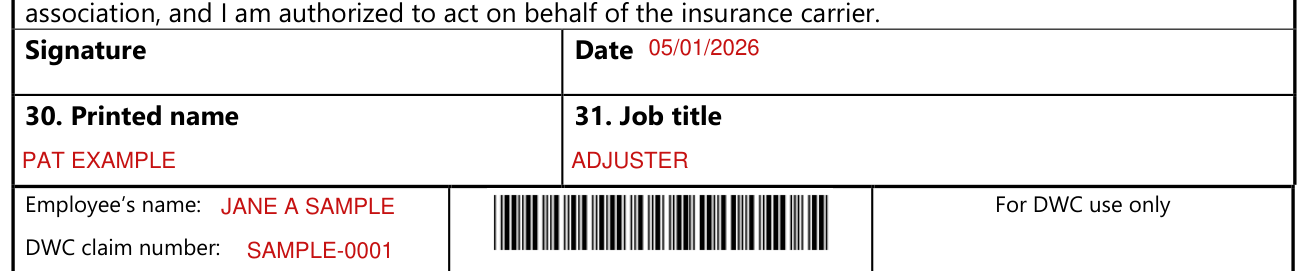
Section 4: Certify with your signature. 29. By signing you certify that this request is complete and accurate. Enter the Signature and Date, then 30. Printed name and 31. Job title.
More rules for Form DWC022
DWC will approve or deny the request and send the order to all parties.
The employee and RME doctor must contact each other 24 hours or earlier before the examination date to reschedule.
If the employee fails to attend the examination, DWC may submit an administrative violation.
If the examination is 30 miles or more from where the employee lives, the employee may request reimbursement for travel expenses from the insurance carrier using DWC Form-048, Request for Travel Reimbursement at www.tdi.texas.gov/forms/formlisting.html.
Sources
[1] Form DWC022 (Rev. 06/23), Request for a required medical examination (RME), Texas Department of Insurance, Division of Workers' Compensation (the Official source link on this page).
