Please rate Trustmark Accident Claim Form A112-2496 Accident Claim Form V06.2022

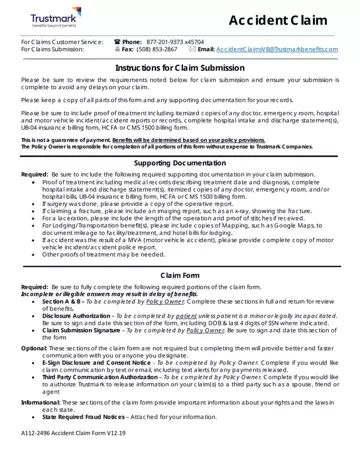
Navigating the complexities of an accident claim can be overwhelming, but understanding the Trustmark Accident Claim form is a step toward simplifying the process. This comprehensive document is designed to facilitate the submission of claims related to accidents, ensuring that the policyholder or claimant provides all necessary information and documentation to process the claim efficiently. Key sections of the form include personal information of the policy owner, detailed accident information, and specific instructions for submitting various types of supporting documentation such as medical records, itemized bills, and reports from medical or emergency services. Additionally, the form includes provisions for policy owners to authorize electronic communication for faster and more convenient claim updates. It is imperative that the claimant carefully reviews and accurately completes each section, attaches the required documentation, and understands that benefits are determined based on the policy's provisions. Support is available through dedicated customer service channels for any questions or assistance needed during the claim process. The form also highlights the importance of honesty in reporting, with state-specific fraud notices attached, underscoring the legal implications of fraudulent claims. Understanding and completing the Trustmark Accident Claim form properly can expedite the review of your claim, ensuring that you receive any entitled benefits without unnecessary delay.
| Question | Answer |
|---|---|
| Form Name | Trustmark Accident Claim Form |
| Form Length | 11 pages |
| Fillable? | Yes |
| Fillable fields | 113 |
| Avg. time to fill out | 2 min 30 sec |
| Other names | trustmarksolutions com file claim, trustmark accident claim form, trustmark claim forms wellness, trustmark insurance claim form |
Trustmark Accident Claim Form isn’t the one you’re looking for?
Please rate Trustmark Accident Claim Form A112-2496 Accident Claim Form V06.2022
