Please rate Usps Form 3615

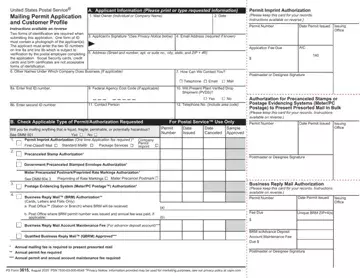
Navigating the administrative pathways of bulk mailings with the United States Postal Service® becomes significantly smoother with a thorough understanding of PS Form 3615. This form is a crucial starting point for individuals or companies aiming to utilize various USPS bulk mailing services, simplifying the process through a single application. It's designed to cover a broad spectrum of services including permit imprints, business reply mail, as well as services for postage evidencing systems like meters or PC Postage™, among others. Importantly, the form mandates applicants to provide detailed information including contact details and identification that confirms the legitimacy of the mail owner, with strict guidelines on the forms of ID accepted. Moreover, it lays out the requirement for an annual fee for those hoping to present their mail in presorted order, ensuring adherence to USPS standards. The form also acts as a record, documenting when permits are issued or canceled, initial fees are paid, and samples are approved. Understanding PS Form 3615 not only helps mail owners comply with postal regulations but also serves as a testament to the structured approach of the USPS towards organized, efficient bulk mailing.
| Question | Answer |
|---|---|
| Form Name | Usps Form 3615 |
| Form Length | 2 pages |
| Fillable? | No |
| Fillable fields | 0 |
| Avg. time to fill out | 30 sec |
| Other names | bulk mail permit application, mailing permit application, ps3615, usps bulk mail permit |
Usps Form 3615 isn’t the one you’re looking for?
Please rate Usps Form 3615
