
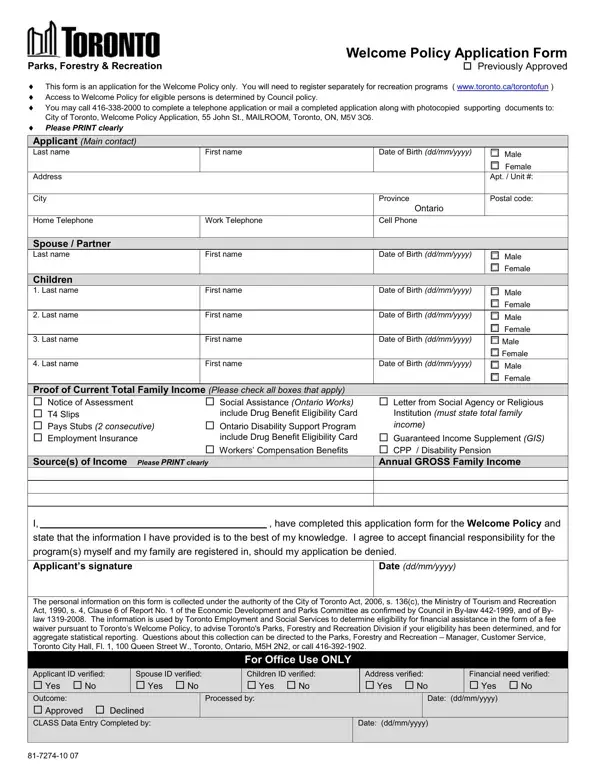

Welcome Policy Application Form at a glance
What it is: Welcome Policy Recreation Fee Subsidy Application Form: Welcome Policy is a recreation fee subsidy to help Toronto residents access recreation programs.
Who signs: Sign under Applicant Signature and enter the Date (yyyy-mm-dd).
If you receive Ontario Works, you automatically qualify for Welcome Policy. Complete this application and submit your Ontario Works Monthly Statement with the application.
What to bring and attach to Welcome Policy Application Form
Provide one Proof of Address per family.
Proof of Income: Provide one for every family member that is 18 years old and over
A filled-in Welcome Policy Application Form example: Maria Sample applies for herself
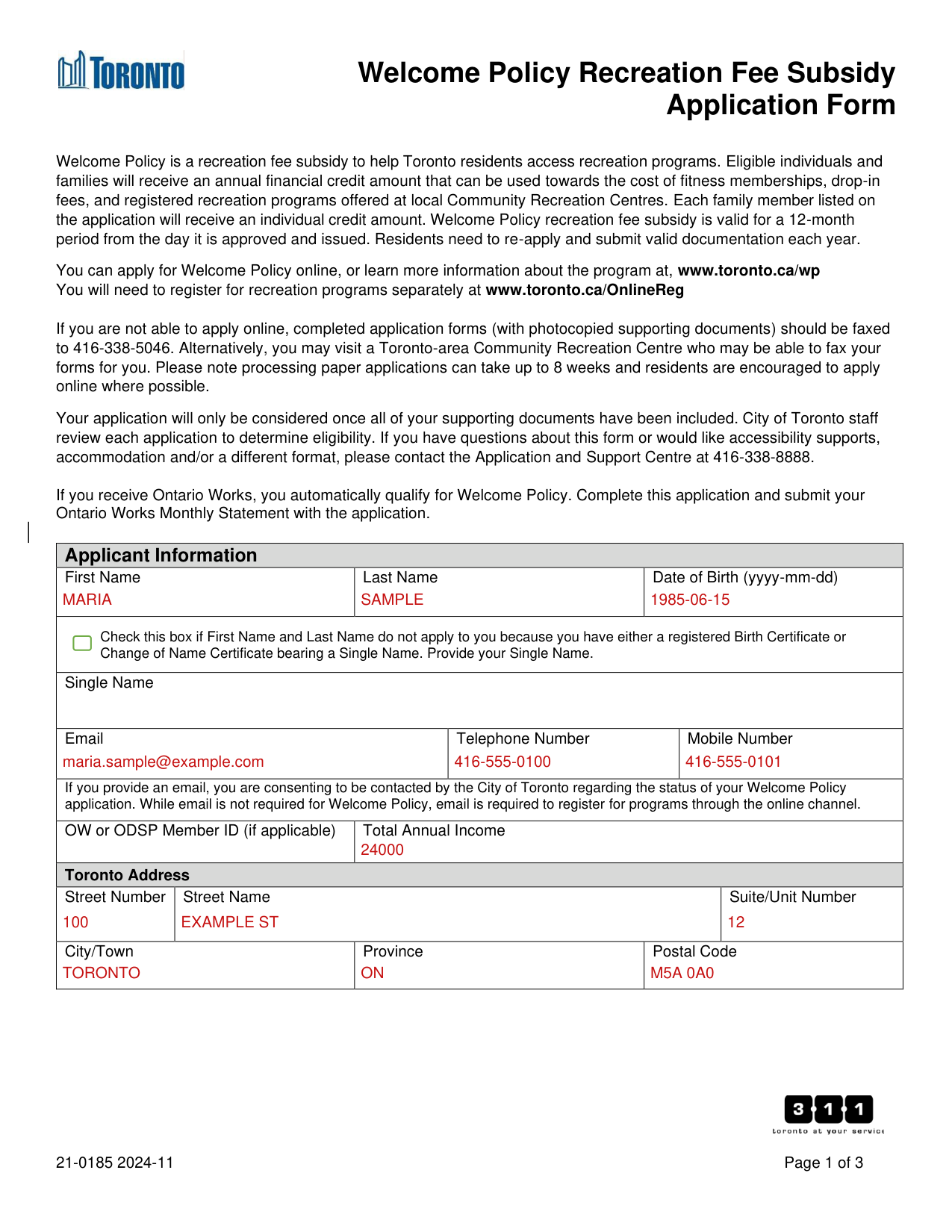
How to fill out Welcome Policy Application Form, box by box
Applicant Information
Under Applicant Information, enter First Name, Last Name and Date of Birth (yyyy-mm-dd).
Single Name
Check this box if First Name and Last Name do not apply to you because you have either a registered Birth Certificate or Change of Name Certificate bearing a Single Name. Provide your Single Name.
Email, Telephone Number, Mobile Number and Total Annual Income
Enter Email, Telephone Number, Mobile Number, OW or ODSP Member ID (if applicable) and Total Annual Income.
If you provide an email, you are consenting to be contacted by the City of Toronto regarding the status of your Welcome Policy application. While email is not required for Welcome Policy, email is required to register for programs through the online channel.
Toronto Address
Under Toronto Address, enter Street Number, Street Name, Suite/Unit Number, City/Town, Province and Postal Code.
Family Members
Enter information for each family member living with you.
Welcome Policy uses the Census Family definition according to Statistics Canada. Include any spouse or partner of any marital status, and children of any age living with you.
If you do not have any spouse or children, include any parents and siblings living with you. Family members can be through birth, adoption, or by legal guardianship.
If family members have their own dependents or a spouse/partner, they should apply separately as their own family unit.
If a household has more household members than space on the application, use a second sheet of page 2.
For each family member, enter First Name, Last Name and Date of Birth (yyyy-mm-dd), mark the Relationship to you (Spouse/ Partner, Child, Parent/ Legal Guardian or Sibling) and enter the OW or ODSP Member ID (if applicable).
Total Annual Income Amount (If under 18 please put $0) (checked October 31, 2026)
Verification Documents
Identification: Provide one per family member All government issued identification must be valid within the last three (3) months.
Driver's Licence Birth Certificate Passport Citizenship Card Permanent Resident Card Ontario Photo Card Indian Status Card *Social Insurance Cards and Ontario Health Cards are not accepted
Print Name, First Name and Last Name
I, Print Name (First Name, Last Name), have completed this application form for the Welcome Policy and state that the information I have provided is true and accurate to the best of my knowledge.
I agree to accept financial responsibility for the program(s) myself and my family are registered in, should my application be denied.
More rules for Welcome Policy Application Form
Eligible individuals and families will receive an annual financial credit amount that can be used towards the cost of fitness memberships, drop-in fees, and registered recreation programs offered at local Community Recreation Centres. Each family member listed on the application will receive an individual credit amount.
Welcome Policy recreation fee subsidy is valid for a 12-month period from the day it is approved and issued. Residents need to re-apply and submit valid documentation each year.
Your application will only be considered once all of your supporting documents have been included.
Please note processing paper applications can take up to 8 weeks and residents are encouraged to apply online where possible.
Common questions about Welcome Policy Application Form
Where do I file it?
If you are not able to apply online, completed application forms (with photocopied supporting documents) should be faxed to 416-338-5046.
Sources
[1] Welcome Policy Recreation Fee Subsidy Application Form (21-0185, 2024-11), City of Toronto (the Official source link on this page).