
Updated:
Get Form Now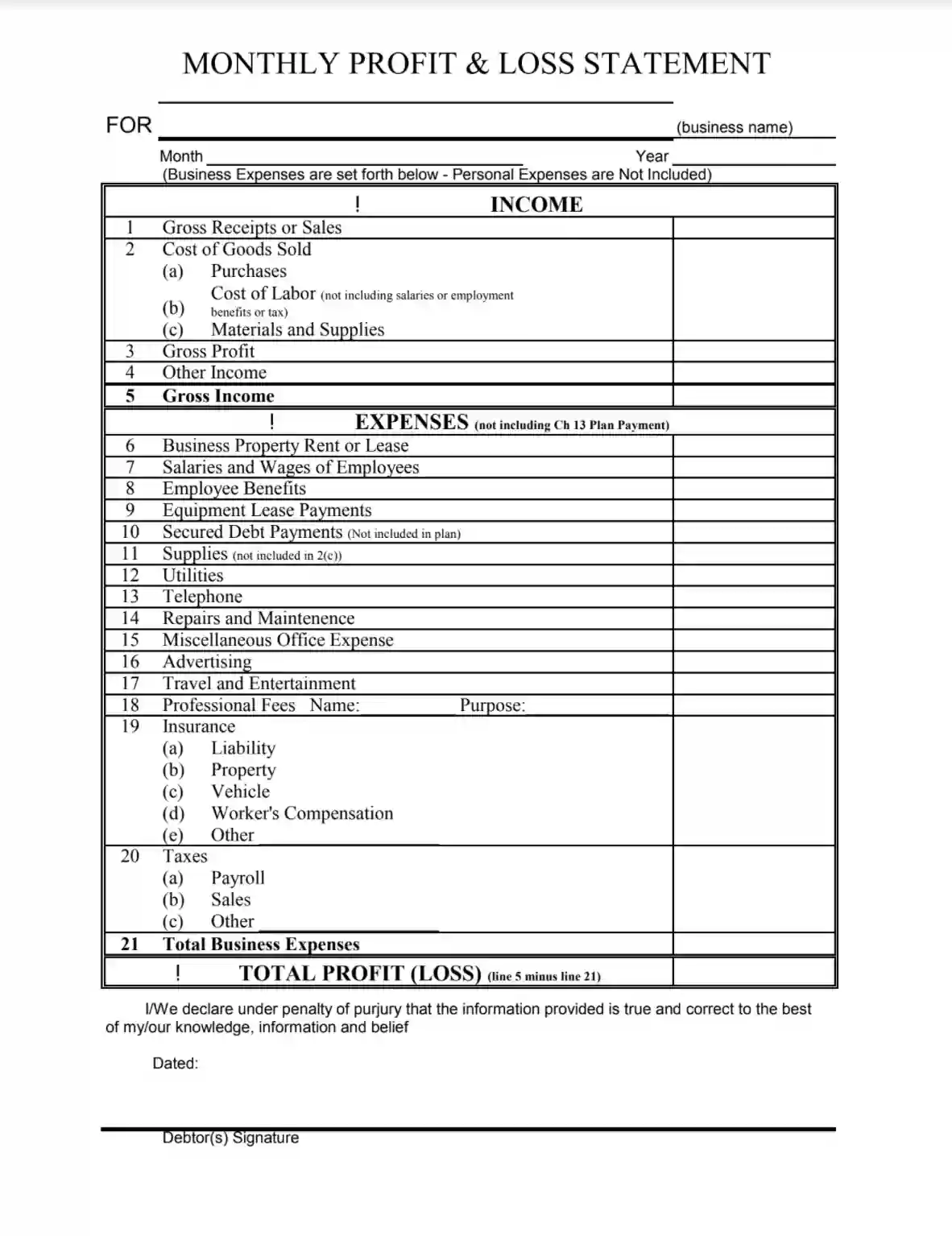
A Profit and Loss Template is a financial tool businesses use to document and analyze their revenues, costs, and expenses over a specific period, typically monthly, quarterly, or annually. This template organizes financial data into categories such as sales, cost of goods sold, and operating expenses and calculates the net profit or loss by subtracting total expenses from total revenue. It is structured to summarize a company’s financial performance, helping stakeholders understand how well the business is doing.
This template provides a comprehensive overview of financial results, which is crucial for decision-making. Businesses can use the Profit and Loss Template to track financial trends, identify areas where they can cut costs or increase revenue, and make informed operational decisions.
Other Financial Forms
Do you require other financial forms? Check out the list following next to see what you can fill in and edit with FormsPal. Also, keep in mind that it is easy to upload, fill out, and edit any PDF form at FormsPal.
We have touched on this topic in the previous section; now, let’s see in detail how to create such a record step by step. We will use the monthly profit and loss template. However, the info you add for another time frame template will stay the same.
1) Download the Template
Our form-building software will assist in getting and completing the proper profit and loss statement template.
2) Insert the Business Name
Below the heading, insert the entity’s name for which this profit and loss template is generated.

3) State the Time Frame
Below the business name, insert the time frame for which the profit and loss template is completed. Use the “year” and “month” lines.

4) Count the Income
The first thing you write in the chart is information about the income, including:
After you list everything, you can count the net income for the stated period.

5) Describe the Expenses
Then, state all the costs of your entity during the chosen time frame:
And other happened expenses. You may check the full list below — it consists of 15 positions that describe various types of spendings.

6) Define the Net Income (or Loss)
After you include all the expenses, you can count the total amount and understand your net income or loss. The net income is your total income minus your total expenses. If you get a negative number, it is considered a net loss of your firm, often written in brackets.

7) Confirm that the Added Data Is True
After you have inserted everything in the template and counted the net profit (or loss), double-check the calculation. All numbers should be correct; otherwise, you might be accused of fraud, and penalties would follow.
Giving incorrect or untrue data in such statements is considered unlawful because some business representatives and owners might try to skip paying as much taxes as they should.
8) Sign the Profit and Loss Statement
When every section is filled out, the document’s creator should introduce themselves and sign the paper. Remember to add the date of signing above the signature.

What it is: Profit and Loss Statement: 1. Business and period, 2. Income and 3. Expenses and net income.
Who signs: "I certify that the entries above are complete and correct." Prepared by: Printed name, Signature and Date.
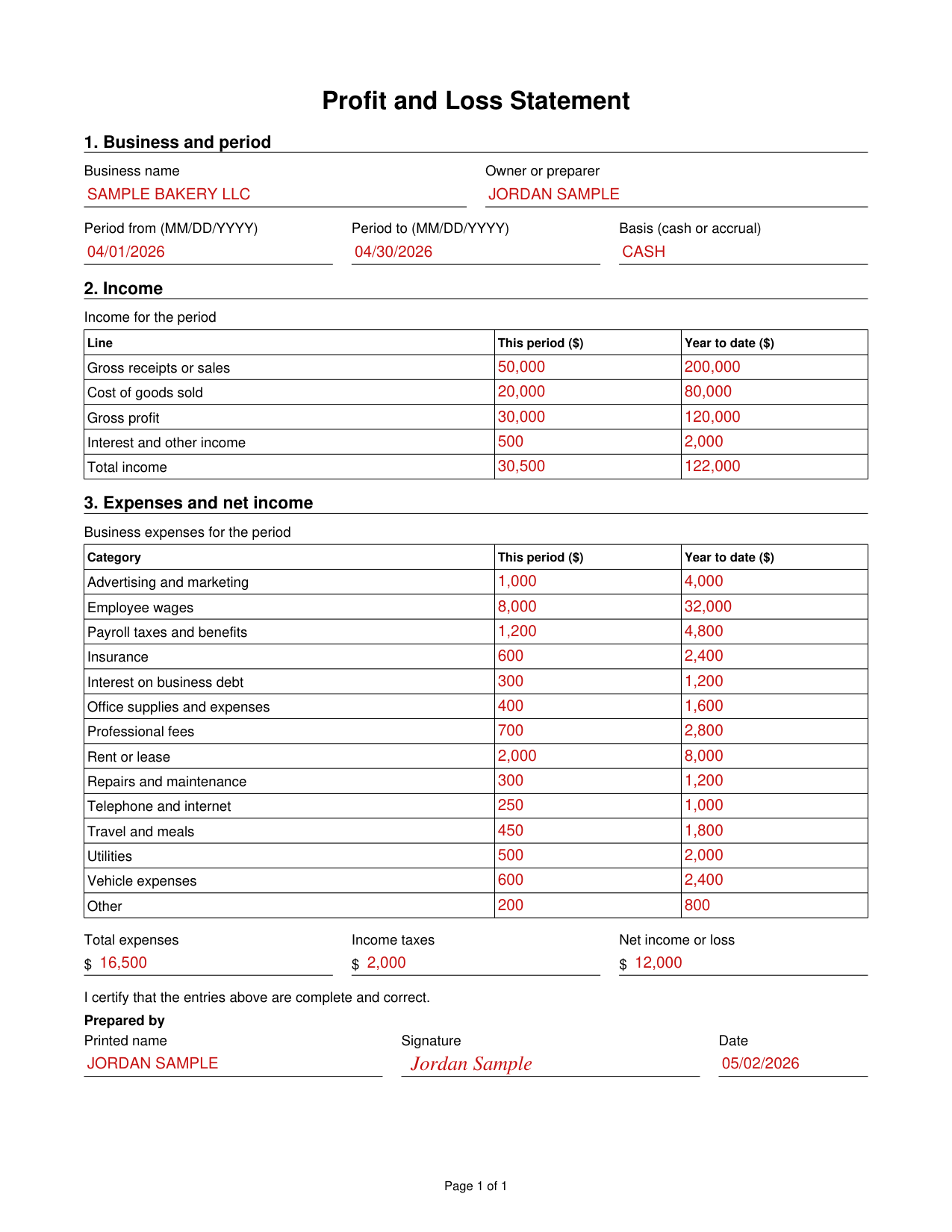

In 1. Business and period, enter the Business name, Owner or preparer, Period from (MM/DD/YYYY), Period to (MM/DD/YYYY) and Basis (cash or accrual).
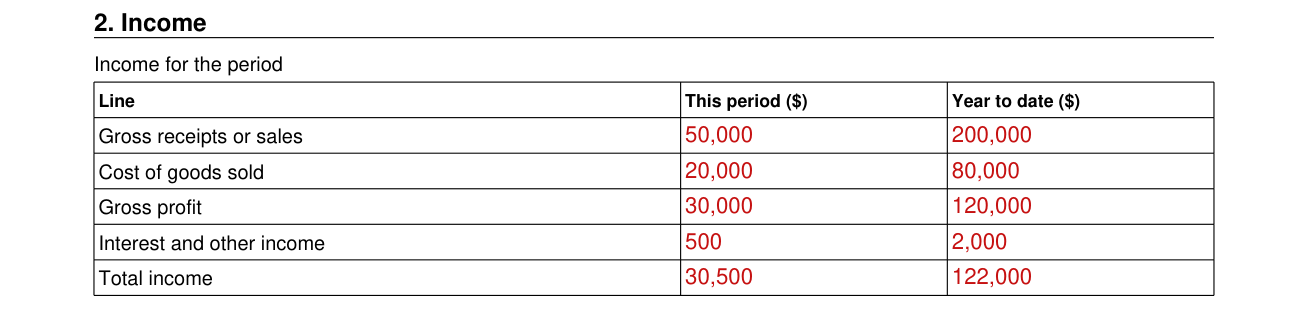
Under 2. Income, Income for the period, enter This period ($) and Year to date ($) on each Line: Gross receipts or sales, Cost of goods sold, Gross profit, Interest and other income and Total income.
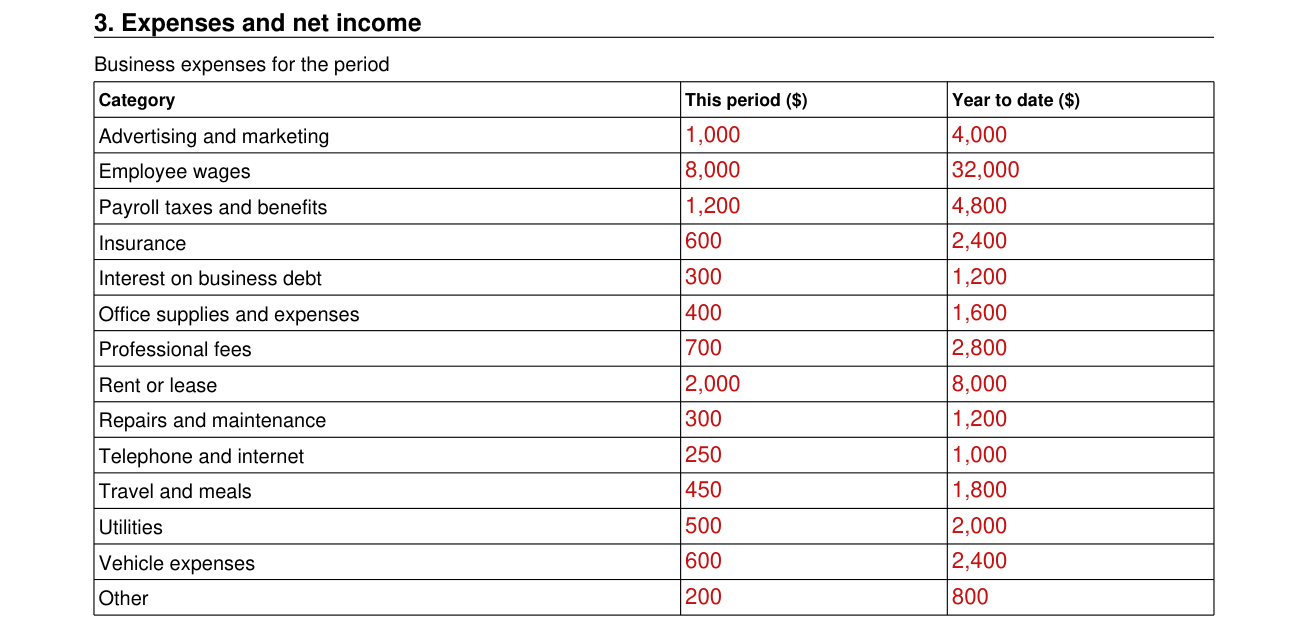
Under 3. Expenses and net income, Business expenses for the period, enter This period ($) and Year to date ($) for each Category: Advertising and marketing, Employee wages, Payroll taxes and benefits, Insurance, Interest on business debt, Office supplies and expenses, Professional fees, Rent or lease, Repairs and maintenance, Telephone and internet, Travel and meals, Utilities, Vehicle expenses and Other.

Enter Total expenses, Income taxes and Net income or loss.

"I certify that the entries above are complete and correct." Prepared by: Printed name, Signature and Date.
[1] Profit and Loss Statement, served file.