
Updated:
South Carolina’s limited power of attorney grants an agent only listed powers. State law asks for a signature, will-style witnessing and an acknowledgment under S.C. Code Ann. § 62-8-105. Principals use it for one task or a set period, especially while away.
This page gives you the free template as a fillable PDF, help for each blank, the South Carolina signing rules with their code sections, and answers on how long the powers last. For broader authority, see our other South Carolina power of attorney forms.
Build Your Document
Answer a few simple questions to make your document in minutes
Save and Print
Save progress and finish on any device, download and print anytime
Sign and Use
Your valid, lawyer-approved document is ready
A limited power of attorney lets you, the principal, name an agent (also called an attorney-in-fact) to handle only the tasks you write into the form, such as signing papers at a closing or dealing with one account while you are away.
Unlike a general power of attorney, which covers a broad range of matters, the limited version is tied to named tasks. Your list can be one transaction or a set of related errands, and you choose the start date and the end event on the form itself.
| Document Name | South Carolina Limited Power of Attorney Form |
| Other Name | South Carolina Special Power of Attorney |
| Relevant Laws | South Carolina Code of Laws, Title 62, Article 8 |
| Avg. Time to Fill Out | 8 minutes |
| # of Fillable Fields | 32 |
| Available Formats | Adobe PDF |
You need a limited power of attorney when you want someone you trust to act for you on a defined task you are not able to handle in person, without handing over control of everything else.
Common reasons people pick this form:
Pick a different document when the need is wider. A general or durable power of attorney suits ongoing money matters. Medical decisions belong in a health care power of attorney, which South Carolina sets out as its own form (see the comparison below).
To get a limited power of attorney in South Carolina, you fill out the form, sign it with witnesses present, have the signature acknowledged under S.C. Code Ann. § 62-8-105, and give your agent the signed document.
A South Carolina power of attorney under Title 62, Article 8 must be signed, witnessed like a will and acknowledged or proved, as listed in S.C. Code Ann. § 62-8-105 and shown in the table.
| Requirement | What the code says | Source |
|---|---|---|
| Signature | Signed by the principal or in the principal’s presence by another individual directed by the principal to sign the principal’s name | S.C. Code Ann. § 62-8-105 |
| Witnesses | Attested with the same formality and with the same requirements as to witnesses as a will in South Carolina | S.C. Code Ann. § 62-8-105 |
| Acknowledgment | Acknowledged or proved pursuant to Section 30-5-30 | S.C. Code Ann. § 62-8-105 |
| Agent’s acceptance | Except as otherwise provided in the power of attorney, the agent accepts by exercising authority, performing duties or other conduct showing acceptance | S.C. Code Ann. § 62-8-113 |
The witness rule points to the requirements for a will rather than naming a number, so ask the notary or a South Carolina lawyer how many witnesses to bring before you sign. Page 3 of the template holds the acknowledgment block for the notary.
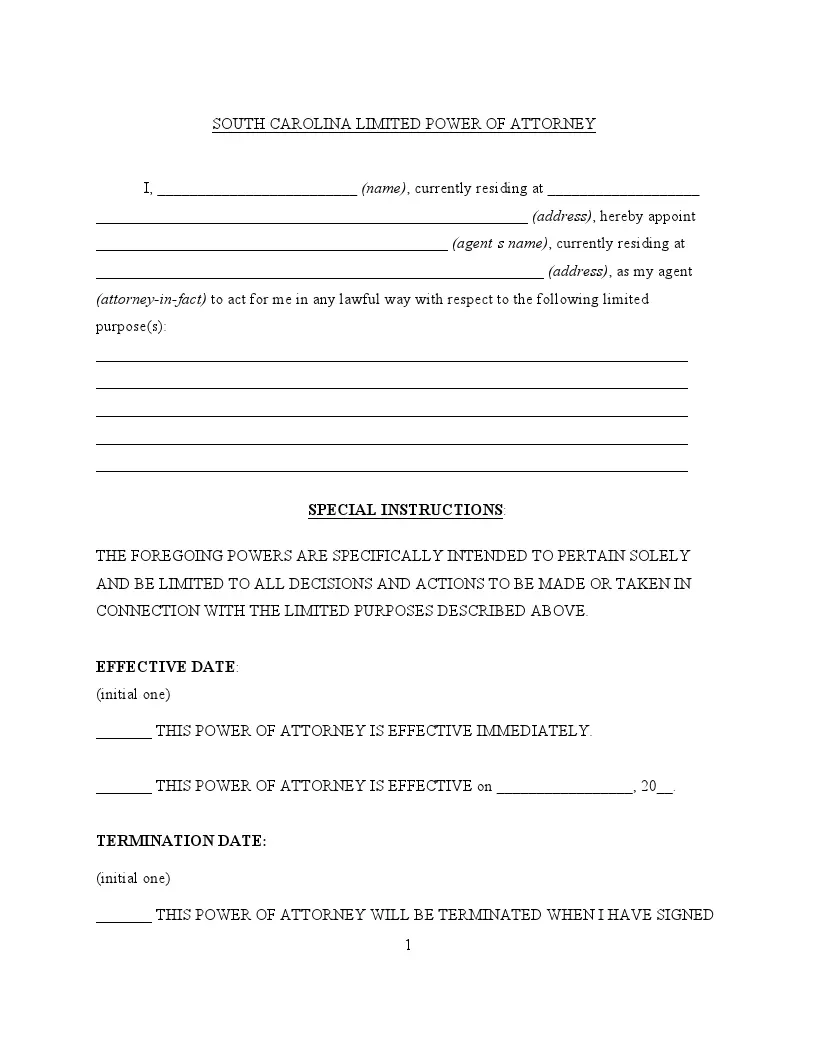
These steps follow the FormsPal template this page hands out, in the order the parts appear on the form. Keep the PDF open as you read and enter each answer in the matching blank.
The screenshots under each step show the FormsPal South Carolina limited power of attorney template filled with sample entries in blue, so you can see where each answer goes. The names, addresses, dates and amounts are examples only.
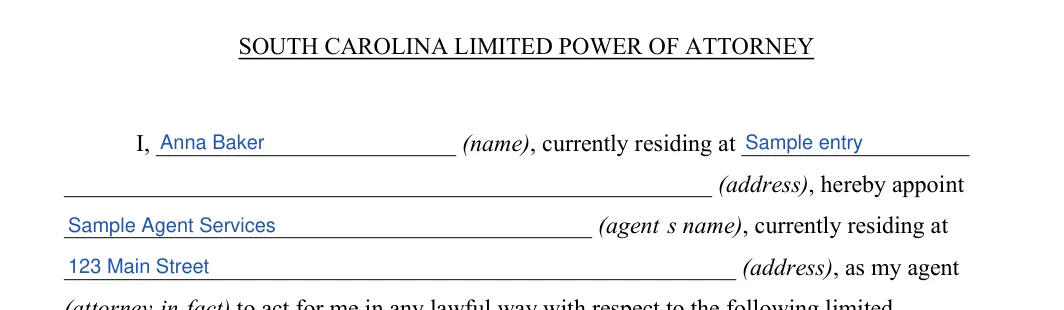
Write your name and address in the opening sentence, since you are the principal. Then enter your agent’s name and address on the lines that follow.
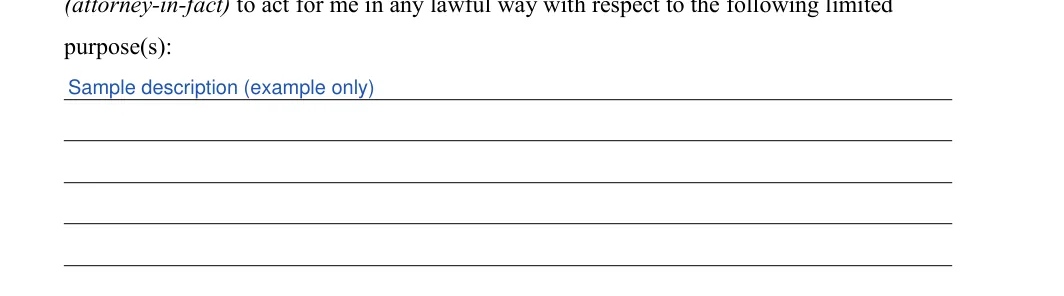
Use the ruled lines to describe the tasks you authorize your agent to handle for you. Be concise and clear so there is no doubt about the extent of the authority you give, and add any special instructions there.
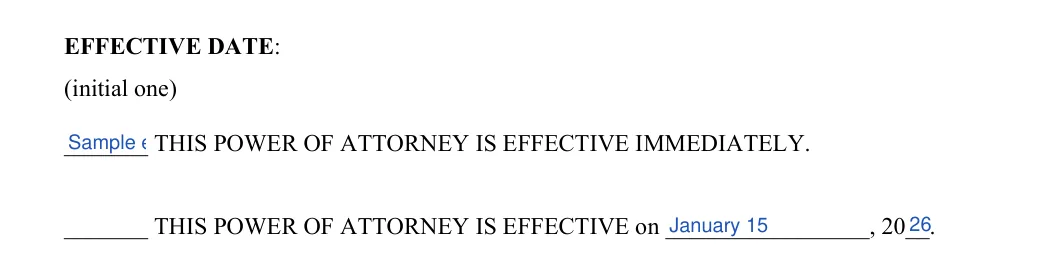
Initial one option. Choose “effective immediately”, or choose the dated option and write the date the powers begin.
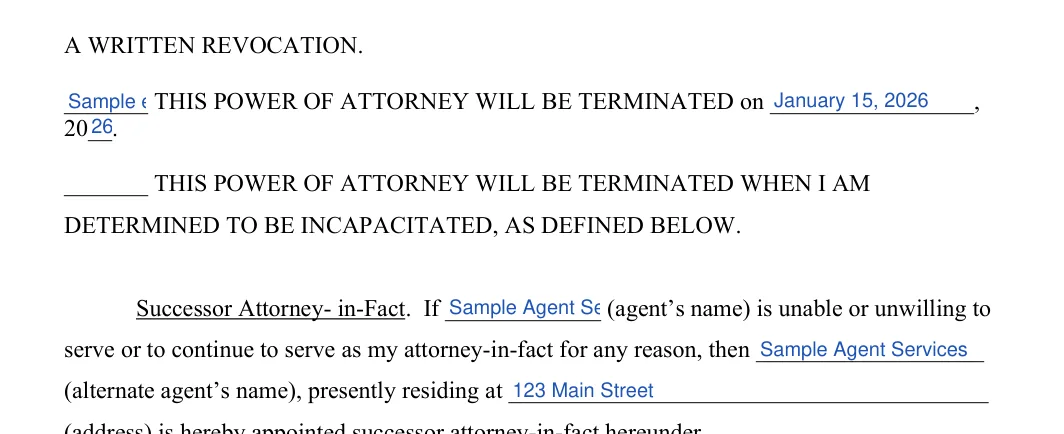
Initial this line if the powers should end when you sign a written revocation. The other termination options continue on page 2.

Initial the set-date option or the incapacity option instead if one of those fits, and write in any date. Then fill in the name and address of your successor attorney-in-fact.
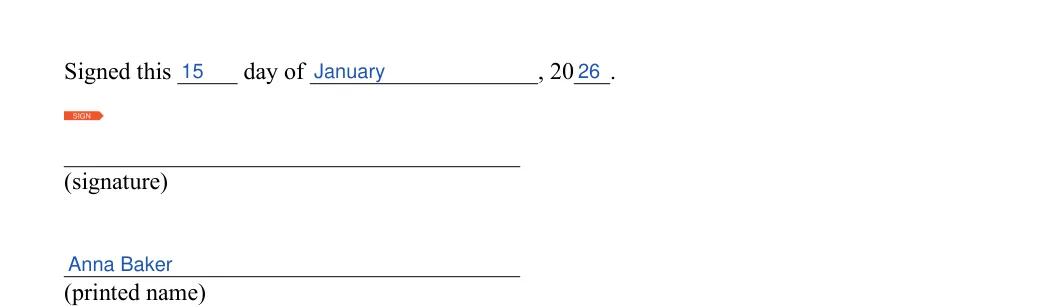
Fill in the day, month and year. Then sign the form and print your name below your signature.
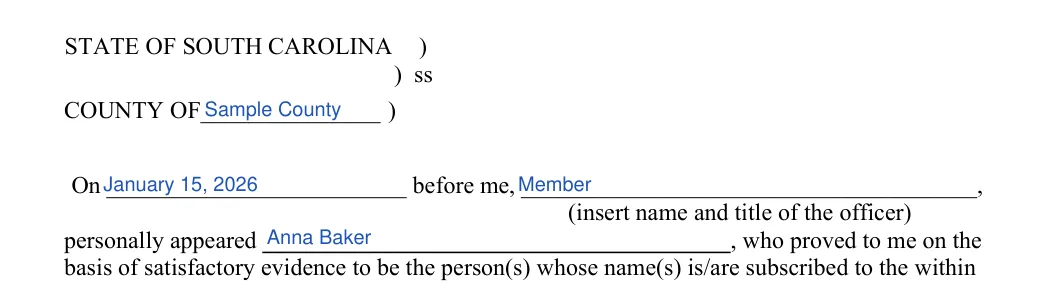
Page 3 holds the acknowledgment section. The county, the date, the officer’s name and title, and your own name go in its blanks.
The signature line at the bottom of page 3 belongs to the notary. Leave it blank until the notary signs.

Once the blanks are filled in, review the form, sign it before your witnesses and the notary, and give your agent a copy so the agent can show it to banks, offices or buyers.
Read the filled-in form once more. Check that both names and addresses match the IDs and that each initialed option is the one you want.
Sign only when your witnesses and the notary are with you, since the code asks for will-style witnessing and an acknowledgment or proof under Section 30-5-30 (S.C. Code Ann. § 62-8-105). Bring a photo ID.
Keep the signed original in a safe place. Give a copy to your agent and to any bank or office that will rely on it.
A South Carolina power of attorney ends when one of the events in S.C. Code Ann. § 62-8-110 happens, and the form lets you pick your own end event: a written revocation, a set date, or your incapacity.
Under S.C. Code Ann. § 62-8-110, a power of attorney terminates when:
Yes, unless it says otherwise: a power of attorney made under South Carolina’s Article 8 is durable unless it expressly provides that it is terminated by the incapacity of the principal (S.C. Code Ann. § 62-8-104).
The template’s incapacity option is that express statement. Initial it only if you want the powers to stop when you can no longer manage your own affairs; leave it blank if your agent should keep acting through an illness.
Unless the power of attorney provides otherwise, a revocation must be executed in accordance with Sections 62-8-105 and 62-8-106, and if the power of attorney has been recorded, the revocation also must be recorded in the same county (S.C. Code Ann. § 62-8-110).
Signing a new power of attorney does not cancel an earlier one unless the new document says that the previous one, or all others, are revoked (S.C. Code Ann. § 62-8-110). Tell your agent and anyone holding a copy when you revoke: termination is not effective as to a person who, without actual knowledge of it, acts in good faith under the document (S.C. Code Ann. § 62-8-110).
The limited form differs from the other South Carolina powers of attorney in scope: it covers only the tasks you list, while the general, durable and health care versions cover wider money matters or medical decisions.
| Type | What it covers | South Carolina note |
|---|---|---|
| Limited (special) | Only the tasks you list | Ends when its purpose is accomplished, among the other events in S.C. Code Ann. § 62-8-110 |
| General | A broad range of financial and legal matters | Same signing rules under S.C. Code Ann. § 62-8-105 |
| Durable | Keeps working after the principal’s incapacity | Durable unless it expressly provides that the principal’s incapacity ends it, S.C. Code Ann. § 62-8-104 |
| Health care | Medical decisions | Must be substantially in the form set forth in Section 62-5-504 and signed by at least two persons who each witnessed the signing or the principal’s acknowledgment, S.C. Code Ann. § 62-5-503 |
If medical choices are part of what you need, use the health care form rather than adding them to the purpose lines of this template.
A limited power of attorney gives your agent authority to act for you on the specific tasks you list, such as helping to close a sale while you are away. You choose when the powers begin and how they end, and the agent’s role stays limited to those tasks.
Under this form, your agent has no authority beyond the tasks written on the purpose lines. Anything you leave off the list stays with you, so name each task plainly.
No: a South Carolina power of attorney terminates when the principal dies (S.C. Code Ann. § 62-8-110). When an agent or a bank acts in good faith without actual knowledge of the death, the termination is not effective as to them, and that act binds the principal’s successors unless otherwise invalid or unenforceable (S.C. Code Ann. § 62-8-110).
The template includes a line for a successor attorney-in-fact. Enter the name and address of the person who would step in if your first agent cannot serve.
The details table above lists about 8 minutes. The form has 32 fillable fields, so having your agent’s name and address and your list of tasks ready makes it quicker.
Yes. Use the Create My Document button at the top of the page to answer a few questions, then save, print and sign. You can also download the blank PDF and fill it in with the FormsPal PDF editor.
General information, not legal or tax advice.
