
Updated:
A South Dakota limited power of attorney is a task-limited authorization. Its signature needs acknowledgment before a notary or other authorized officer under S.D. Codified Laws § 59-12-4. Principals use one to let an agent handle one sale, account or closing.
Key facts
Build Your Document
Answer a few simple questions to make your document in minutes
Save and Print
Save progress and finish on any device, download and print anytime
Sign and Use
Your valid, lawyer-approved document is ready
A South Dakota limited power of attorney names an agent, also called the attorney-in-fact, to act for the principal in a specific task or set of tasks, often for a set period. The document is also known as a South Dakota special power of attorney.
The principal is the person who grants the authority. The agent is the person who acts on it. The form also names an alternate agent who steps in if the first agent cannot act.
The limited form covers listed tasks only, while a general power of attorney covers the principal's property and money across many subjects. The limited version suits one transaction, such as a vehicle sale or a house closing. The general version suits a person who wants an agent to manage most of their finances over time.
The general version has a model text in South Dakota law: the statutory form power of attorney printed in S.D. Codified Laws § 59-12-41, which lists subjects such as real property, banks and taxes for the principal to initial. Our South Dakota power of attorney forms list the broader types.
The purpose lines of the form are the list of acts the agent may perform, and their wording decides how far the authority reaches. A clear entry names the item, account or property, such as a particular vehicle or a particular house. A line such as "handle my affairs" names no task, so third parties cannot tell what the agent may do.
A South Dakota power of attorney comes into being when the principal completes the form, signs it and has the signature acknowledged before a notary public or other authorized officer, as S.D. Codified Laws § 59-12-4 sets out. The steps below take a limited form from first draft to the agent's hands.
A South Dakota power of attorney needs the principal's signature and an acknowledgment before a notary public or other individual authorized by law to take acknowledgments, under S.D. Codified Laws § 59-12-4. The officer who takes the acknowledgment completes the acknowledgment block at the end of the form.
The signature line accepts another person signing the principal's name only in the principal's conscious presence and at the principal's direction, under S.D. Codified Laws § 59-12-4. That signature is acknowledged before a notary public or other authorized officer like any other (S.D. Codified Laws § 59-12-4).
A power of attorney for a house sale or closing may need recording with the register of deeds. S.D. Codified Laws § 59-12-41 states that §§ 43-28-23 and 7-9-1 apply to any power of attorney that is to be recorded with the register of deeds.
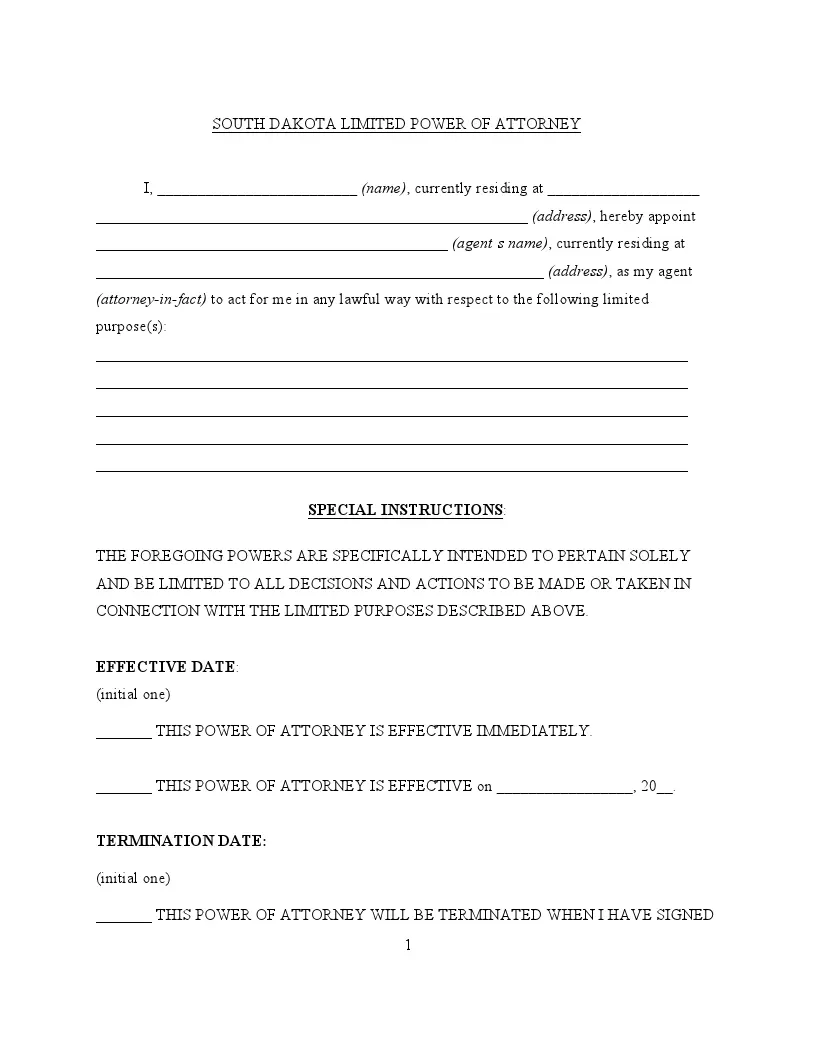
The form has two pages of fields for the parties, the purpose and the dates, plus an acknowledgment block for the officer. The table sums up its names and the sections of South Dakota law behind its signing and ending rules.
| Document Name | South Dakota Limited Power of Attorney Form |
| Other Name | South Dakota Special Power of Attorney |
| Signing | Signed by the principal, or by another person in the principal's conscious presence at the principal's direction, and acknowledged before a notary public or other authorized officer: S.D. Codified Laws § 59-12-4 |
| Ends | When the purpose is accomplished, when the principal dies or revokes it, or when the form provides that it ends: SDCL 59-12-9 |
| Available Formats | Adobe PDF |
The limited form asks for both parties' names and addresses, the purpose, the dates and the signature, in the order below. Have your full name and address and your agent's full name and address ready before you start.
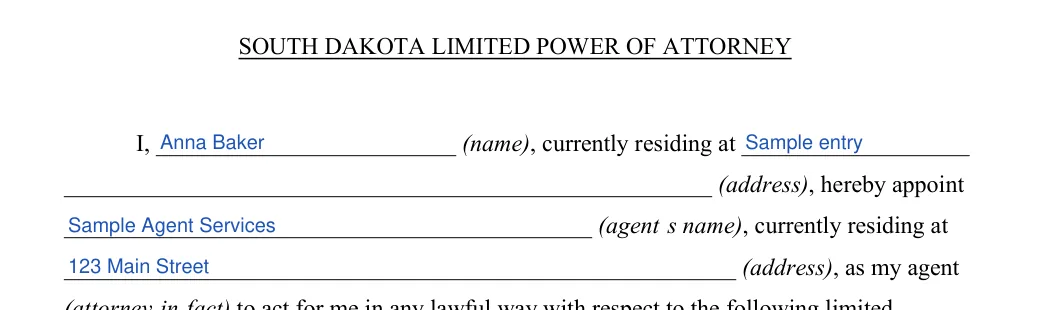
The screenshots under each step show the FormsPal South Dakota Limited Power of Attorney template filled with sample entries in blue, so you can see where each answer goes. The names, addresses, dates and amounts are examples only.
Principal and agent details
Enter your name and address, then the agent's name and address. Check that both names match the IDs.
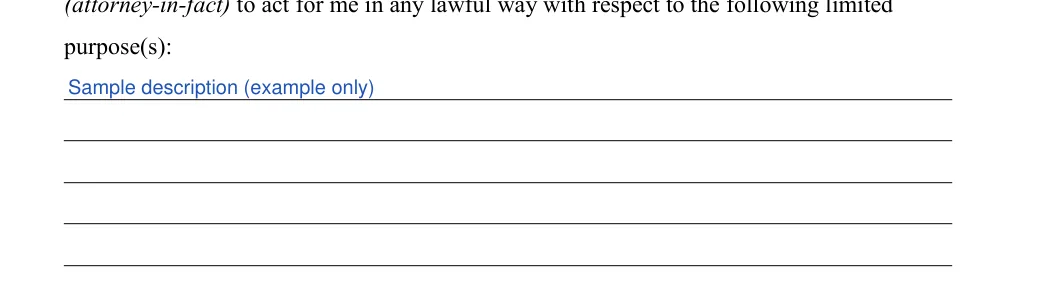
Limited purpose(s)
Describe the tasks you want your agent to handle on the purpose lines, one task per line. These lines limit the agent's power to the actions you name.
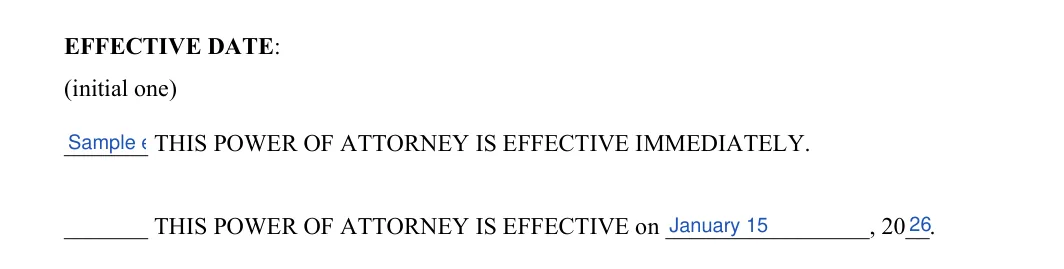
Effective date
Initial one choice: effective immediately, or effective on a date you fill in.
Termination date: first option
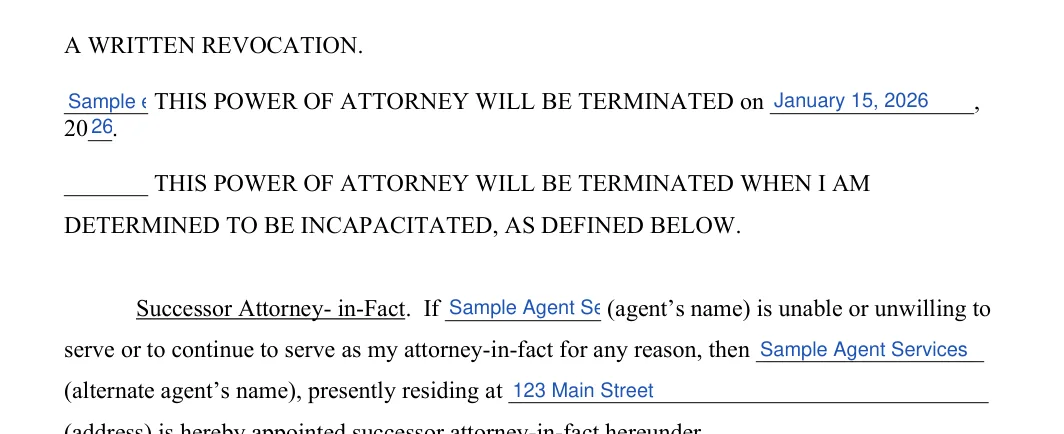
The first termination option on the form is tied to a signed written revocation. Initial it if that is the option you want. The rest of the list is on page 2.

Other termination options and successor agent
Initial the option you want, and fill in the date if you choose a date option. Then enter the agent's name, the alternate agent's name and the alternate agent's address.
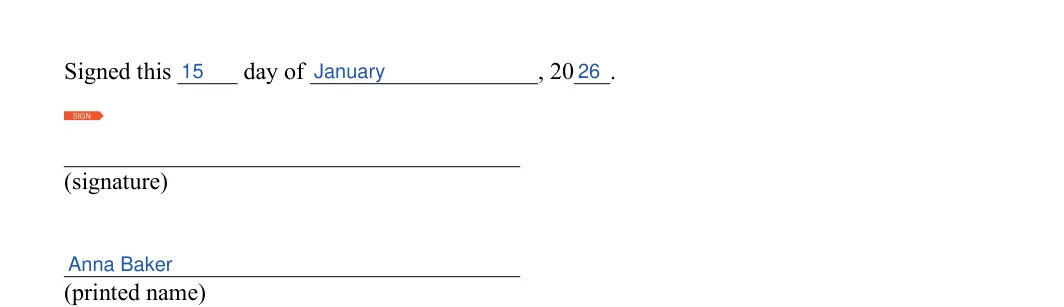
Date and sign the form
Enter the day, month and year, then add your signature and printed name.
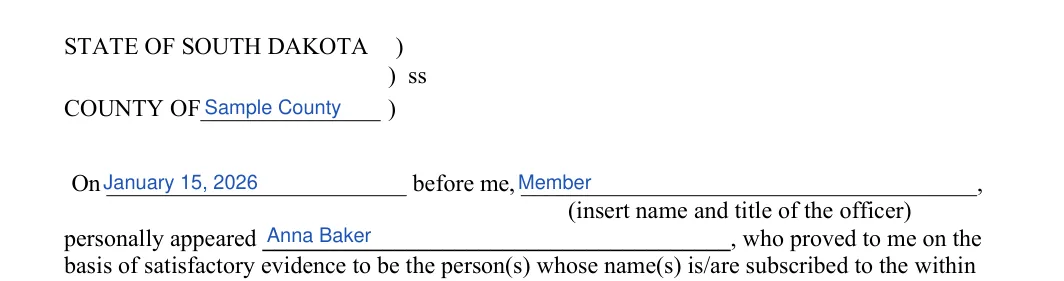
Acknowledgment: county, date and officer
Fill in the county, the date, the officer's name and title, and the principal's name.
Acknowledgment: officer's signature and seal
This line is for the officer's signature and seal, so leave it blank until the officer completes the acknowledgment.

Downloaded the PDF? Fill it in on screen with the FormsPal PDF editor, then print it.
The purpose lines work best with one plain, specific task per line, naming the item or transaction. The examples below use made-up names and addresses, so replace them with your own details.
A South Dakota power of attorney is effective when executed unless the principal provides that it becomes effective at a future date or upon a future event, under S.D. Codified Laws § 59-12-8. The form's effective date choice is where the principal picks "immediately" or a later date.
A later date fits a task planned ahead, such as a closing the principal cannot attend. The agent accepts the appointment by exercising authority or performing duties as agent, unless the power of attorney provides otherwise (S.D. Codified Laws § 59-12-12).
A limited power of attorney in South Dakota ends when its purpose is accomplished, and also when the principal dies, when the principal revokes it, or when the power of attorney provides that it terminates, under SDCL 59-12-9. The form's termination options are where the principal sets that end point.
Time alone does not end the agent's authority: unless the power of attorney provides otherwise, the authority lasts until it terminates, however long ago the document was signed (SDCL 59-12-9).
The alternate agent line keeps the power of attorney working when the first agent dies, becomes incapacitated or resigns. Without another agent named in the document, the power of attorney terminates when that happens (SDCL 59-12-9).
An agent's authority also ends when an action is filed for divorce, annulment or legal separation from the principal, or for a protection order, unless the power of attorney provides otherwise (SDCL 59-12-9).
A South Dakota power of attorney ends when the principal revokes it, and the principal can also revoke only the agent's authority, under SDCL 59-12-9. The form's first termination option ties the end to a signed written revocation.
A termination is not effective as to an agent or other person who, without actual knowledge of the termination, acts in good faith under the power of attorney (SDCL 59-12-9). For that reason, tell the agent in writing and ask the agent to return the original, then tell any bank or office that holds a copy.
A limited power of attorney that is not durable ends if the principal becomes incapacitated, under SDCL 59-12-9. A power of attorney stays usable through a later disability only if it contains words such as "This power of attorney shall not be affected by disability of the principal," or similar words showing that intent, under S.D. Codified Laws § 59-12-3.
The agent under a limited power of attorney acts only within the tasks the document lists. The agent information printed in the statutory form of S.D. Codified Laws § 59-12-41 tells every agent to act in good faith, do nothing beyond the authority granted, and sign as agent, for example "(Principal's Name) by (Your Signature) as Agent under POA dated (Date)".
The agent's authority stops when the principal dies, because a power of attorney terminates when the principal dies (SDCL 59-12-9). An agent who still holds a copy has no authority to use the principal's accounts after that, unless the agent acts without actual knowledge of the death and in good faith (SDCL 59-12-9).
A health care decision calls for a different document, the durable power of attorney for health care, rather than a limited power of attorney. A durable power of attorney for health care is signed by the principal, or in the principal's conscious presence by another individual the principal directs, and witnessed by two other adult individuals or by a notary public, under S.D. Codified Laws § 59-7-2.1.
A general or durable financial power of attorney fits a person who wants an agent to manage most of their property over time. The South Dakota power of attorney forms page lists those types.
The form's most common errors are small slips that are easy to fix before you print. Read the form once from top to bottom, then check your entries against this list.
Yes, the two names describe the same document in South Dakota: a power of attorney that gives an agent authority for named tasks only.
Yes, the principal's signature is acknowledged before a notary public or other individual authorized by law to take acknowledgments, under S.D. Codified Laws § 59-12-4.
A limited power of attorney ends when its purpose is accomplished or when a termination event stated in it occurs, and the passing of time alone does not end it unless the document provides otherwise (SDCL 59-12-9).
No, a South Dakota power of attorney terminates when the principal dies (SDCL 59-12-9).
Describe each task you want your agent to handle in plain words, one task per line. Name the specific item or transaction when you can, such as a particular vehicle or a particular property.
The form lists effective date options and termination options. Initial the one you want in each list and fill in any date the option asks for.
General information, not legal or tax advice.
