
Updated:
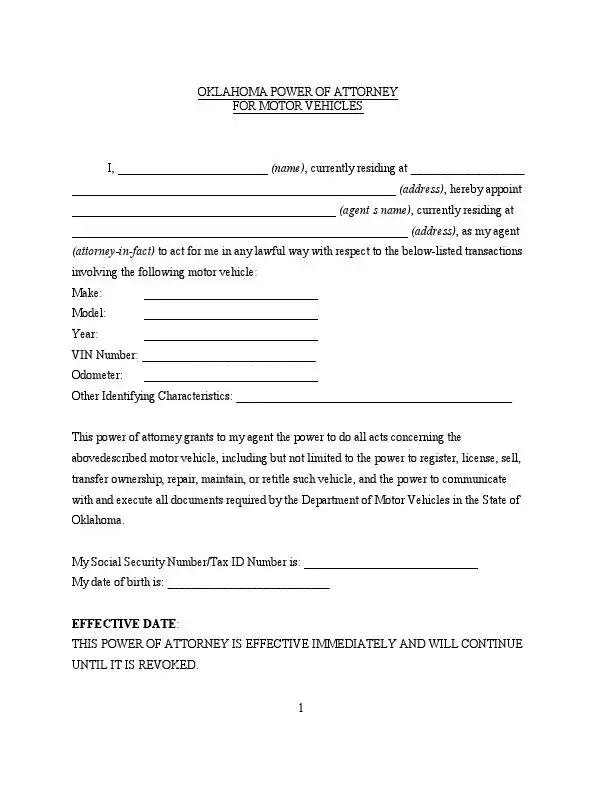
The Oklahoma motor vehicle power of attorney is a legal document that allows a car owner to appoint another person, known as an agent or attorney-in-fact, to handle matters related to their vehicle on their behalf. This can be registering, buying, or selling the car and handling certain legal documentation with the Oklahoma Tax Commission or any other motor vehicle agency.
Build Your Document
Answer a few simple questions to make your document in minutes
Save and Print
Save progress and finish on any device, download and print anytime
Sign and Use
Your valid, lawyer-approved document is ready
The power of attorney form must be completed accurately, specifying the vehicle’s details and the powers granted to the agent. It requires the car owner's signature, which Oklahoma law presumes genuine when the owner acknowledges it before a notary public or another person authorized to take acknowledgments.[2]
This form is useful for persons who cannot be physically present to handle vehicle transactions or prefer someone else to take care of these tasks due to convenience or incapacity. Use the Oklahoma POA forms required by state law to meet all legal requirements.
Under Oklahoma Statutes Section 3010 (58 O.S. § 3010), a power of attorney can be terminated by the principal’s death, incapacity, direct revocation, or once its purpose is fulfilled.[1] An agent’s authority ends upon revocation by the principal, the agent’s death, incapacity, resignation, or specific familial legal actions.
The FormsPal template is a fillable PDF with fields for you, your agent, the vehicle and a successor agent. The table below lists the document name, the file format and the average time to fill it out.
| Document Name | Oklahoma Motor Vehicle Power of Attorney Form |
| State Form Name | None |
| Relevant Link | Oklahoma Department of Public Safety |
| Avg. Time to Fill Out | 15 minutes |
| # of Fillable Fields | 25 |
| Available Formats | Adobe PDF |
These steps follow the FormsPal template from the top of page 1 to the end of page 3. If you downloaded the PDF, you can fill it in with the PDF editor on your computer or phone.
The screenshots under each step show the FormsPal Oklahoma Oklahoma Motor Vehicle Power of Attorney template filled with sample entries in blue, so you can see where each answer goes. The names, addresses, dates and amounts are examples only.
Principal and agent
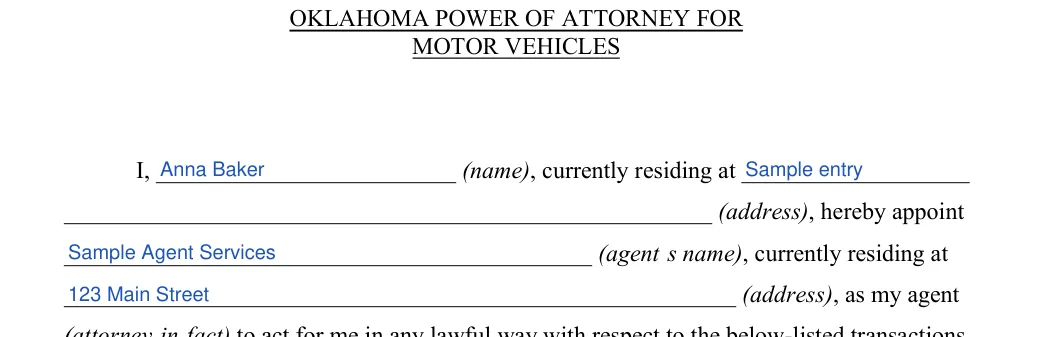
Enter your name and address, then your agent's name and address, in the opening paragraph. Use full names so they match your ID. This agent will be able to handle all specified transactions related to your motor vehicle.
Vehicle description
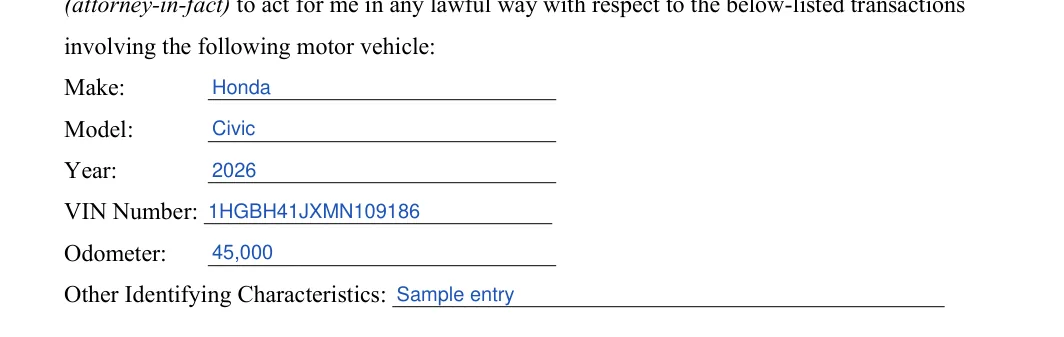
Enter the make, model, year, VIN, odometer reading and any other identifying characteristics. The paragraph under these lines lists the powers you give your agent, such as registering, licensing, selling, transferring ownership, maintaining and retitling the vehicle. Read it to see that it covers the tasks you expect your agent to handle.
Social Security Number/Tax ID Number and date of birth
Enter your Social Security Number or Tax ID Number and your date of birth on the two lines below the powers paragraph. This information is required to verify your identity and execute the power of attorney properly. The effective date line is printed on the form, so you do not fill anything in there.

Agent and successor attorney-in-fact
At the top of page 2, repeat your agent's name. If you want a successor agent, enter their name and address. This successor will take over if your primary agent cannot fulfill their duties.

Date, signature and printed name
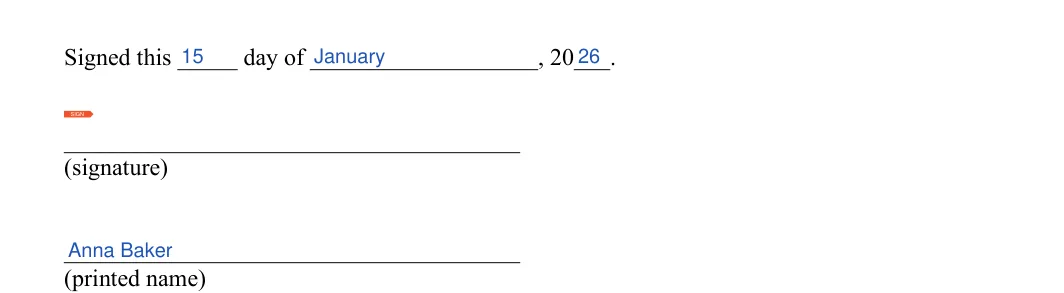
Fill in the day, month and year on the "Signed this" line, then add your printed name under the signature line. Check that the date is correct.
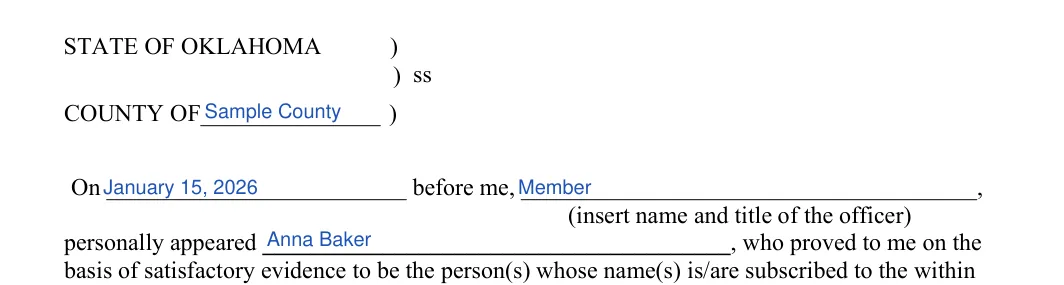
Acknowledgment: county, date and names
On page 3, fill in the county, the date, the officer's name and title, and your name. Check that your name matches your ID.
Officer signature and seal
The last part of page 3 is the officer's signature line, with a spot for the seal. You do not fill in anything in this part.

Once every field is filled in, print the form and read it through one more time. The steps below cover signing the document and what to do with your copies afterward.
Sign the form
Sign and date the form, then acknowledge your signature before a notary public.[2] Bring the printed form with you.
Notarization
Under the Oklahoma Uniform Power of Attorney Act, a power of attorney is valid when it is signed by the owner, or by another person in the owner's conscious presence at the owner's direction, and a signature the owner acknowledges before a notary public is presumed genuine.[2][3] Service Oklahoma also requires a power of attorney used to transfer a vehicle title to be notarized if it comes from a notary state.[4] The notary public will verify your identity and witness your signature before applying their seal on the document. Make sure all information is correct before the notary finalizes the process.
Keep and share copies
Keep a signed copy with your vehicle records and give your agent a copy, too.
These answers cover the questions people ask most often before they start the FormsPal template. They are about what to prepare, how long the form takes and how to fill the form out.
The form details list an average of 15 minutes. Having your agent's address and the vehicle's VIN ready helps you finish sooner.
You enter your name and address, your agent's name and address, and the vehicle's make, model, year, VIN and odometer reading. You also add your Social Security Number or Tax ID Number and date of birth. If you want a successor agent, you add their name and address too.
Yes. Click Create My Document, answer a few questions and finish on any device. You can also download the PDF and fill it in with the PDF editor.
General information, not legal or tax advice.
