Please rate 11 A R Form 3-2021

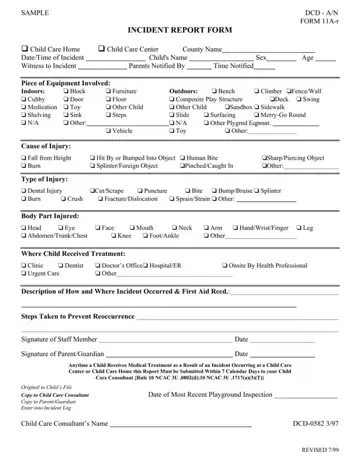
The Form 11A-r, known as the Incident Report Form, plays a crucial role in maintaining a safe and responsive environment in child care settings, whether in a home or a center. This document is meticulously designed to record incidents affecting the well-being of children under their care. It captures essential details such as the county name, date and time of the incident, the child's name, sex, age, witnesses, and whether the parents were notified, including the time of notification. The form is thorough, listing potential indoor and outdoor equipment involved, the cause of injury, the type of injury sustained, the body part injured, and where the child received treatment. It also requires a description of how and where the incident occurred, first aid administered, and steps taken to prevent recurrence. Additionally, it underscores the importance of timely communication, mandating that a report must be submitted within seven days to a Child Care Consultant if medical treatment was needed as a result of the incident. The inclusion of signatures from both staff members and parents or guardians, the date of the most recent playground inspection, and the child care consultant’s name ensures accountability and encourages ongoing safety practices.
| Question | Answer |
|---|---|
| Form Name | 11 A R Form |
| Form Length | 1 page |
| Fillable? | Yes |
| Fillable fields | 117 |
| Avg. time to fill out | 15 sec |
| Other names | incident report childcare example, childcare behavior forms printable, child incident report example, how to write incident report in childcare |
11 A R Form isn’t the one you’re looking for?
Please rate 11 A R Form 3-2021
