
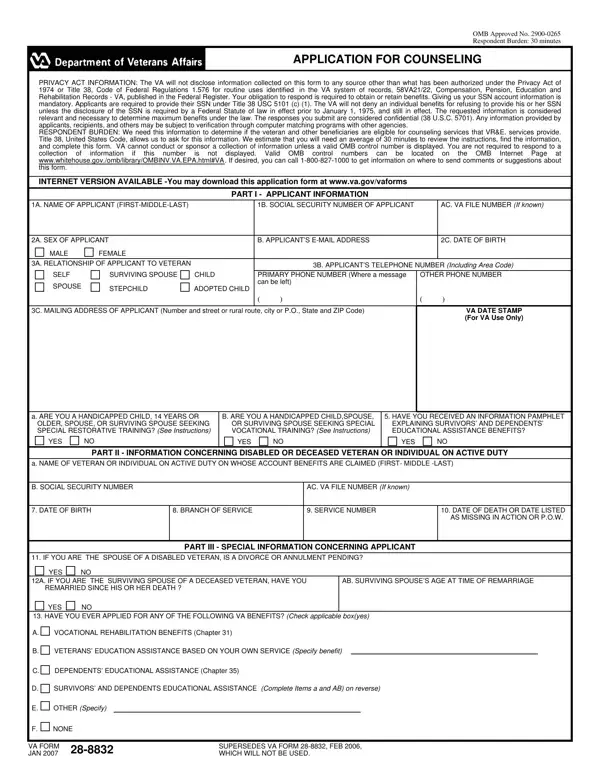
The 28 8832 form, officially titled the Application for Counseling (OMB No. 2900-0265), is issued by the Department of Veterans Affairs to determine eligibility for career and educational counseling services. These services are provided free to approved applicants and cover vocational rehabilitation, personal adjustment counseling, and educational guidance for veterans transitioning to civilian life.
You may use this application if you are in one of these categories:
Mail or deliver the completed application to your nearest VA Regional Office. You may also submit it through a VA Vocational Rehabilitation and Employment (VR&E) counselor. The VA processes most applications within 30 days. Travel costs to counseling appointments are the applicant's responsibility, unless the VA authorizes reimbursement in your case.
If you are pursuing vocational rehabilitation benefits, you may also need VA Form 28-1905 (Authorization for Work-Relief Employment) or VA Form 28-1902W (Individual Rehabilitation Plan Supplement). For the preliminary counseling interview, see VA Form 28-1910. Veterans seeking healthcare-related forms may also need VA Form 10-2850A.
| Question | Answer |
|---|---|
| Form Name | 28 8832 Form |
| Form Length | 3 pages |
| Fillable? | No |
| Fillable fields | 0 |
| Avg. time to fill out | 45 sec |
| Other names |