Please rate 445103 Form Updated 11-2024

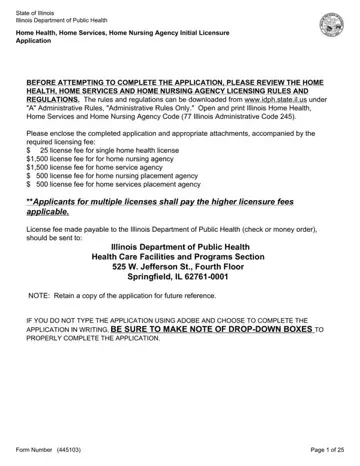
The 445103 form is the official Initial Licensure Application required by the Illinois Department of Public Health. Any entity wishing to operate a home health, home services, or home nursing agency in Illinois must complete and submit this form. The IDPH recommends reviewing the current licensing rules and regulations online before starting the application.
The form asks for basic agency details such as name, address, and ownership type. It also requires governance information, including stockholder data for corporations and registered agent details where applicable. Application fees range from $25 for a single home health license to $1,500 for home nursing or home services agency licenses, all payable to the Illinois Department of Public Health.
Agencies managing ongoing compliance may also need a home health audit form to track regulatory requirements. Facilities that operate residential care settings should review the nursing home form for additional licensing steps. Illinois providers can also reference the HFS 3654 form for related Department of Public Aid requirements.
| Question | Answer |
|---|---|
| Form Name | 445103 Form |
| Form Length | 18 pages |
| Fillable? | Yes |
| Fillable fields | 443 |
| Avg. time to fill out | 6 min 15 sec |
| Other names | illinois temporary nursing home administrator license form, illinois home services application, illinois home nursing application, illinois dph agency |
445103 Form isn’t the one you’re looking for?
Please rate 445103 Form Updated 11-2024
