
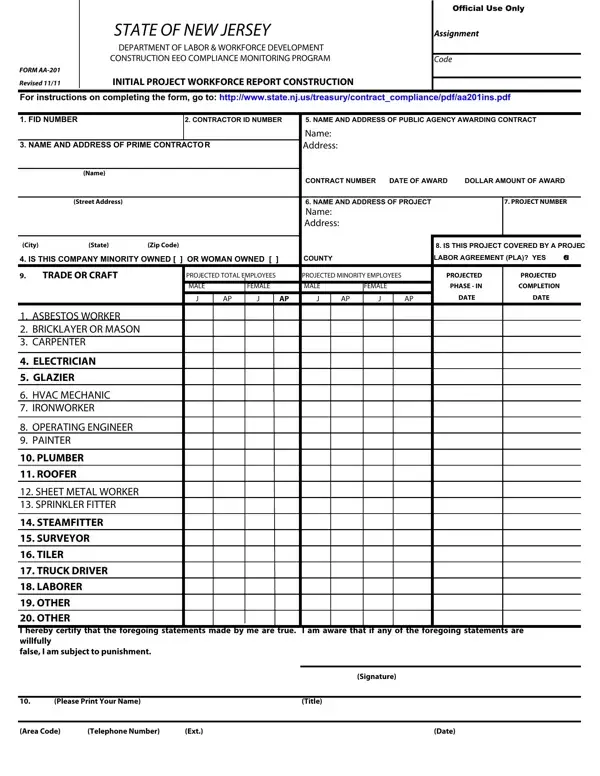

Form AA-201 at a glance
What it is: Form AA-201, the Initial Project Workforce Report Construction, is a form of the Department of Labor & Workforce Development Construction EEO Compliance Monitoring Program.
Who signs: Print or type the name of the company official or authorized Equal Employment Opportunity (EEO) official include signature and title, phone number and date the report is submitted.[2]
A filled-in Form AA-201 example: a minority owned contractor reports one trade
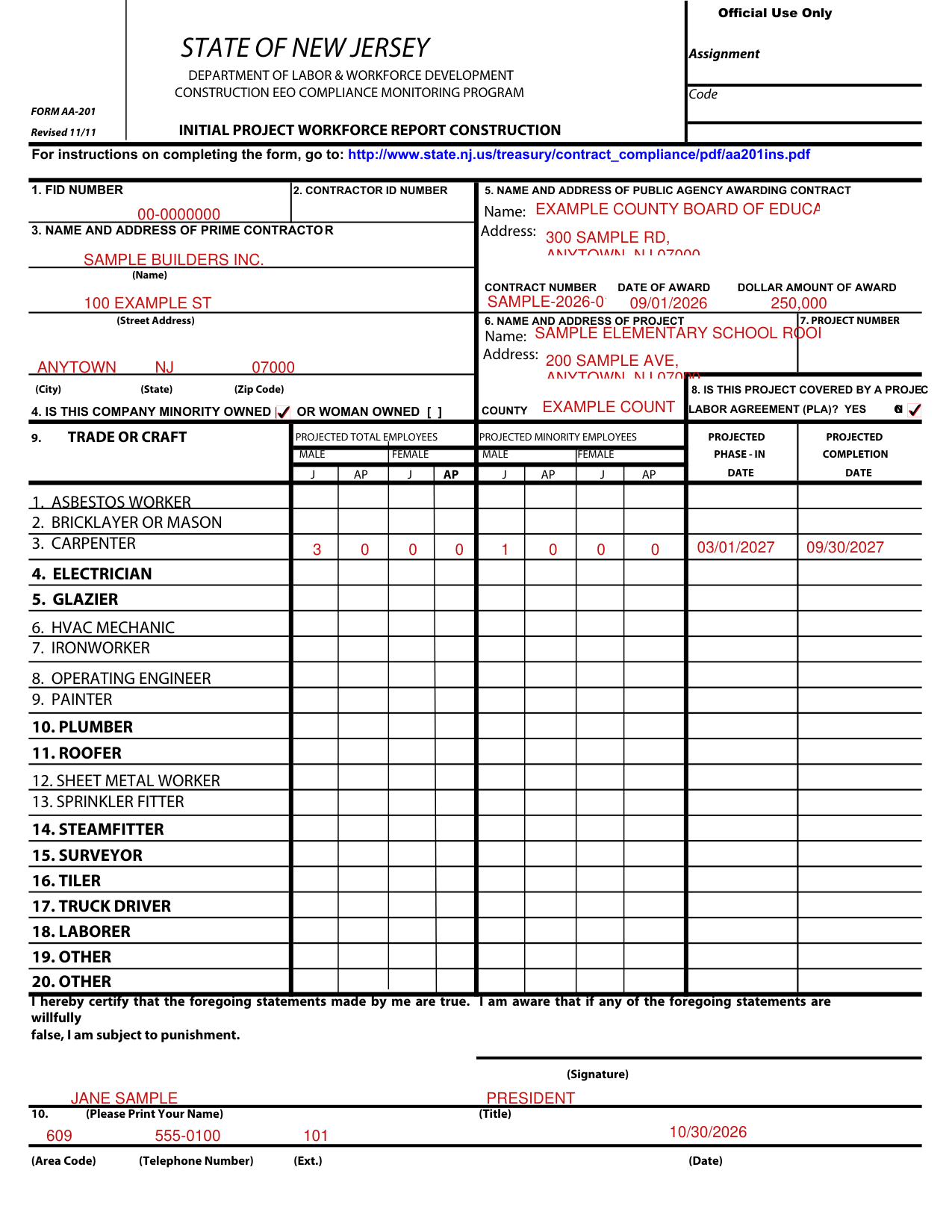
How to fill out Form AA-201, box by box
Boxes 1 to 4, the contractor
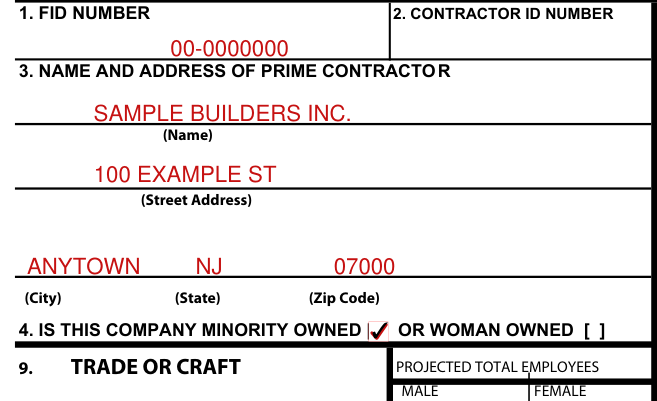
Enter the Federal Identification Number assigned to the contractor by the Internal Revenue Service, or if a Federal Employer Identification Number has been applied for but not yet issued, or if your business is such that you have not or will not receive a Federal Identification Number, enter the social security number assigned to the single owner or one partner, in the case of a partnership.
The Department of Labor & Workforce Development, Construction EEO Monitoring Program will assign a contractor ID number to your company, and this number will be your permanently assigned contractor ID number that must be on all correspondence and reports submitted to the Department of Labor & Workforce Development.
Enter the prime contractor's name, address and zip code number.
Check the box if the company is Minority Owned or Woman Owned.[2]
Boxes 5 to 8, the agency, the project and the labor agreement
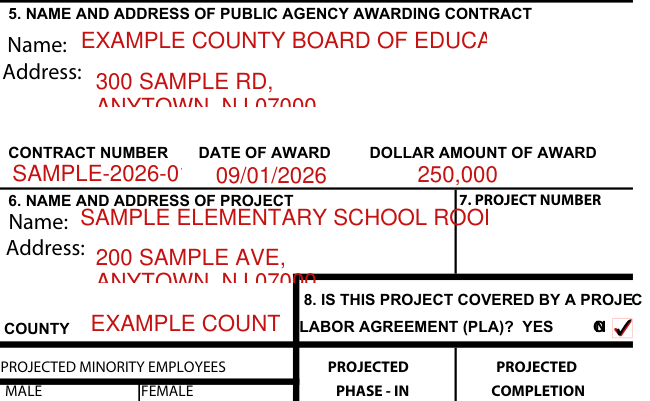
Enter the complete name and address of the Public Agency awarding the contract.
Include the contract number, date of award and dollar amount of the contract.
Enter the name and address of the project, including the county in which the project is located.
A project contract ID number will be assigned to your firm upon receipt of the completed Initial Project Workforce Report (AA201) for this contract, and the number must be indicated on all correspondence and reports submitted to the office relating to this contract.
Check “Yes” or “No” to indicate whether a Project Labor Agreement (PLA) was established with the labor organization(s) for this project.[2]
Box 9, trade or craft with projected employees and dates
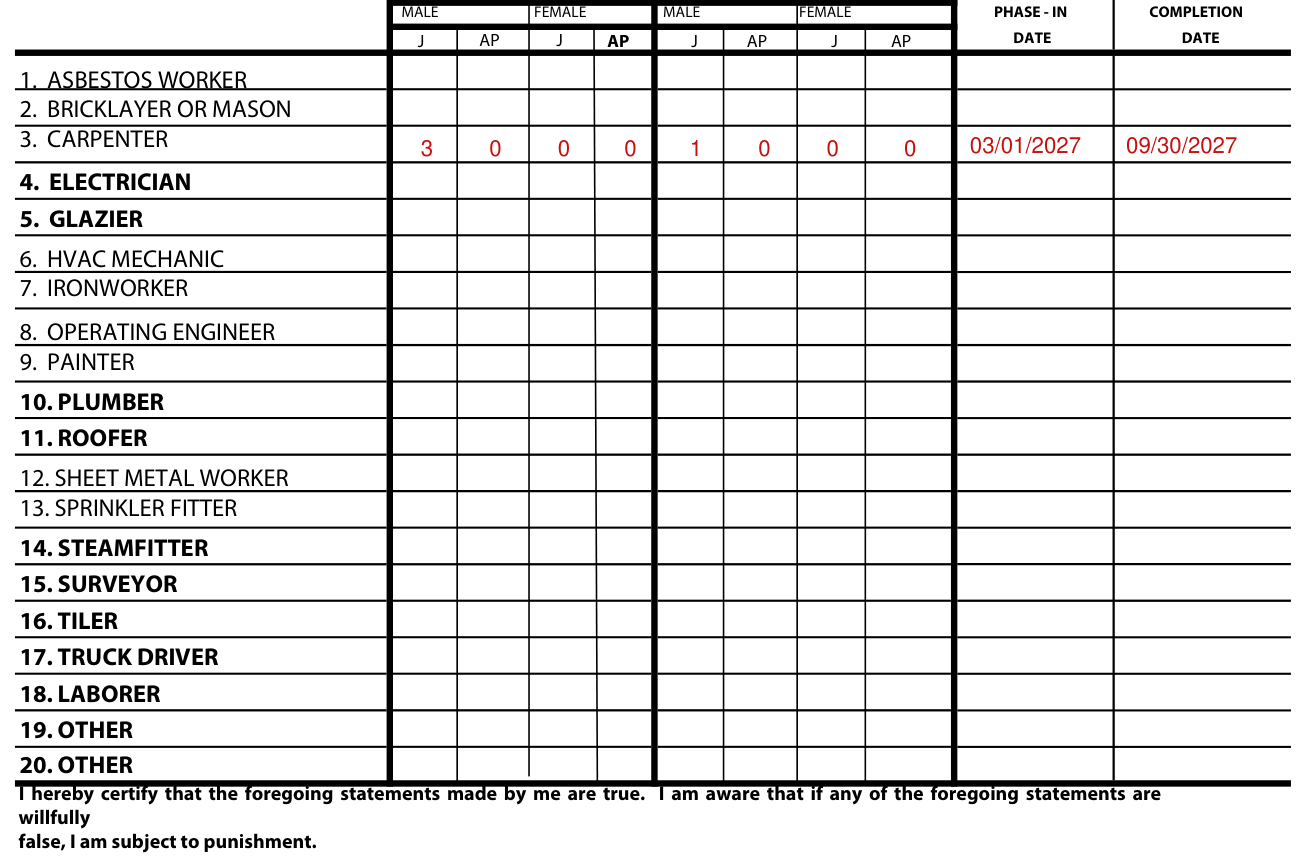
Under the Projected Total Number of Employees in each trade or craft and at each level of classification, enter the total composite workforce of the prime contractor and all subcontractors projected to work on the project.
Under Projected Employees enter total minority and female employees of the prime contractor and all subcontractors projected to work on the project.
Minority employees include Black, Hispanic, American Indian and Asian, (J=Journeyworker, AP=Apprentice).
Include projected phase-in and completion dates.[2]
Signature, name, title and date
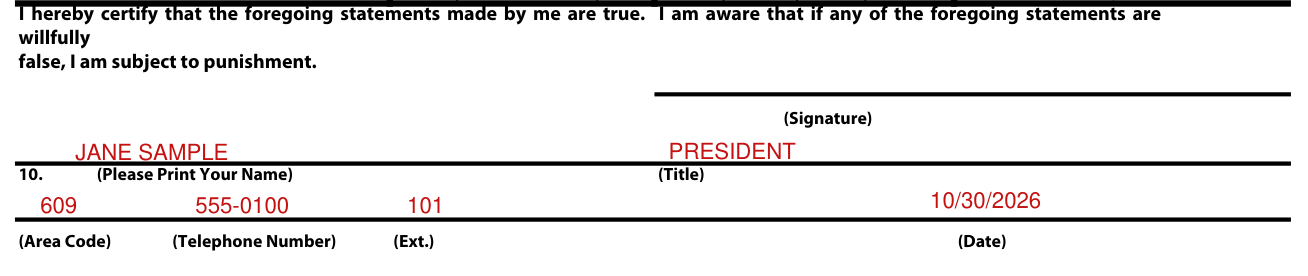
Sign on the Signature line, then fill in Please Print Your Name, Title, Area Code, Telephone Number, Ext. and Date.
"I hereby certify that the foregoing statements made by me are true. I am aware that if any of the foregoing statements are willfully false, I am subject to punishment."
Common questions about Form AA-201
Is there a deadline?
This report must be submitted to the Public Agency that awards the contract and the Department of Labor & Workforce Development, Construction EEO Compliance Monitoring Program after notification of award, but prior to signing the contract.[2]
Where do I file it?
The contractor is to retain a copy and submit a copy to the public agency awarding the contract and forward a copy to: New Jersey Department of Labor & Workforce Development Construction EEO Compliance Monitoring Unit P.O. Box 209 Trenton, NJ 08625-0209 (609) 292-9550.[2]
When is this form not the right one?
Do not complete this form for goods and/or service contracts.[2]
Sources
[1] Form AA-201 (Revised 11/11), Initial Project Workforce Report Construction, New Jersey Department of Labor & Workforce Development (the Official source link on this page).