
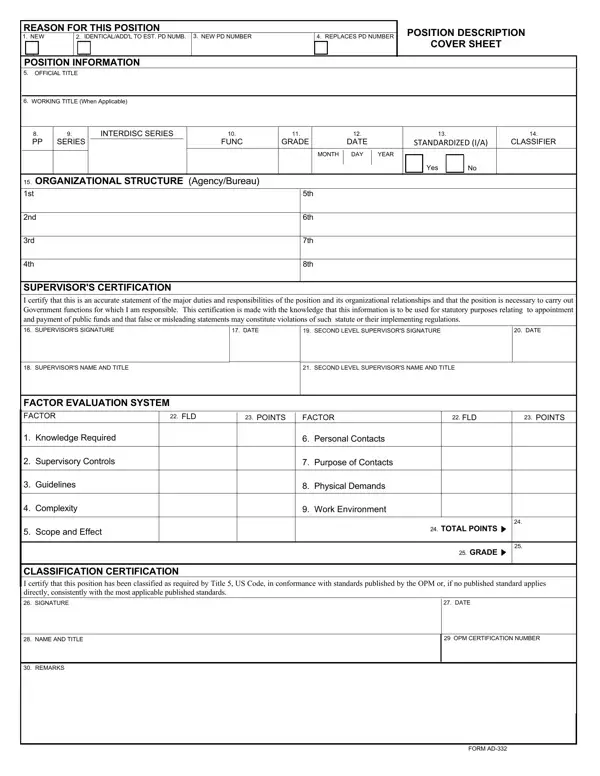
The AD-332 form provides a structured framework for position classification within federal agencies. It documents whether a position is new or a replacement, records the official and working titles, and specifies the occupational series, grade, and pay plan. The supervisory certification section verifies that the listed duties are accurate and necessary for the agency.
The form includes the Factor Evaluation System (FES), which evaluates positions across factors such as knowledge required, supervisory controls, guidelines, scope of work, and work environment. Points assigned to each factor determine the appropriate GS grade. HR offices also rely on the SF-50 Notification of Personnel Action when implementing classification decisions, and may complete the AD-1047 Certification form for related documentation needs.
| Question | Answer |
|---|---|
| Form Name | Ad 332 Form |
| Form Length | 2 pages |
| Fillable? | No |
| Fillable fields | 0 |
| Avg. time to fill out | 30 sec |
| Other names | position description form, dt rev act pdf, ad 332 2, ad 332 |
Ad 332 Form isn’t the one you’re looking for?