
AD 700 Form PDF Details

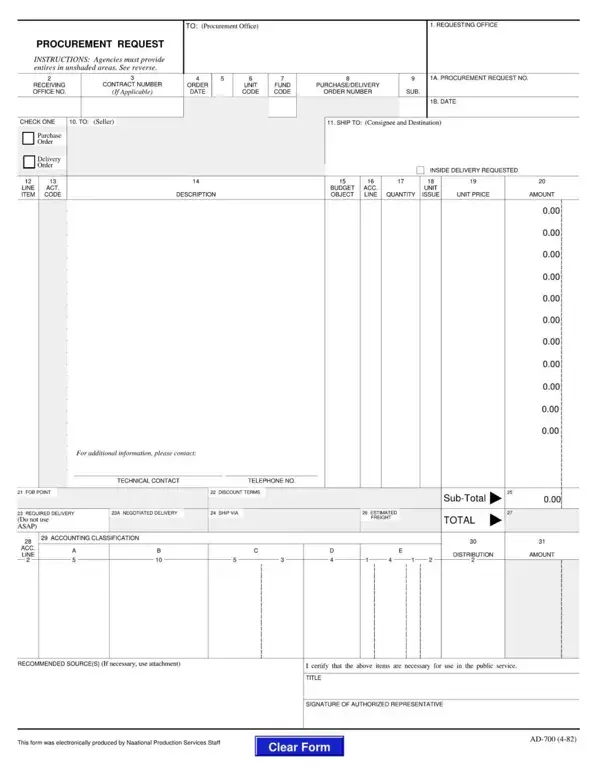
The USDA AD-700 Procurement Request form is used by federal agencies and authorized personnel to formally request the acquisition of goods, services, and equipment. Whether you work in the Department of Agriculture or another government department, the AD-700 provides a standardized format for initiating procurement actions that must be approved before purchasing can begin.

To complete the AD 700 form correctly, you need item descriptions, quantities, unit of measure, estimated unit costs, and accounting classification codes such as appropriation and budget object class codes. The completed form must carry authorized signatures before submission to the agency contracting office, ensuring compliance with federal procurement rules and maintaining proper budget accountability.

QuestionAnswer
Form NameAD 700 Procurement Request
Also Known AsUSDA Form AD-700, AD-700 Purchase Request
Issuing AgencyUSDA (U.S. Department of Agriculture)
Form Length2 pages
Fillable?No
Fillable fields0
Avg. time to fill out30 sec
Other namesad 700 pdf, procurement ad700, ad 700 sample, ad 700 form usda

Form Preview Example

How to Edit Ad 700 Form Online for Free

Completing the AD-700 Procurement Request form accurately is essential for federal agencies to receive the goods and services they need. The form must be filled out in full before submission to the contracting or purchasing office. Follow these steps to complete your AD 700 form correctly.

Step 1: Enter the Requesting Agency Information

At the top of the AD-700 form, enter the name of your federal agency, the requisition number, and the date of the request. Use your agency's standard requisition numbering format. Confirm that the date falls within the correct fiscal year for your procurement cycle.

Step 2: Describe the Required Items or Services

List each item or service you are requesting on separate line entries. For each item, include the stock number or catalog number if applicable, a clear description, the unit of measure, the quantity needed, and the estimated unit cost. Accurate descriptions help the contracting office process your request without delays.

Step 3: Complete the Accounting Classification Data

Fill in the appropriation or fund code, the program code, the budget object class code, and any other accounting data required by your agency's financial management system. Entering accurate accounting codes prevents payment errors and keeps procurement spending aligned with your agency's approved budget.

Step 4: Obtain the Required Authorization Signatures

The AD-700 Procurement Request form requires signatures from the requesting official and the approving authority. Verify that all required signatures are present before submitting. Unsigned forms will be returned and can delay your procurement timeline.

Step 5: Submit to the Procurement Office

Deliver the signed AD-700 form to your agency's procurement or contracting office together with any required supporting documentation. Keep a copy of the completed form for your records and note the requisition number so you can follow up on the status of your request. For related federal procurement forms, see our purchase request form or the internal requisition form for internal supply requests within your department.