
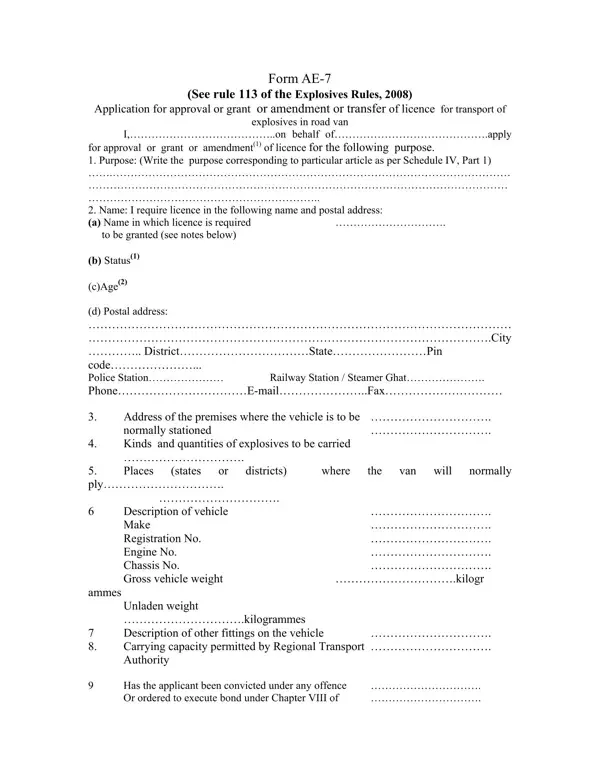
This licensing document is used by businesses and individuals to obtain, amend, or transfer a license for transporting explosives in road vans under India's Explosives Rules of 2008. The licensing authority is PESO, the Petroleum and Explosives Safety Organisation, which oversees explosive material regulation across India.
To complete this form, applicants must provide their full name, age, and postal address, the purpose of the license under Schedule IV Part 1, and detailed vehicle information including make, registration number, engine number, chassis number, and carrying capacity as certified by the Regional Transport Authority. The proposed route from origin to destination must also be declared. In addition, the form requires a declaration of any prior criminal record or licensing history under the Explosives Act, 1884.
Accuracy is essential when completing this document. The Regional Controller of Explosives reviews submissions for compliance with Schedule IV requirements before granting approval. Incomplete or inaccurate declarations may result in delays or rejection of the application. Applicants seeking guidance on regulatory requirements can consult the PESO official website. For related regulatory documents, see the AE-3 form for storage licenses and the AE-600-77A form for other transport-related filings.
| Question | Answer |
|---|---|
| Form Name | AE 7 Form |
| Form Length | 2 pages |
| Fillable? | No |
| Avg. time to fill out | 30 sec |
| Governing Law | Explosives Rules of 2008 |
| Issuing Authority | PESO (India) |
| Purpose | Transport license application, amendment, or transfer |
| Other names | ae-7 form, explosive rules 2008 form ae 7, transport explosives form |
Ae 7 Form isn’t the one you’re looking for?