
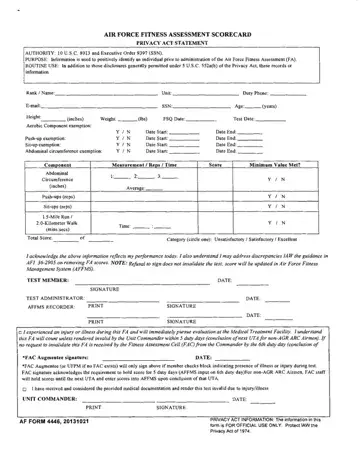
AF Form 4446 at a glance
What it is: AF Form 4446 is the Air Force Physical Fitness Readiness Assessment Score Card.
Who signs: The PFRA ADMINISTRATOR enters the Name/Signature and Date. Under MEMBER TESTING:, enter Next PFRA Due, then the Signature and Date.
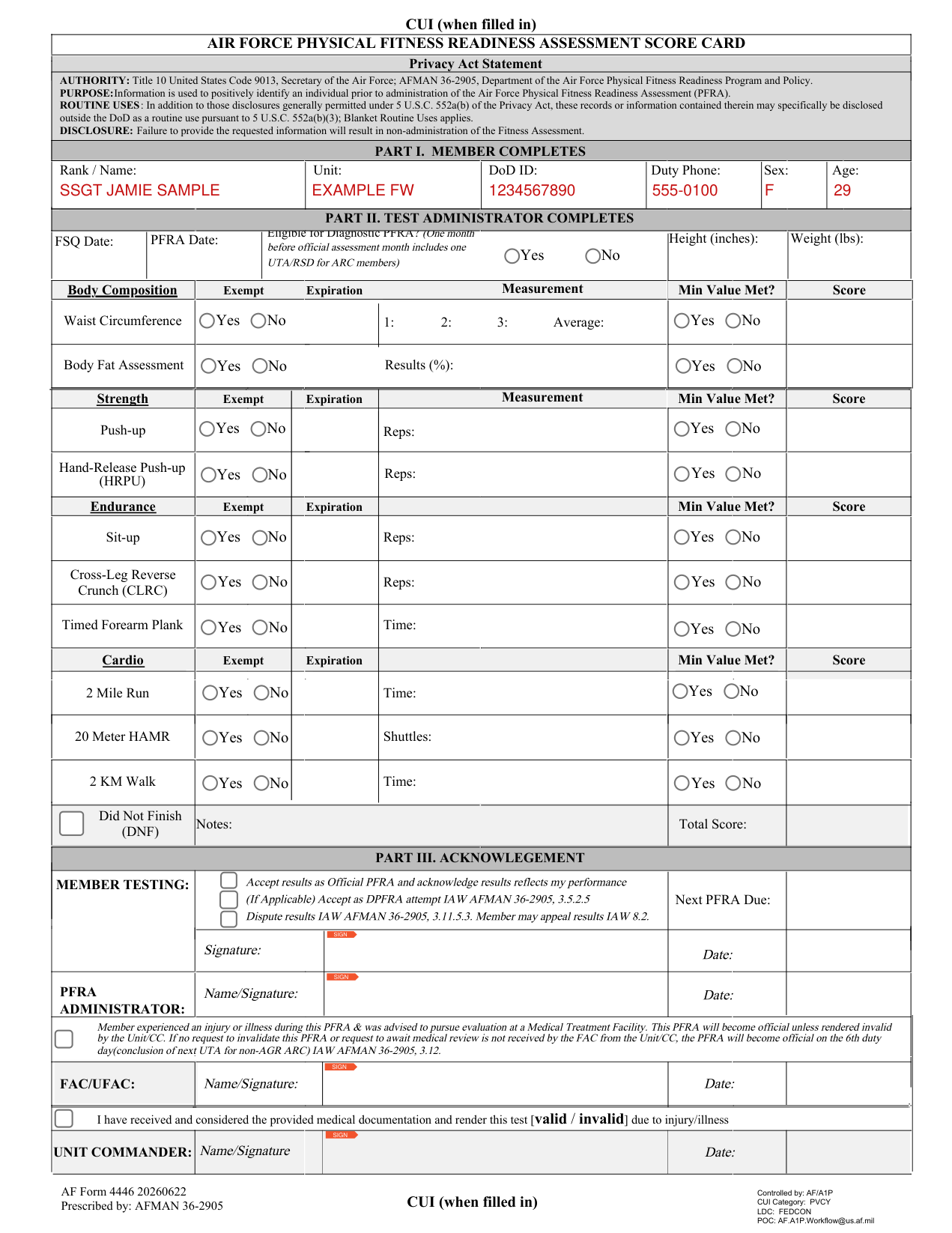
A filled-in AF Form 4446 example: a member completes Part I
How to fill out AF Form 4446, box by box
Part I. Member completes

In Part I, the member completes Rank / Name, Unit, DoD ID, Duty Phone, Sex and Age.
The information is used to positively identify an individual prior to administration of the Air Force Physical Fitness Readiness Assessment (PFRA).
Failure to provide the requested information will result in non-administration of the Fitness Assessment.
Part II. Test administrator completes
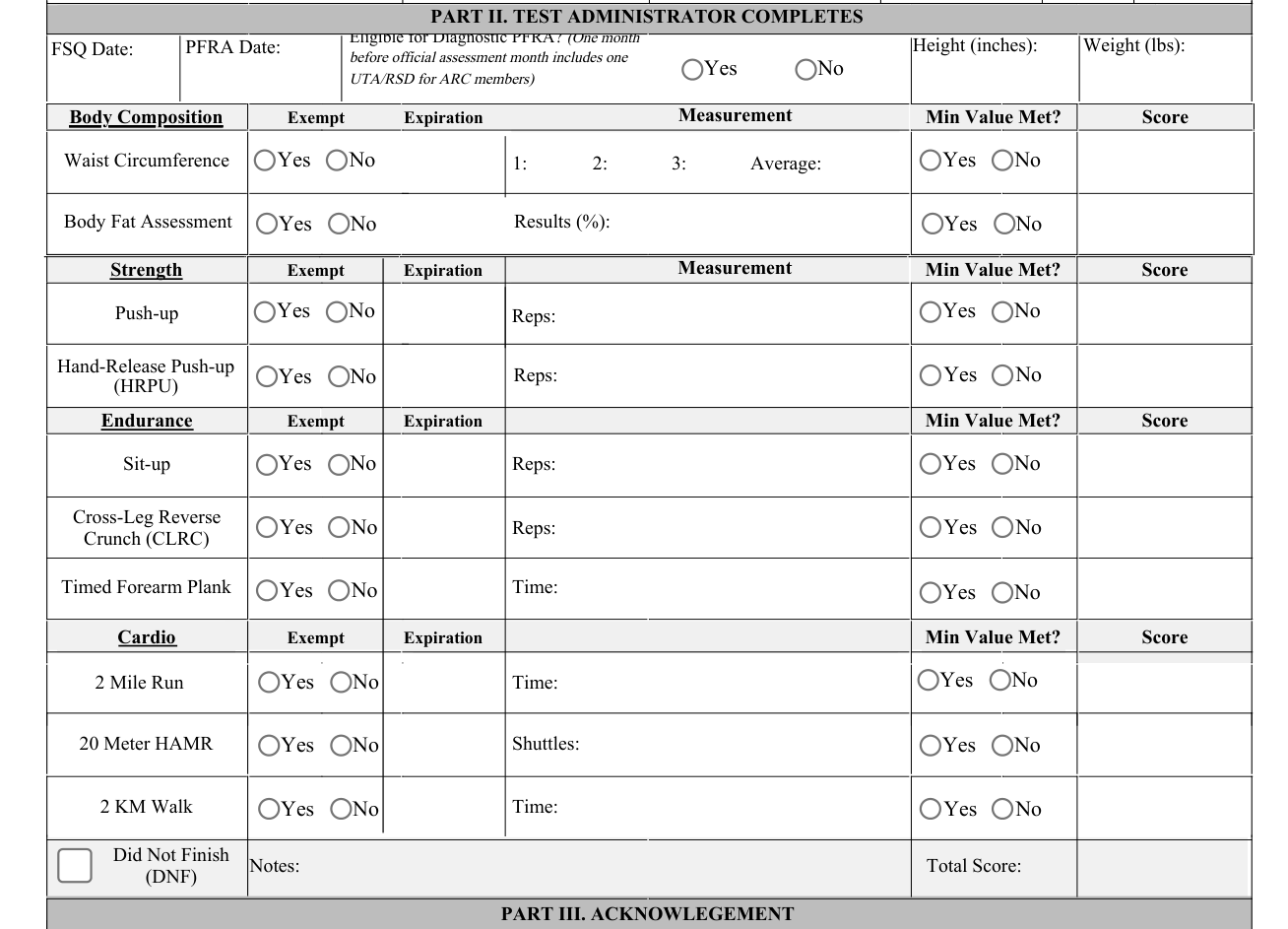
In Part II, the test administrator completes Height (inches), FSQ Date, PFRA Date and Weight (lbs).
For Eligible for Diagnostic PFRA?, one month before official assessment month includes one UTA/RSD for ARC members.
Under Body Composition Measurement, enter Waist Circumference 1:, 2:, 3: and Average, and Body Fat Assessment Results (%), with Min Value Met? and Score.
Under Strength Measurement, enter Push-up Reps and Hand-Release Push-up (HRPU) Reps, with Min Value Met? and Score.
Under Endurance, enter Sit-up Reps, Cross-Leg Reverse Crunch (CLRC) Reps and Timed Forearm Plank Time, with Min Value Met? and Score.
Under Cardio, enter 2 Mile Run Time, 20 Meter HAMR Shuttles and 2 KM Walk Time, with Min Value Met? and Score.
Write the Did Not Finish (DNF) Notes.
Enter the Total Score.
Part III. Acknowledgement
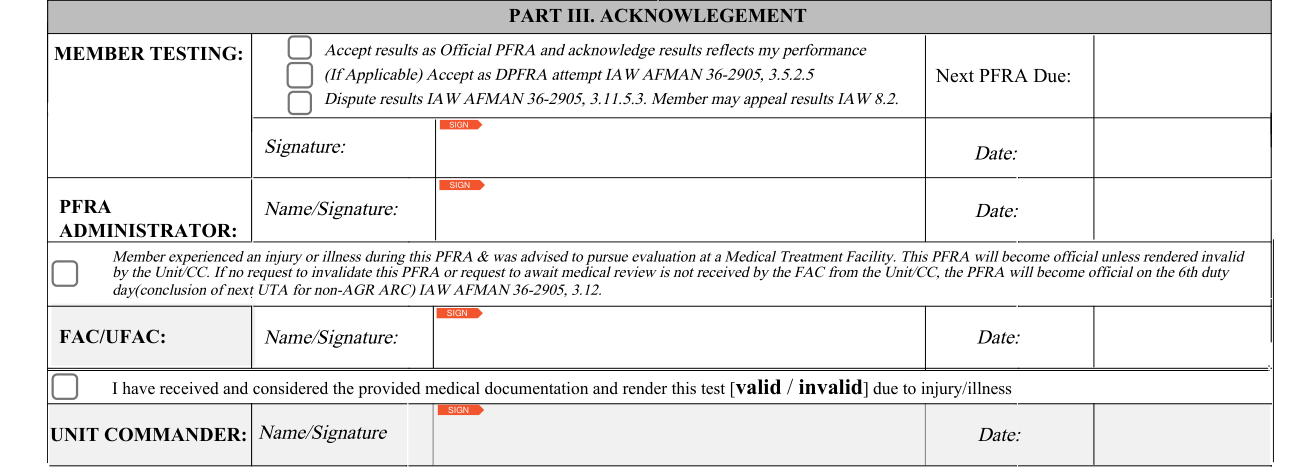
In PART III. ACKNOWLEGEMENT, the member testing marks Accept results as Official PFRA and acknowledge results reflects my performance, (If Applicable) Accept as DPFRA attempt IAW AFMAN 36-2905, 3.5.2.5, or Dispute results IAW AFMAN 36-2905, 3.11.5.3. Member may appeal results IAW 8.2.
Under MEMBER TESTING:, enter Next PFRA Due, then the Signature and Date.
The PFRA ADMINISTRATOR enters the Name/Signature and Date.
Member experienced an injury or illness during this PFRA & was advised to pursue evaluation at a Medical Treatment Facility. This PFRA will become official unless rendered invalid by the Unit/CC. If no request to invalidate this PFRA or request to await medical review is not received by the FAC from the Unit/CC, the PFRA will become official on the 6th duty day(conclusion of next UTA for non-AGR ARC) IAW AFMAN 36-2905, 3.12.
FAC/UFAC enters the Name/Signature and Date.
The UNIT COMMANDER enters the Name/Signature and Date, with I have received and considered the provided medical documentation and render this test [valid / invalid] due to injury/illness.
Sources
[1] AF Form 4446, Air Force Physical Fitness Readiness Assessment Score Card, Department of the Air Force (the Official source link on this page).
