Please rate Agreement Personal Property

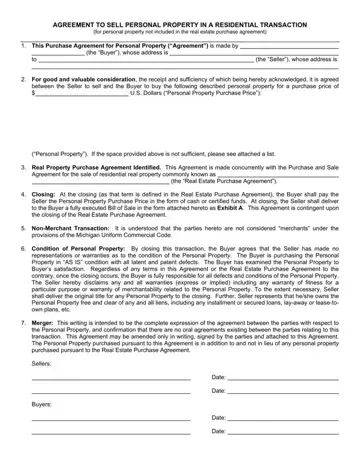
When navigating the complexities of a residential real estate transaction, a critically important but often overlooked document is the Agreement to Sell Personal Property. This legal form allows sellers and buyers to itemize and agree upon the sale of personal property not included in the main real estate purchase agreement. Striking at the heart of private transactions, this agreement specifies the precise items being sold, from furniture to fixtures, ensuring both parties are clear about what is changing hands and at what price. It also cleverly ties itself to the broader real estate transaction by referencing the Real Estate Purchase Agreement, ensuring synchronicity between the sale of the home and the personal property within. A crucial feature of this agreement is its emphasis on the "as is" condition of the items sold, absolving the seller from responsibility for any defects once the deal is closed. This document not only mitigates potential misunderstandings by requiring detailed listings and conditions of the sale but also establishes the payment method and the timing of the transaction, aligning it with the closing of the real estate sale. Furthermore, it underlines the non-merchant status of the parties, steering the agreement clear of the Michigan Uniform Commercial Code’s provisions for commercial transactions. The condition, ownership, and the clear transfer of titles for the personal property are underscored, providing assurances to the buyer while protecting the seller from future disputes. All agreed conditions are consolidated in this comprehensive document, which disclaims any verbal agreements outside its scope, thereby encapsulating the entirety of the parties’ understanding regarding the personal property in question. With legalities firm and intentions clearly stated, this agreement forms an indispensable element of a smoothly conducted residential property transaction.
| Question | Answer |
|---|---|
| Form Name | Agreement Personal Property |
| Form Length | 1 pages |
| Fillable? | No |
| Fillable fields | 0 |
| Avg. time to fill out | 15 sec |
| Other names | personal property sales contract, agreement to sell personal property form, property residential transaction, mi agreement personal property |
Agreement Personal Property isn’t the one you’re looking for?
Please rate Agreement Personal Property
